
 Script Planner Assistant▸
 AI Apps
 AI News

Tencent Marvis: The OS-Level AI Assistant from Tencent App Store
Tencent Marvis: The OS-Level AI Assistant from Tencent App StoreIntroduction
Marvis is an operating-system-level AI assistant launched by Tencent's App Treasure (Yingyongbao) team on May 20, 2026. Its official website marvis.qq.com is open for full public download, with no invite code required.
Tencent Marvis is not just another general-purpose conversational AI—it is positioned as a "system middleware layer." It establishes an AI scheduling layer between users and their computers, taking over file management, system settings, app invocation, hardware awareness, and cross-device collaboration, realizing the shift from "cloud-based conversation" to "on-device execution."
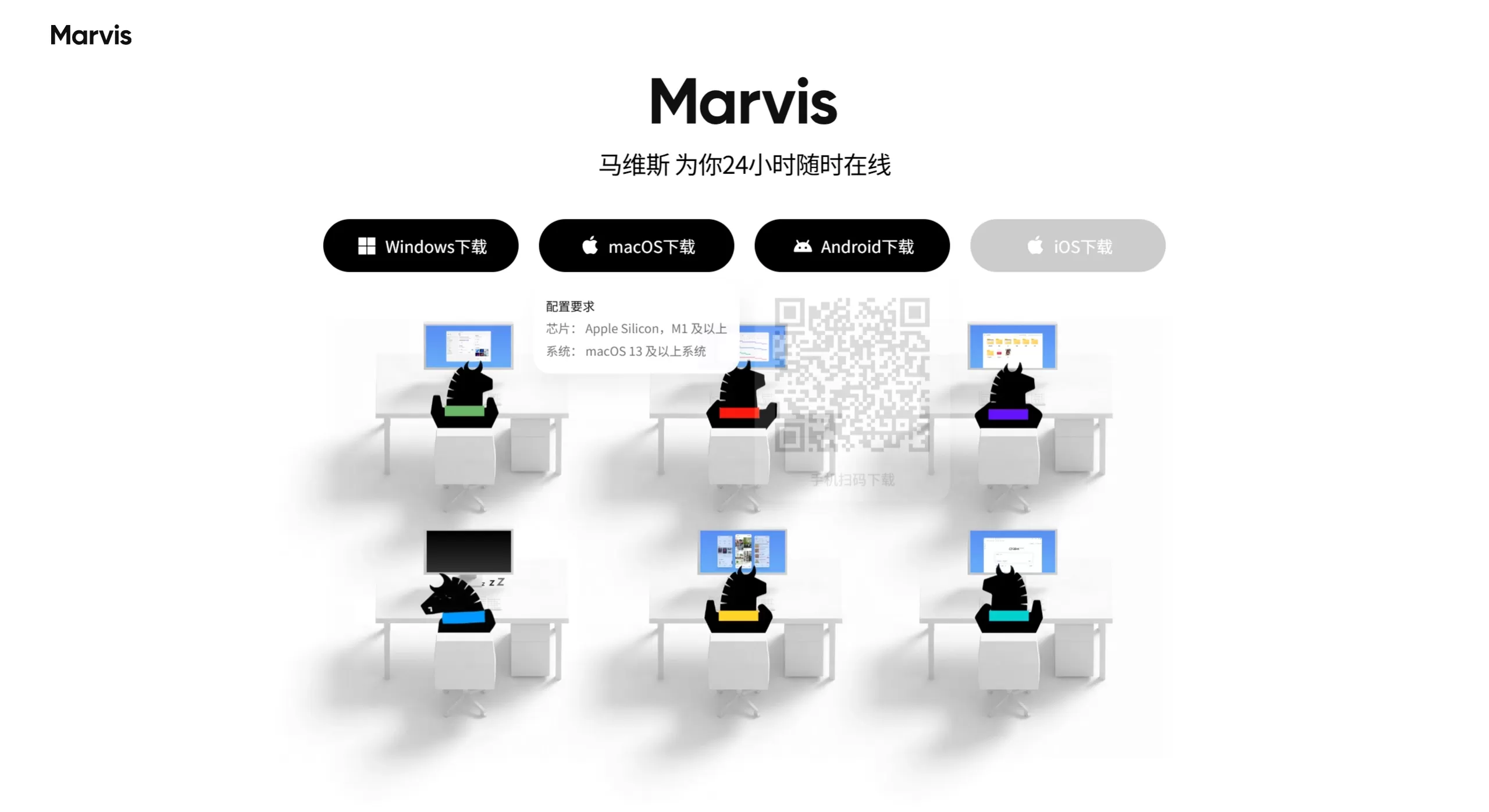
Screenshot of Tencent Marvis official website
Features
1. An "AI Team" Composed of Six Agents
Pre-installed with 1 main Agent + 5 specialized Agents out of the box—no need to build your own workflows:
Main Agent (PM): Understands requirements, breaks down tasks, coordinates dispatch
File Agent: Semantic-level file search, reading, format conversion, batch archiving
Computer Agent: System settings, hardware detection, junk cleanup, boot optimization
App Agent: Controls EXE software and Android apps on the computer (cross-device)
Browser Agent: Web interaction, information scraping, monitoring updates
Search Agent: Web search, information aggregation, data organization
2. Dual-Mode Operating Architecture
Efficiency Mode: Cloud-based large models (Hunyuan, DeepSeek V4) handle understanding and planning, with local execution—suitable for everyday office work.
Privacy Mode: Based on the on-device Qwen model, fully usable offline with no data uploaded to the cloud—suitable for finance, legal, and HR professionals handling sensitive materials.
3. System-Level Deep Control
Directly calls Windows low-level interfaces (not simulated clicks). A single sentence can accomplish: turning off ads, adjusting resolution, cleaning the C drive, optimizing startup items, uninstalling software, detecting whether hardware can smoothly run "Black Myth: Wukong," and more.
4. Cross-Device Visual Control
Backed by 4 years of cross-device engine accumulation from App Treasure:
Remotely view and take over the computer desktop in real time from a phone (works even when the PC is locked—remote password input for unlocking)
Run mobile apps directly on PC (Weibo, Xiaohongshu, Tonghuashun, etc.) without occupying the keyboard and mouse, enabling multi-task parallelism
Windows, macOS, and Android share accounts across devices; the iOS version is expected to launch in mid-June
5. Semantic-Level File Understanding
Goes beyond searching file names—reads document content, recognizes text in images, categorizes by portrait/scene/theme, supports batch format conversion, PDF merging, contract organization, and summary generation.
6. Chip-Level Performance Optimization
In deep collaboration with Intel, accelerated through OpenVINO, delivering over 20% improvement in on-device model inference performance; on AI PC GPU/NPU, inference speed can be 2~10x faster than traditional CPU.
Use Cases
Disorganized file management: "Archive the desktop PDFs files by month," "Find all documents containing a specific client's name"
Sensitive data processing: Enable Privacy Mode to process financial reports, employee salaries, and legal contracts offline
Mobile/remote work: Control your home computer from your phone, hand off tasks across devices, handle urgent files while on a business trip
System maintenance beginners: "Adjust to a state suitable for nighttime writing," "Clean temporary files but don't delete personal documents"
Office automation: Write weekly reports, create PPT outlines, organize meeting minutes, translate documents, search literature
Cross-device applications: Use natural language on a computer to control mobile apps to check stock prices, browse social apps
Tencent Marvis Pros and Cons
Pros
Out-of-the-box ready: 6 Agents pre-installed for collaboration, zero configuration, productive right after installation—not like OpenClaw and similar tools that require self-built workflows.
System-level depth: Directly calls low-level APIs instead of simulating clicks, with higher stability and greater permissions.
Cross-device ecosystem moat: Backed by App Treasure's 14 years of accumulation + Microsoft Store partnership; the capability to control mobile apps from PC is not available in competing products.
Privacy mode truly local: On-device model works offline, unlike many "local-first but still requiring cloud verification" products.
Mass-user friendly: Natural language + visual operation lowers the usage barrier—no need for users to learn Prompt writing.
Generous free quota: 10 million tokens per day, more than enough for daily office work.
Cons
Limited AI ceiling: In terms of pure AI capabilities such as reasoning and code generation, it falls short of top-tier large model products and won't "write to blow your mind."
Platform coverage still incomplete: iOS version not yet released (expected mid-June), users in the Apple ecosystem cannot use it for now.
High permission requirements: Requires access to files, screen recording, accessibility, and other permissions, creating a psychological barrier for security-sensitive users.
Heavy token consumption for complex tasks: Medium- to long-term tasks call cloud models like DeepSeek V4; heavy use may hit the quota limit.
New product stability concerns: As a product just launched in May 2026, some edge cases may carry the risk of execution failure or misoperation.
Frequently Asked Questions (FAQ)
Is Tencent Marvis free? Each user gets 10 million free tokens per day—please refer to the client display for specifics.
Is an invite code required? Fully open access—download directly from the official website without an invite code. Beware of third-party sellers.
Which systems are supported? Windows, macOS (M1+, macOS 13+), Android; iOS is expected to launch in mid-June.
Is Privacy Mode absolutely safe? Data is not uploaded to the cloud, but this does not mean it can be used to violate organizational compliance rules when handling sensitive materials—users must verify this themselves.
Can it automatically delete files? It can identify duplicate files, but it is strongly recommended to back up first, let it generate a list for manual confirmation, and then proceed.
Can it perform contract review? It can extract clauses and identify obvious issues, but legal judgments still require professional human confirmation.
Can it replace human office work? No. It is suitable for improving efficiency, organizing information, and assisting execution—key judgments still need human responsibility.
How is it different from other Tencent AI products?
CodeBuddy: For developers, solving coding issues
WorkBuddy: Office scenarios, emphasizing task breakdown and execution
QClaw: Lightweight entry point, remote control via WeChat and other carriers
Marvis: An OS-level operator, directly taking over the computer system itself
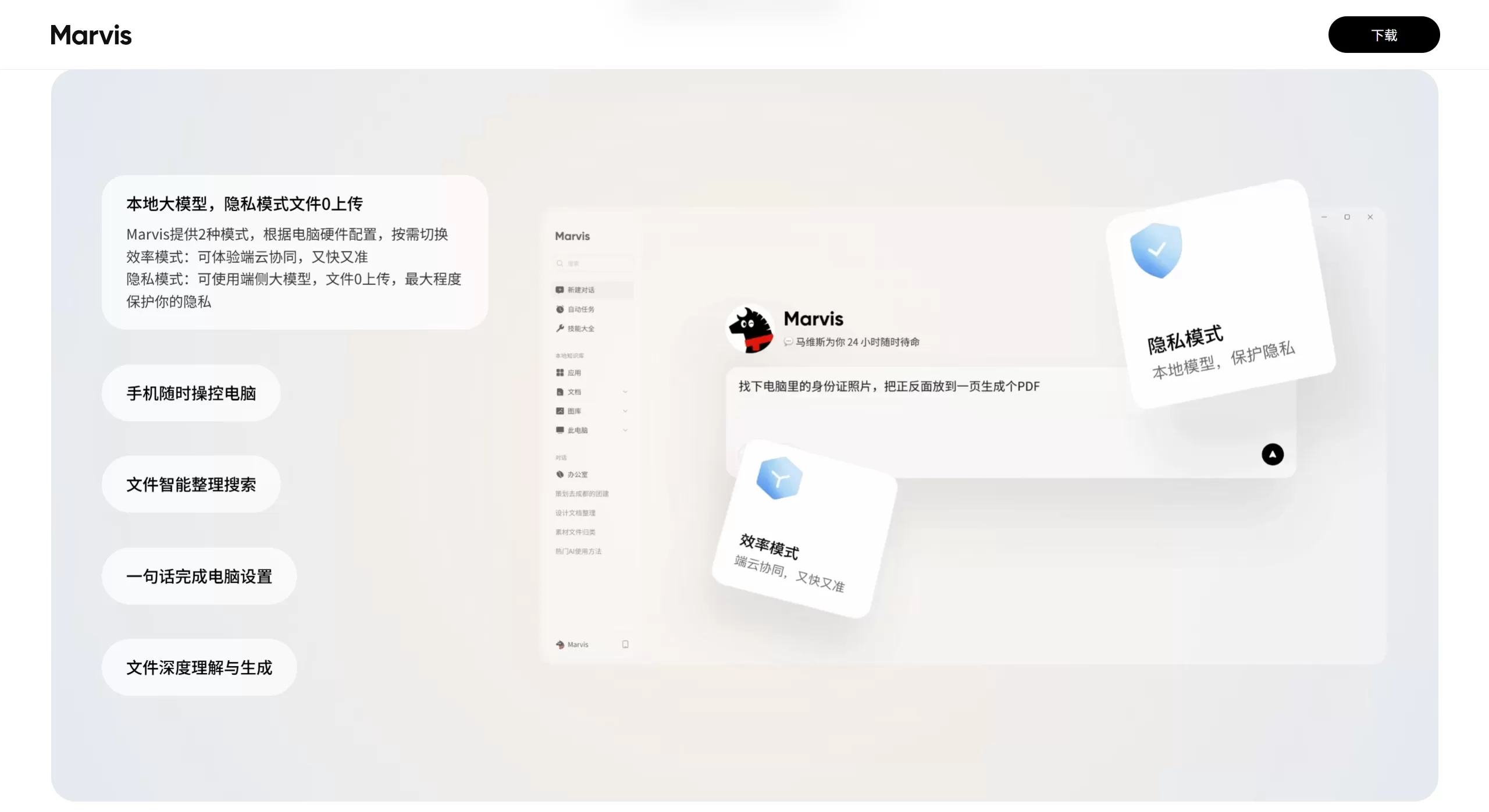
Tencent Marvis User Guide
1. Download and Install
Visit the official website https://marvis.qq.com and select the corresponding version for Windows/macOS/Android to download.
During installation, grant the necessary permissions as prompted (file access, screen recording/accessibility, network permission). Insufficient permissions will result in limited functionality.
2. First-Time Usage Suggestions (Test Before Committing)
Don't jump straight into processing important files. We recommend verifying in the following order:
Testing system comprehension: "Check this computer's configuration and tell me which performance mode is suitable."
Test file search: "Find PDFs in the Desktop and Downloads folders from the past week, organize by time"
Test document understanding: "Summarize the core content of this document and list the key items to check"
Test image recognition: "Find images related to invoices and ID documents in this folder"
Test system settings: "Set up my computer for nighttime writing"
Test web search: "Search for Marvis official information, and organize the download and configuration requirements"
Test cross-device collaboration: Connect your phone to the computer and try remote takeover
3. Instruction Formula
Follow the "Goal + Requirements + Constraints" format—the more specific, the better:
Help me organize all PDF files on the Desktop into the "Documents/2026 Materials" folder. Requirements: categorize by month, delete duplicate files, and generate an organization report when done.
4. Common Shortcuts
Ctrl+Shift+M (Mac: Cmd+Shift+M): Global wake-up
Ctrl+Enter: Send instruction
Ctrl+Shift+S: Screenshot and send to Marvis for analysis
Ctrl+Shift+F: Quick search local files
5. Advanced Tips
Local knowledge base: Settings → Local Knowledge Base → Add indexed folders. After that, you can query your personal library using natural language.
Scheduled tasks: Task Center → Set execution time and cycle, like "automatically organize yesterday's downloaded files at 9 a.m. every day."
Workflow orchestration: Create custom flows for repetitive work, like "Publish CSDN article" which automatically checks formatting → generates summary → opens the creation center → pastes content.
6. Safety Principles
Set boundaries first, then let it execute: clearly define scope, standards, output format, and limitations.
Test with small tasks first, then assign complex tasks: don't let it take over important work on day one.
Hard confirmation for sensitive operations: for deletions, system modifications, batch renaming, etc., Marvis will force a popup to require user click confirmation.
Competitor Comparison
| Dimension | Tencent Marvis | Microsoft Copilot | Zhipu AutoGLM / GLM-PC | Shizai Agent | ByteDance Doubao / Coze |
|---|---|---|---|---|---|
| Positioning | OS-level AI assistant | Microsoft ecosystem AI assistant | General agent (PC/phone control) | Enterprise-grade AI+RPA | General conversation / agent building platform |
| System Depth | ⭐⭐⭐⭐⭐ Direct access to Windows low-level APIs | ⭐⭐⭐⭐ Deep integration with Windows/Office | ⭐⭐⭐⭐ Screen semantic understanding + control | ⭐⭐⭐⭐ ISSUT tech identifies complex GUIs | ⭐⭐ Does not directly control the system |
| Cross-device Capability | ⭐⭐⭐⭐⭐ PC controls mobile apps, multi-device sync with same account | ⭐⭐⭐ Cross-device within Microsoft ecosystem | ⭐⭐⭐ Supports phone/PC | ⭐⭐⭐ Supports phone-side remote scheduling | ⭐⭐ Mainly cloud-based |
| Target Users | Mass C-end users + light office work | Microsoft 365 users | C-end + developers | B-end enterprises (SAP/Salesforce, etc.) | C-end individuals / SMBs |
| Privacy Mode | ⭐⭐⭐⭐⭐ On-device Qwen, truly usable offline | ⭐⭐ Enterprise version can be local, consumer mainly cloud | ⭐⭐⭐ On-device capability available | ⭐⭐⭐⭐⭐ Private cluster deployment | ⭐⭐ Mainly cloud |
| Entry Barrier | ⭐ Extremely low, out-of-the-box | ⭐⭐ Requires Microsoft ecosystem | ⭐⭐⭐ Requires some technical understanding | ⭐⭐⭐⭐ Complex enterprise deployment | ⭐⭐ Low barrier to build, but needs configuration |
| AI Capability Ceiling | ⭐⭐⭐ Adequate but not top-tier | ⭐⭐⭐⭐ GPT-4 level | ⭐⭐⭐⭐⭐ Strong deep reasoning + code | ⭐⭐⭐⭐ Optimized with TARS large model | ⭐⭐⭐⭐ Strong cloud-based large model |
| Core Difference | Tencent App Store's 14 years of user base + cross-device ecosystem | Native Office/Windows integration | Leading screen semantic understanding technology | RPA+AI, automation of complex business workflows | Rich low-code agent ecosystem |















