Script Planner Assistant▸
 AI Apps
 AI News

QClaw: Tencent's Local AI Assistant Built on OpenClaw
QClaw: Tencent's Local AI Assistant Built on OpenClawIntroduction
What is QClaw
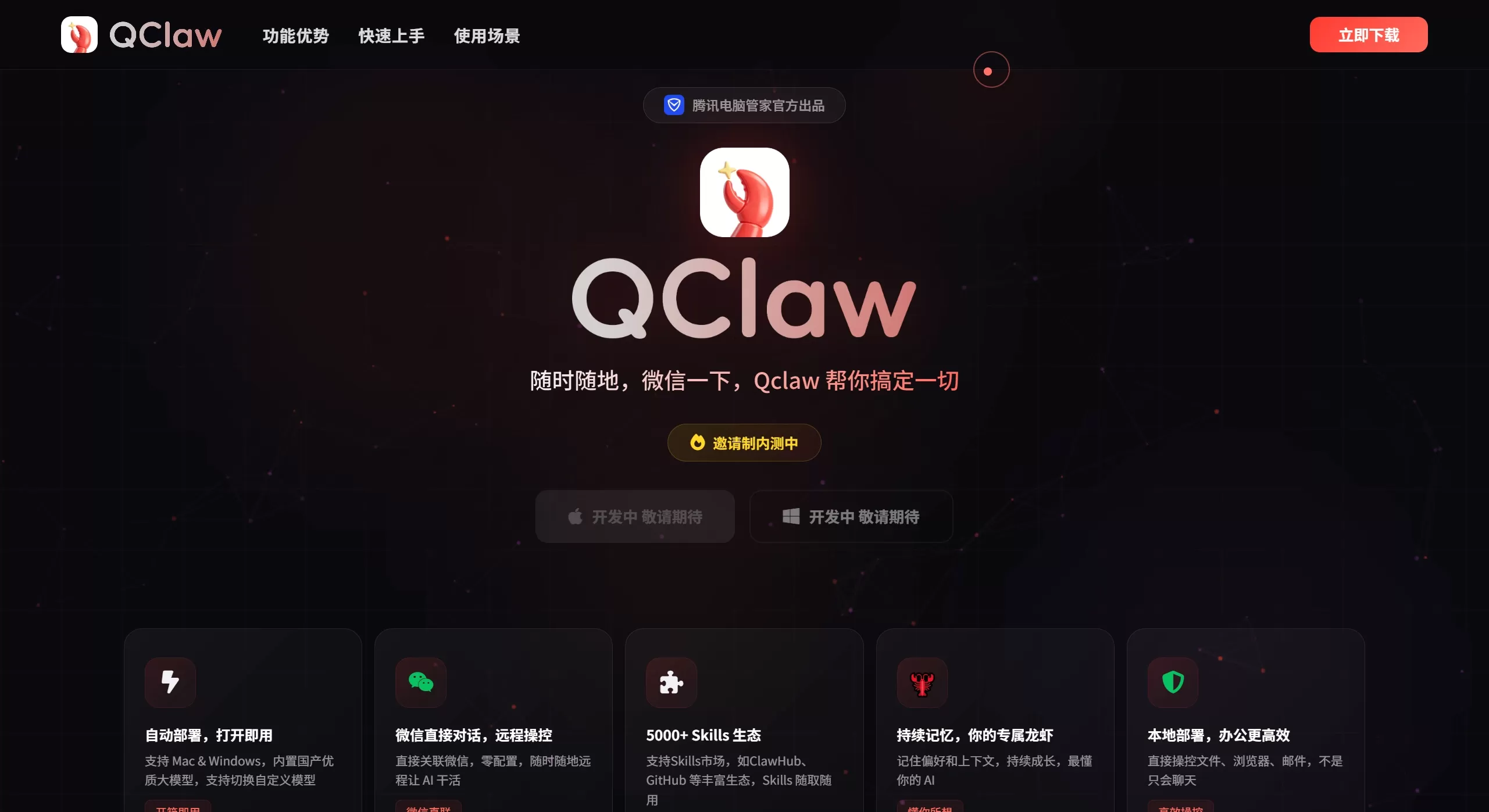
QClaw is a local AI assistant built by Tencent PC Manager based on the open-source ai agent OpenClaw, and supports both Mac and Windows. Once installed, it runs on your computer, and you can send it messages directly via WeChat or QQ to remotely operate your PC.
🚀 QClaw Core Features
One-Click Deployment & Model Integration: Provides Mac/Windows clients for one-click installation or linking to an existing local OpenClaw. It comes with the built-in Kimi-2.5 model and supports switching to mainstream domestic models such as MiniMax, GLM, and DeepSeek. Custom integrations are also allowed.
Remote Control via WeChat/QQ: After binding via QR code, you can chat directly with QClaw in WeChat/QQ to remotely execute computer operations such as file handling, data queries, web browsing, and code running.
Rich Skills Ecosystem: Connected to platforms like ClawHub and GitHub, it offers more than 5,000 ready-made skills covering scenarios such as social media operations, code development, academic writing, and life assistance.
Continuous Memory & Personalization: Remembers user preferences and conversation context to deliver a personalized experience that gets smoother the more you use it.
Local Operation & Data Security: All data and tasks are processed on the user's local device. The official team emphasizes "data stays local, no cloud uploads," ensuring privacy and security.
🎯 QClaw Use Cases
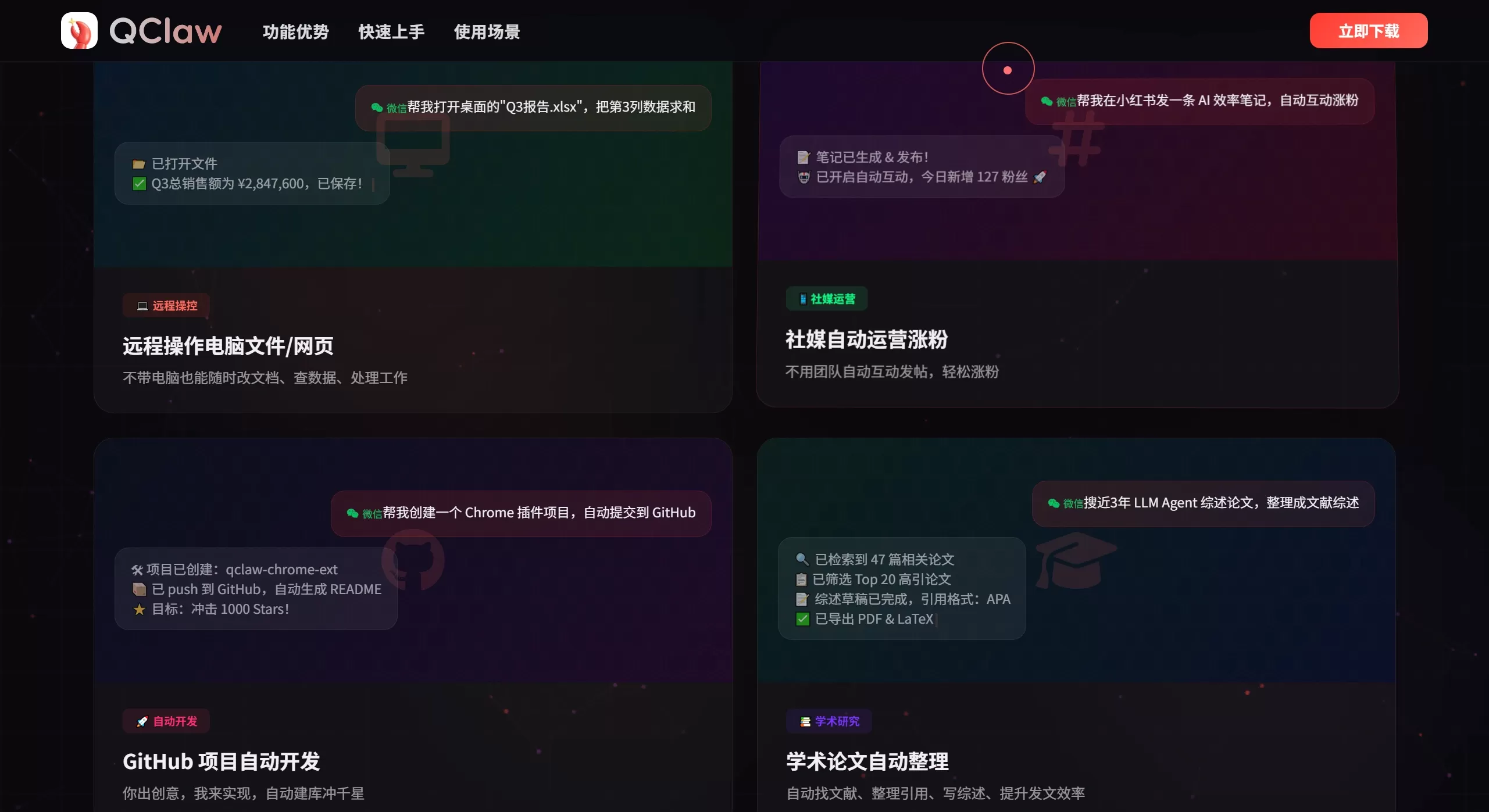
Remote Work & File Handling: When you're away, use WeChat to remotely instruct your office computer to open files, compile statistics, generate reports, and send them back.
Social Media Operations & Content Creation: A single command can automatically complete topic selection, drafting, and publishing of social media content, and even simulate interactions to help grow followers.
Programming & Technical Assistance: Automatically create projects, write code, fix bugs, commit to GitHub, or retrieve papers and organize literature reviews on demand.
Life Assistant & Scheduled Reminders: Set up daily reminders for weather, clothing, and travel, or have it look up information and make plans for you.
⚖️ QClaw Pros and Cons Analysis
Pros
Low Barrier to Entry: One-click deployment with no complex configuration needed, friendly to non-technical users.
Convenient Access: Deeply integrated with WeChat/QQ, no need to switch apps, fitting the habits of domestic users.
Powerful Features: Combined with 5,000+ Skills, it can execute complex automation tasks, far surpassing ordinary chat bots.
Strong Privacy: Data is processed locally by default, with an official commitment of "zero privacy leakage."
Domestic Model Support: Comes with multiple domestic large models by default, compliant with local regulations and network environment.
Cons
Device Dependency: The computer must be powered on and connected to the internet; otherwise, remote use is not possible.
Security Risks: With system-level permissions, if an account or device is stolen, there is a risk of privacy leakage.
Immature Ecosystem: The product is still in beta, features may be unstable, and the official team may adjust or discontinue the project.
Model Costs: Although free during the beta, advanced models or large-scale usage may incur fees in the future.
🛠️ How to Use QClaw
Get the Client: Visit https://wj.qq.com/s2/25871229/abe7/ to apply for a beta invitation code and obtain the download link or installation package.
Install and Log In: After installation, open the client, bind via WeChat QR code, and add QClaw as a friend.
Start Using: Send instructions to QClaw in WeChat/QQ, such as "Help me compile the sales_data.xlsx on my desktop."
Security Configuration: Enable a strong password, Token verification, and two-step confirmation in the client settings, and restrict which accounts can control your device.
❓ QClaw FAQ
Q: Is QClaw free?
A: It is currently in the beta free phase, and the official team promises "limited-time free, covering your Token costs." The future pricing model is yet to be determined.
Q: Can I still use it when the computer is off?
A: No. QClaw runs on the local device; once the computer is shut down or disconnected from the internet, it goes offline.
Q: Will the data really not be uploaded?
A: The official team claims "data stays local, no cloud uploads." However, when executing tasks, content is still sent to the large model for processing, which falls under the standard data usage scope of model providers.
Q: Is it secure? Could it be controlled by hackers?
A: The official team recommends setting a strong password, Token, and two-step confirmation to improve security. However, any software with system-level permissions carries risks, so please be sure to keep your account and device safe.
Q: How do I get beta access?
A:
Official Application Channel
This is currently the most reliable way to get access. The specific steps are as follows:
Fill Out the Questionnaire
Visit the Tencent Questionnaire application page: https://wj.qq.com/s2/25871229/abe7/
Submit Information
Fill in the required information such as your phone number and industry as prompted and submit.
Wait for Notification
After review, the official team will send an exclusive invitation code or download link via SMS. Limited spots, first come, first served.
Or follow official channels such as Tencent PC Manager and APPSO to obtain invitation codes.
Related News:
Shenzhen Longgang District Government Releases Ten Policy Measures Supporting OpenClaw / OPC
From Beginner to AI Master with OpenClaw: 15 Recommended OpenClaw Skills