
 Script Planner Assistant▸
 AI Apps
 AI News
ToVideo – A Free AI Video Generator with Zero Learning Curve
ToVideo – A Free AI Video Generator with Zero Learning CurveIntroduction
ToVideo (formerly Video Studio) is a free AI video generation tool that focuses on a "zero barrier to entry" experience. It is especially well suited for everyday creators and small teams, making it easy to turn static assets into dynamic videos. It brings together features like image-to-video, video-to-video, text-to-video, and even AI face swap, lip-sync, and character consistency control in one place. Whether you're doing social media operations, e-commerce product promotion, or educational content, it can basically come in handy.
ToVideo Core Features
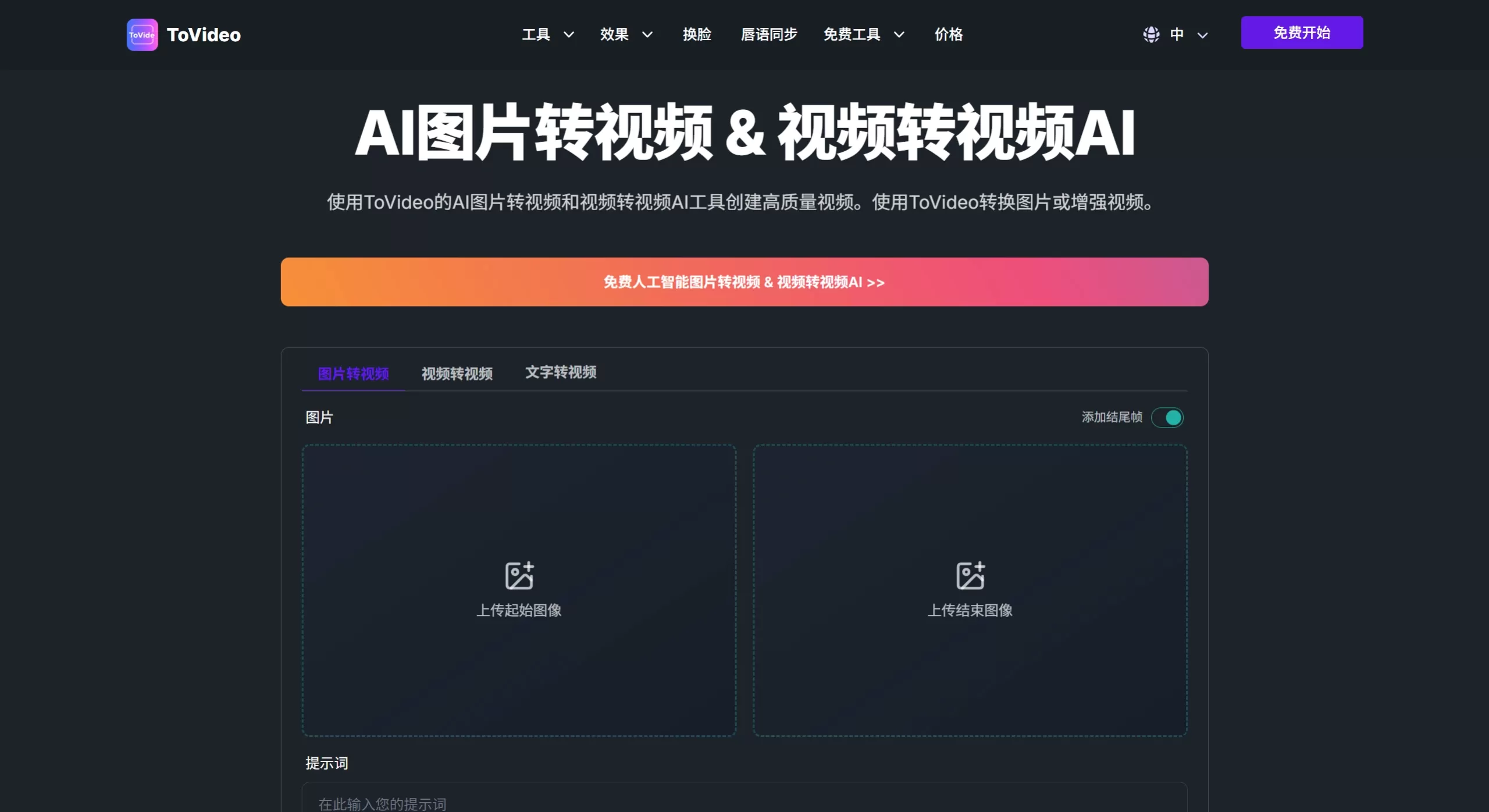
AI Image-to-Video: Upload one or more photos and the AI will automatically add animation, transitions, and cinematic effects to instantly generate short videos ready for social media.
Video-to-Video AI: If you already have video clips on hand, you can use it to do style transfer, enhance quality, adjust length, or add effects, giving old footage a new lease on life.
Text-to-Video: Enter a script and the AI will automatically match scenes, backgrounds, and dynamic visuals for you — great for commentary, tutorials, or brand stories.
AI Face-Swap Video: Seamlessly replace faces in images or videos, which is very convenient whether you're creating character-driven content or riding on trending topics.
Lip-Sync Video: Just upload a voice clip, singing, or dubbed audio, and the AI will automatically make the character's mouth movements match up perfectly, maximizing realism.
Consistent Character Video: Lock in a character's appearance, style, and expression across scenes, specifically solving the headache of characters constantly "changing face" when creating series content.
Character Animation Video: Turn a static portrait into a dynamic character with facial expressions and body movements.
ToVideo Use Cases
Social Media Operations: Quickly turn product images or copy into short videos suitable for TikTok, Instagram, and YouTube, and easily crack the platform algorithm.
E-commerce Product Promotion: Turn plain-background product photos into 360° dynamic showcase videos, or give old ads a fresh new style.
Personalized Marketing: Use the face-swap and lip-sync features to create customized greetings or member-care videos, which will significantly boost open rates.
Education and Training: Turn course screenshots or text-based lecture notes into explanation videos with character animations to make them more engaging for students and harder to zone out from.
Brand Storytelling and Music Videos: Use text-to-video or image-to-video to maintain a unified visual style and batch produce brand stories or lyric visualization content.
ToVideo Pros and Cons
Pros
The feature set is very comprehensive — from asset generation to face-swap, lip-sync, and stylized post-enhancement, all handled in one place, so there's no need to jump back and forth between multiple tools. The barrier to entry is extremely low: just upload, customize, and generate in three steps, and even those with no editing experience can get started easily. The generated videos explicitly support commercial use, so you can use them directly for ads or promotions. In addition, among similar lightweight tools, its "Consistent Character Video" feature is very useful for creators making serialized content.
Cons
The translation traces on the Chinese pages are a bit heavy, and some of the wording reads rather stiff, which may make it feel less professional. Key parameters such as free quota, resolution cap, and maximum duration per generation are not clearly disclosed, so the long-term cost of use isn't very transparent. As an emerging platform, its model stability and visual fidelity (e.g., details like character fingers movement and complex physics) may still not match those of top-tier products. Additionally, it lacks a community template library or workflow marketplace, so users basically have to figure out prompts and parameter combinations from scratch.
How to Use ToVideo
Upload Assets: On the homepage, select "Start Image" or directly upload an existing video. You can also add first and last frames to control the narrative direction.
Enter Prompts: Fill in a positive prompt (within 500 characters) and a negative prompt (within 200 characters). If you're out of ideas, you can click "Random Prompt" or "AI Optimize" to assist in generation.
Customize Settings: Pick your favorite style, transitions, and background music. If you need face-swap or lip-sync, upload the target face or audio in the corresponding feature module.
Generate and Download: Click generate and wait for the AI to process. Once complete, directly download the HD video and it's ready to publish.
ToVideo vs. Alternative Competitors
| Dimension | ToVideo | Runway Gen-3 | Pika Labs | Kling AI | Jimeng AI |
|---|---|---|---|---|---|
| Core Positioning | Lightweight all-in-one AI video workstation | Professional-grade AI video generation and editing | Creative short videos / meme clip generation | High-quality domestic image/video generation | ByteDance AI creation platform |
| Image-to-Video | Basic animation + effects | High fidelity, strong physics simulation | Distinctive stylization | Top-tier motion continuity | Integrated into the Douyin ecosystem |
| Video-to-Video | Style transfer / enhancement | Motion brush + region control | Local repainting | Video continuation and editing | Template-based modification |
| Text-to-Video | Script-driven scenes | Deep semantic understanding | Quick output for simple scenes | Complex cinematic language | Linked with image/text generation features |
| Face-Swap / Lip-Sync | Built-in dedicated modules | Requires other tools | No native support | No native support | No native support |
| Character Consistency | Cross-scene locking | ️ Requires manual reference images | Relatively weak | ️ Requires "gacha-style" luck | ️ Requires "gacha style" luck |
| Barrier to Entry | Extremely low, works directly in browser | Moderate, requires understanding motion brushes | Low, rich community workarounds | Low, friendly domestic access | Low, direct login with Douyin account |
| Commercial License | Explicitly commercial-use allowed | Commercial use with paid plans | Commercial use with paid plans | Check specific agreement | Check specific agreement |
| Chinese Experience | Stiff page translation | Primarily English | Primarily English | Native Chinese | Native Chinese |











