
 Script Planner Assistant▸
 AI Apps
 AI News

Vivideo: A Free Platform Aggregating 30+ AI Video Models
Vivideo: A Free Platform Aggregating 30+ AI Video ModelsIntroduction
What is Vivideo
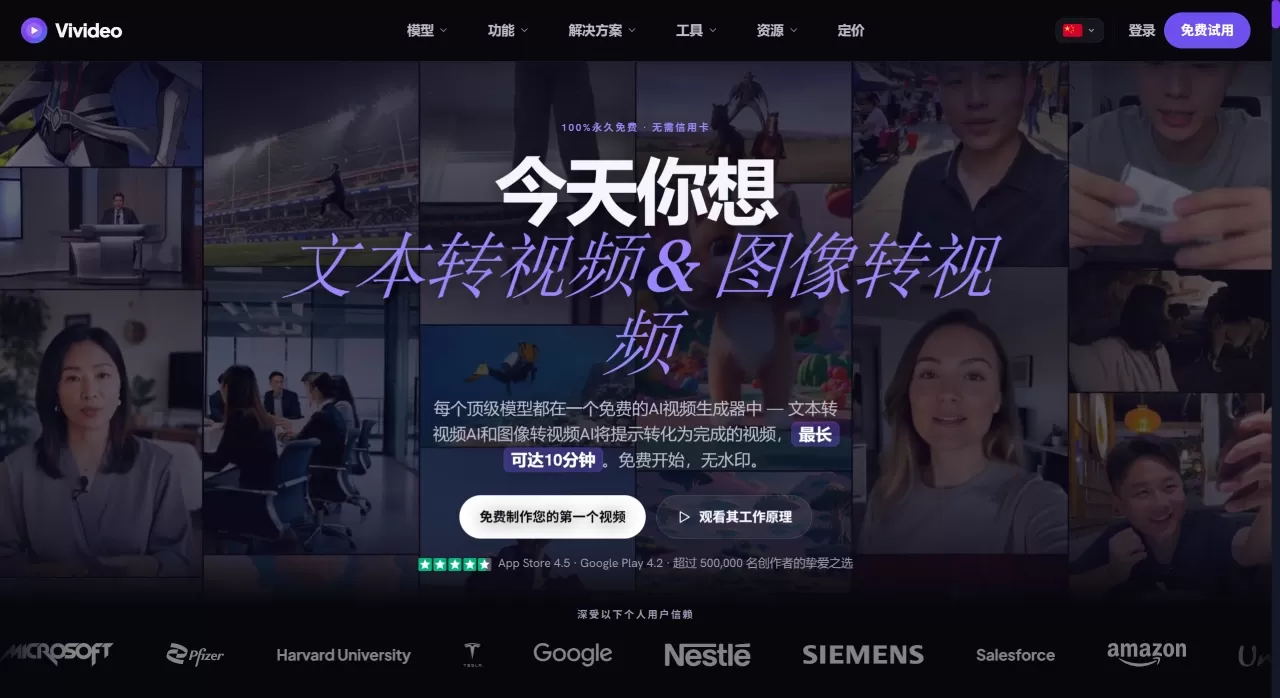
Vivideo is a free AI video generator that integrates 30+ models including Sora, Veo, and Kling. It supports text-to-video and image-to-video, AI voiceover, voice cloning, and digital human presenters. No editing experience required; generate a video in about 60 seconds. Ideal for social media, marketing, e-commerce, and more. Free to use, no watermark, no credit card needed.
Available as a web app, iOS, Android app, and Chrome extension.
What Vivideo Can Do
Text to Video: Enter a piece of text or script, and AI automatically handles storyboarding, visuals, voiceover, subtitles, and background music. A single prompt can produce up to a 5-minute video, which can be extended to roughly 10 minutes.
Image to Video: Upload photos, and AI adds camera movement and depth-of-field effects to bring static images to life. Works for product photos, real estate listings, and artwork.
Multi-Model Switching: 30+ models including Veo 3.1, Sora 2, Seedance 2.0, Kling V3, WAN 2.6, and more — switch with a single click at no extra charge.
AI Digital Humans: 100+ ready-to-use digital humans, or clone your own likeness from a selfie or short video, with automatic lip-sync and expressions.
AI Voiceover: 100+ voices supporting 30+ languages, and you can clone your own voice.
Three Creation Modes:
Agentic Chat: Tell the AI what you want like you're chatting, and a Claude-powered agent helps you plan it out.
Auto-Generate: Enter a prompt to generate with one click.
Manual: Manually select the model, visuals, voiceover, and digital human for maximum control.
Brand Kit: Paste a website URL to automatically grab the logo, colors, and fonts, or upload your own brand assets.
Video Editing: Edit videos with prompts (no timeline needed), extend video length, remix and create new versions, remove backgrounds, resize, and compress.
Publishing & Automation: The Max plan supports one-click publishing to TikTok and Google Drive, plus scheduled tasks for automatic generation and publishing.
Developer tools: Provides API and MCP skills so you can integrate video generation capabilities into your own products.
Who Vivideo Is For
Social media creators making content for TikTok, Reels, and Shorts
Marketing teams that need to quickly produce ads and product videos
Educators creating courses and training videos
E-commerce and real estate: turn product photos and listings into dynamic showcases
Faceless channel operators who don't want to appear on camera
Agencies producing videos in bulk for clients
Industries like fitness and food & beverage creating tutorial content
Pros and Cons of Vivideo
Pros
30+ top models included in one subscription — no need to jump between platforms
The free tier is enough to get started, and paid plans are completely watermark-free
Videos up to 10 minutes long — far longer than the few seconds most tools offer
Digital humans, voiceover, and brand assets are all built in, covering the entire workflow from script to publishing
Supports simultaneous export in 9:16, 1:1, and 16:9 aspect ratios
Prompt-based editing is friendly for people with no editing skills
API and MCP support make it developer-friendly too
Cons
The free tier has usage limits; longer videos and advanced models require a paid plan
Rendering speed differs across models — complex long videos may take time
Fine-grained control is not as strong as professional editing software like DaVinci Resolve
How to Use Vivideo
Below is an example using text-to-video:
Prepare your script: Start with 150–300 words of copy, corresponding to a 60–90 second video, divided into an opening, body, and ending.
Enter the platform: Go to app.vivideo.ai or download the app and sign up for a free account.
Choose a mode: Use Auto-Generate for the easiest path — enter a prompt and get a video in one click. Use Manual mode for finer control. If you're unsure, try Agentic Chat and chat with the AI to have it guide you.
Enter your content: Paste your script, then select a voiceover (AI voice or cloned voice), visual style, background music, and aspect ratio (16:9 for YouTube, 9:16 for TikTok).
Generate and adjust: Click generate and wait 30 seconds to a few minutes. After previewing, use prompts to modify visuals, swap assets, or adjust duration.
Export and publish: Download as MP4, or generate a share link. The Max plan supports one-click publishing to TikTok and Google Drive.
How Vivideo Compares to Similar Products
| Vivideo | Runway | Pika | InVideo | Synthesia | |
|---|---|---|---|---|---|
| Positioning | Multi-model video platform | Professional AI creative suite | Creative image animation | Template-driven marketing videos | Enterprise-grade AI digital humans |
| AI Models | 30+ (Veo/Sora/Kling, etc.) | In-house (Gen-3 Alpha, etc.) | In-house models | Limited | In-house digital human engine |
| Video Length | Up to ~10 minutes | Usually a few seconds to tens of seconds | Usually a few seconds | Medium | Medium |
| Digital Humans | 100+ ready-to-use, cloning supported | None | None | None | 160+ professional-grade |
| Free Tier | Yes, no watermark | Limited, with watermark | Limited, with watermark | Yes, with watermark | None |
| Monthly Price (Starting) | ~$8.25/month (annual Pro) | $15/month | $10/month | $25/month | $28/month |
| Best for | Creators, marketers, educators, developers | Filmmakers, VFX professionals | Creative content creators | Marketing teams | Enterprise training |
| Ease of onboarding | Low | High | Medium | Low | Medium |
| API/MCP | Supported | Supported | Limited | Not supported | Supported |
Why Choose Vivideo
If you don't want to be locked into a single model and want to handle everything from scriptwriting to publishing video in one place, Vivideo is a hassle-free option. With 30+ models, digital humans, voiceovers, and brand assets all included in one subscription, the free tier lets you try it out without watermarks, and paid plans support videos up to 10 minutes, plus API access for automation. For anyone producing content at scale and publishing across platforms, the savings on switching costs and subscription fees are real.











