Script Planner Assistant▸
 AI Apps
 AI News

AllSeek: Aggregator of AI and Traditional Search Results
AllSeek: Aggregator of AI and Traditional Search ResultsIntroduction
AllSeek, an aggregator of AI and traditional search results, is a plugin that lets you view search results from multiple websites with just one input. It supports AI search (CHATGPT, Kimi, Zhipu, Metaso, etc.) and comparison with results from traditional search engines, achieving aggregation and optimization of search results to make the information you obtain more comprehensive.
With AllSeek, there's no need to switch back and forth between multiple websites. Simply type your question once, hit send, and view search results from multiple sites.
AllSeek currently supports sites including ChatGPT, Perplexity, 360AI Search, Devv, ThinkAny, 百小应, Zhipu Qingyan, Hailuo AI, Metaso AI Search, Kaiso AI, Doubao AI. More supported sites will be added continuously, and a custom site-adding feature will also be provided.
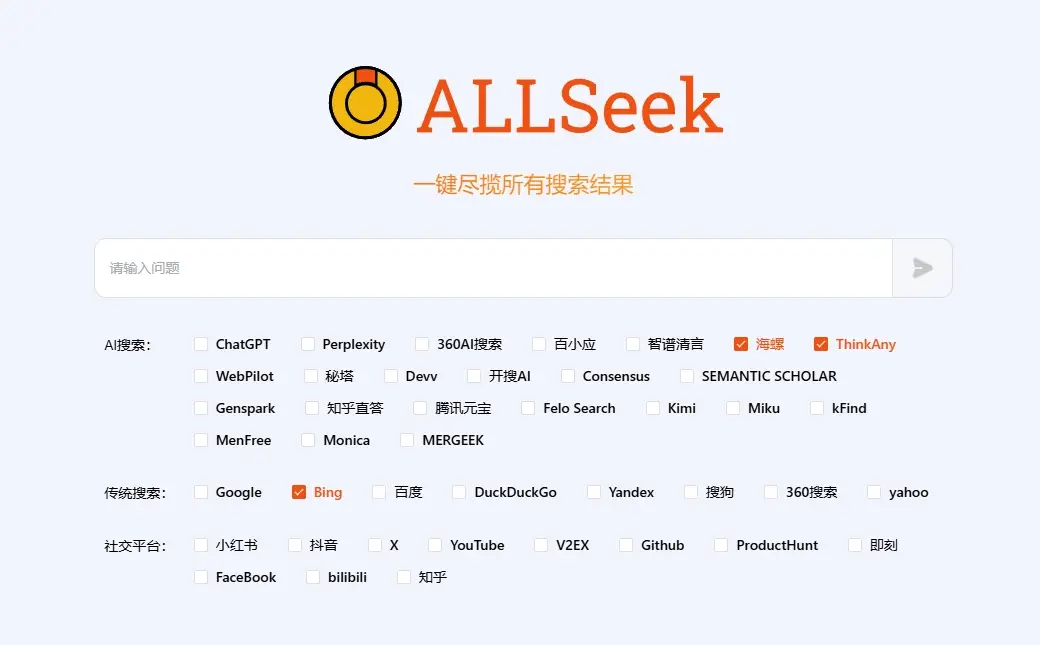
AllSeek Features:
Multi-source Search Aggregation: AllSeek can simultaneously retrieve search results from multiple search engines (both traditional and AI-based), such as Google, Bing, and the latest AI engines like ChatGPT, Kimi, Zhipu AI, Metaso AI Search, etc., then integrate these results in a single view, allowing users to see everything at a glance through comparison.
Result Integration: AllSeek offers a unique display method where users can view results from different search sources side by side, making it easy to quickly compare and evaluate the accuracy of information.
AI Search Support: AllSeek integrates multiple AI search engines.
Custom Search Parameters: Users can adjust search settings according to their personal needs for a customized search experience.
One-click Search Function: With just one click, AllSeek can launch multiple search tasks.
Clean Mode: Supports removing ads and redundant UI from websites, making searching purer.
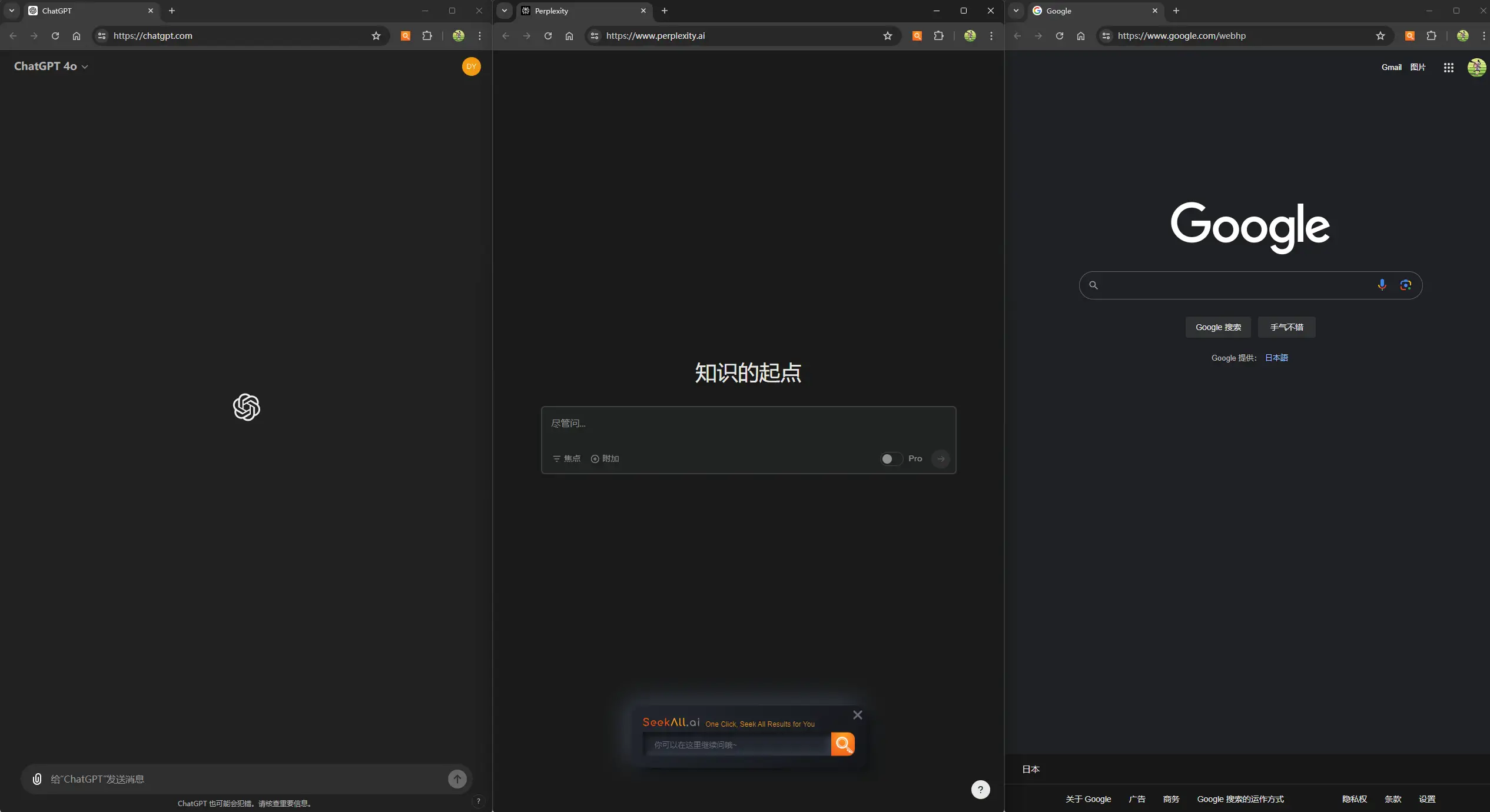
AllSeek Installation and Usage
Users can download and install the AllSeek extension from the Chrome Web Store. Once installed, users simply click the extension icon, enter their search keywords, and start searching.
AllSeek offers more than just search—it's an intelligent assistant that continuously evolves with your needs, ensuring more accurate and relevant information every time. Through advanced AI technology, our plugin delivers unmatched precision and practicality for every query, becoming a powerful assistant for your learning, research, and work.
Related Information: