
 Script Planner Assistant▸
 AI Apps
 AI News

RefWorks: A Reference Management Tool by ProQuest
RefWorks: A Reference Management Tool by ProQuestIntroduction
RefWorks is a reference management tool provided by ProQuest, designed for academia and libraries to help users manage and cite references. It supports reference libraries, citation generation, and team collaboration features. Users can access their personal bibliographic database online, managing references and citations anytime, anywhere.
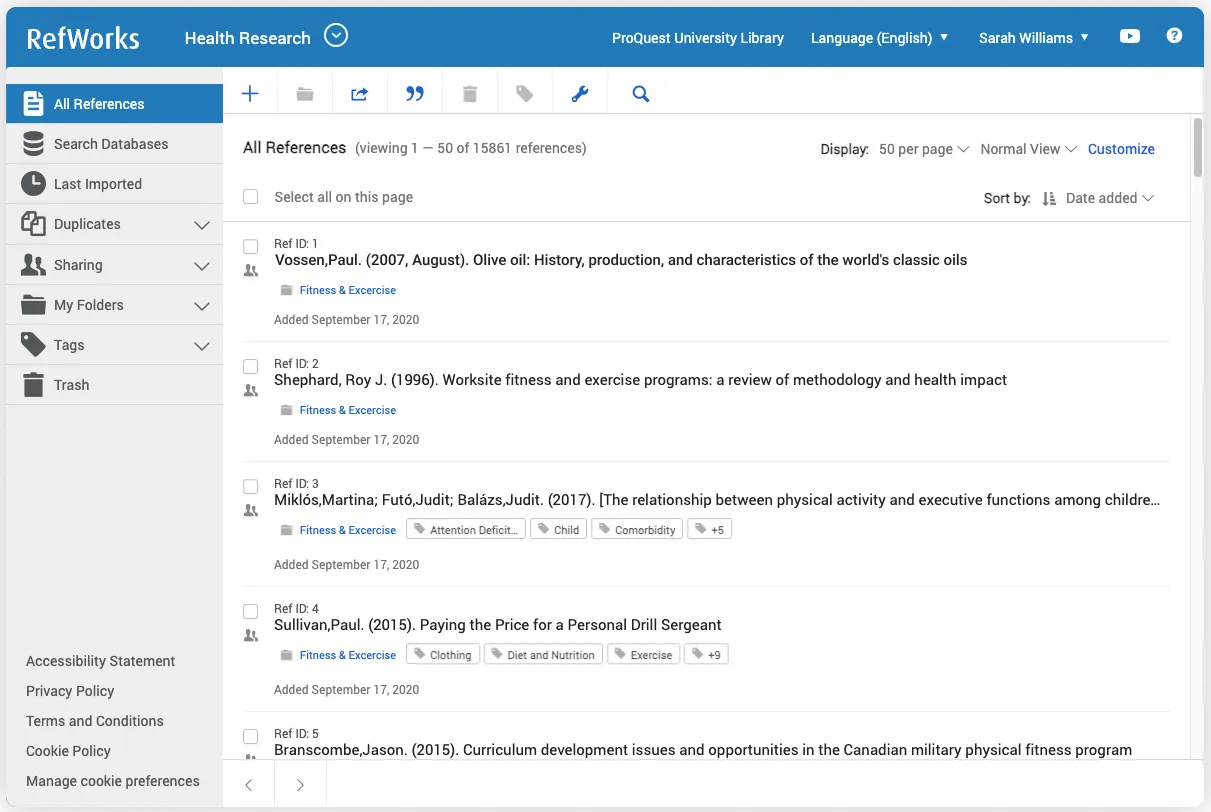
RefWorks Features:
Reference Collection and Import: Supports batch import of references from various data sources (such as online databases), or manual entry.
Organization and Management: Users can create folders within their personal reference database to categorize references, with no limits on the number of folders or references.
Citation and Bibliography Generation: When writing documents, references can be inserted in real time, and the bibliography is automatically generated to meet publication requirements upon completion, supporting multiple citation formats.
Collaboration and Sharing: Individually organize, read, annotate, and highlight full-text reference documents, share privately with members of your institution, or share with any RefWorks user in a collaborative environment. Collaborate on team projects and edit online in real time as a team.
Data Capture: RefWorks includes the RefGrab-It tool, which can capture bibliographic information from specific websites (such as Amazon, Google Scholar, PubMed, Wikipedia, etc.).
Mobile Access: Supports accessing and managing the reference library on smartphones and tablets via RefMobile.
Full-Text Linking and Attachment Management: Provides full-text links for easy access to complete documents, and supports uploading and managing attachments.
Multi-Language Support: RefWorks is available in multiple languages, including Simplified Chinese, Traditional Chinese, English, French, German, Japanese, Korean, Spanish, and more.
Tool Integration: Supports and integrates with today's popular writing tools: Leganto, Google Docs, and Microsoft Word.
Using the RefWorks Add-on: RefWorks Citation Manager, students and researchers can access their documents on any device.
Target Users:
RefWorks is suitable for all types of academic users, including students, researchers, and faculty, especially those who need to handle large volumes of references and citations. University libraries typically provide access to RefWorks for students and faculty to support their research. Using RefWorks reduces the time cost of reference management.
How to Add References in RefWorks?
Manually Adding References:
Log in to RefWorks and click the "Add a Reference" option.
Select "Manual Entry".
Fill in the detailed information of the reference, such as author, title, publication year, etc.
Importing References:
Find the desired reference in the database; there is usually an "Export to RefWorks" option.
After clicking, select the appropriate reference format for import.
Return to RefWorks and check whether the imported references are complete.
Using the Browser Plugin:
Download and install the RefWorks browser plugin.
While browsing the web, click the plugin icon to import references from the page directly into RefWorks.
RefWorks Basic Tutorial:
https://www.refworks.com/cn/documents/RefWorks_User_Workbook_Chinese_Simplified.pdf















