
 Script Planner Assistant▸
 AI Apps
 AI News

VideoTranscriber AI: Free Online AI Video-to-Text Converter
VideoTranscriber AI: Free Online AI Video-to-Text ConverterIntroduction
What is VideoTranScriber ai
videotranscriber.ai is an online AI video-to-text tool that focuses on requiring no sign-up — just open the webpage and start using it. You upload a video directly, and it converts the speech into editable text, along with extras like summaries, translation, and subtitle export. In addition to uploading local audio and video files, it also supports pasting links from platforms like YouTube for transcription. According to the official site, recognition accuracy can reach 99.8%, with support for recognition in over 98 languages and translation in more than 100 languages.
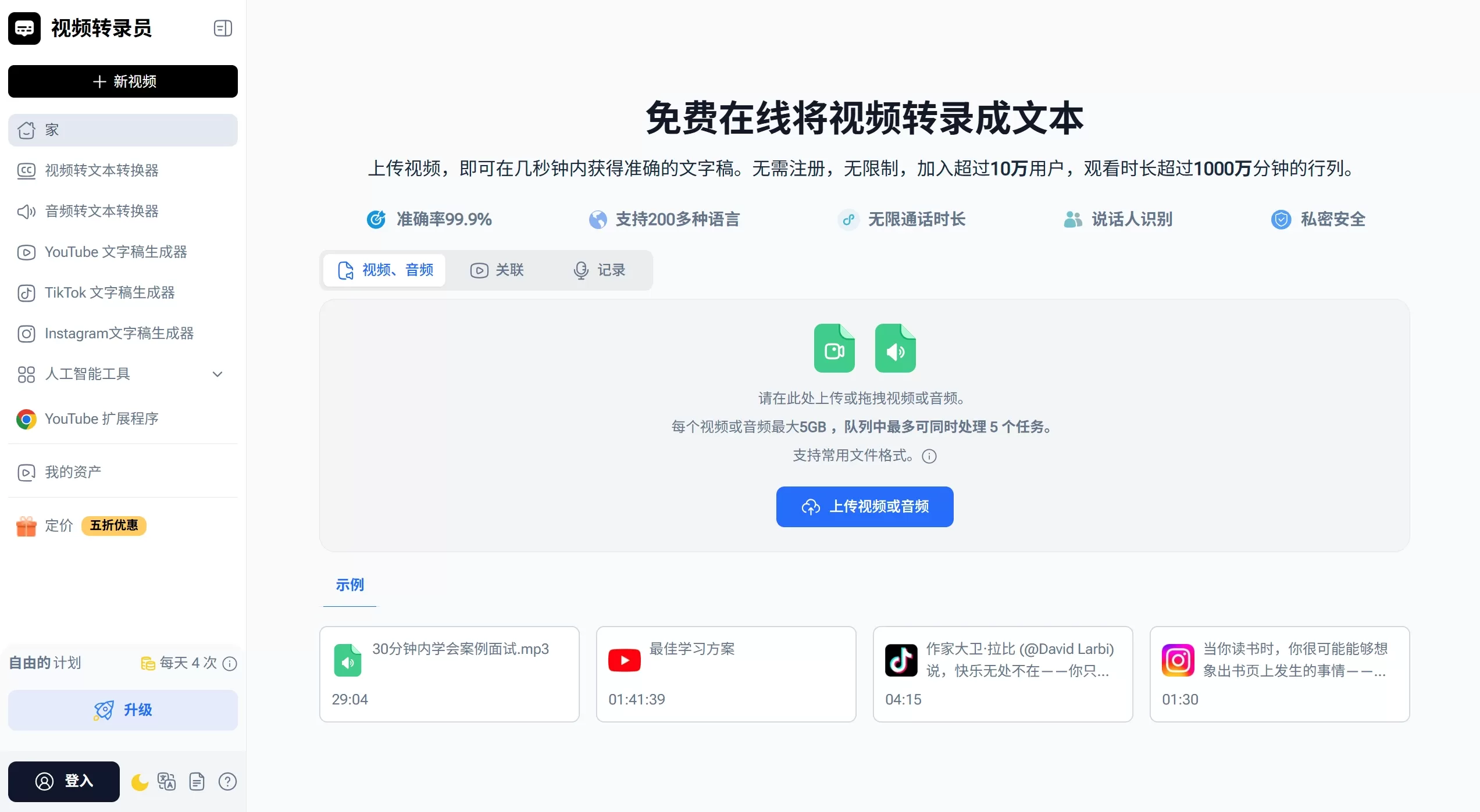
VideoTranScriber AI official website screenshot
VideoTranScriber AI Features
No sign-up required: open the page and upload directly, with no forced login — a relatively low barrier to entry
Large file and batch processing support: single files up to 5GB, with up to 5 tasks processed simultaneously
Speaker differentiation: identifies different speakers and generates structured text with timestamps
Multiple export formats: transcription results can be downloaded as editable formats like TXT and SRT subtitles
AI summary and translation: after transcription, you can generate a summary with one click, as well as translate across languages
Noise reduction: performs noise reduction on files with poor audio quality first, improving recognition accuracy
Use Cases
Content creators: quickly convert videos into subtitles or article drafts for easier repurposing of content
Education and training: teachers convert lecture videos into text for handouts; students use timestamped transcripts for review
Workplace meetings: transcribe Zoom or Teams meeting recordings to generate searchable meeting notes and summaries
Research and interviews: scholars convert interviews and speeches into text for easier citation and qualitative analysis
Language learning: use the YouTube transcription feature to listen along while reading the text, and generate summaries for more efficient study
VideoTranScriber AI Pros and Cons
Pros
Truly no sign-up required, zero cost to get started, and a very low privacy barrier
Supports large files and batch processing, making it friendly to long videos
Wide multilingual coverage, with built-in translation and summary features so you don't need to switch between tools
Clean interface — upload, transcribe, and download in just three steps
Limitations
Advanced features such as noise reduction, speaker recognition, and high-priority processing may require payment, and the free version has some hidden limitations
Because it is an online SaaS tool, files need to be uploaded to the server, which raises privacy concerns for highly sensitive content. The official site claims it's "private and secure," but users still need to judge for themselves
Compared with local open-source solutions, it cannot be used offline and requires a stable internet connection
How to Use VideoTranScriber AI
Visit videotranscriber.ai
Click the upload area, then drag and drop or select a local video file
Wait for the AI to transcribe automatically; you can check the progress along the way
Preview the text online after transcription and make simple edits if needed
Download as a TXT text file or SRT subtitle file as needed
FAQ
Q: Can I use the video transcription AI to transcribe video files I have downloaded?
A: Yes, you can use the video transcription AI to transcribe video files you have downloaded yourself. For example, if you upload an MP4 or a Zoom recording, it can quickly convert the speech into text.
Q: What file formats are supported?
A: Most mainstream formats are supported, such as MP4, MOV, AVI, as well as recordings from Zoom or other meeting software.
Q: Can I transcribe multiple videos at the same time?
A: Yes. You can queue up to 5 videos at a time, and they will be batch-transcribed in order, so you don't have to wait for them one by one.
Q: Can it distinguish who is speaking?
A: Yes. It has a speaker recognition feature, which is especially useful for meetings, interviews, or multi-person discussions — it can mark which sentence was said by whom.
Q: How accurate is the transcribed text?
A: This depends on the audio quality of the original video and the level of background noise. The tool offers different accuracy modes, so you can choose the one that fits your situation best.
Q: What is the maximum size for a single file?
A: The maximum supported size is 5GB. This means even long videos don't need to be split into smaller chunks first.
Online Reviews and Reputation
Some teachers say it "makes online video learning more accessible," content creators say it "turns podcasts into editable transcripts in seconds," and business users consider it "highly efficient for batch-processing long recordings — a must-have tool for professionals."














