
 Script Planner Assistant▸
 AI Apps
 AI News

Ciallo TTS: Free Online Text-to-Speech Tool
Ciallo TTS: Free Online Text-to-Speech ToolIntroduction
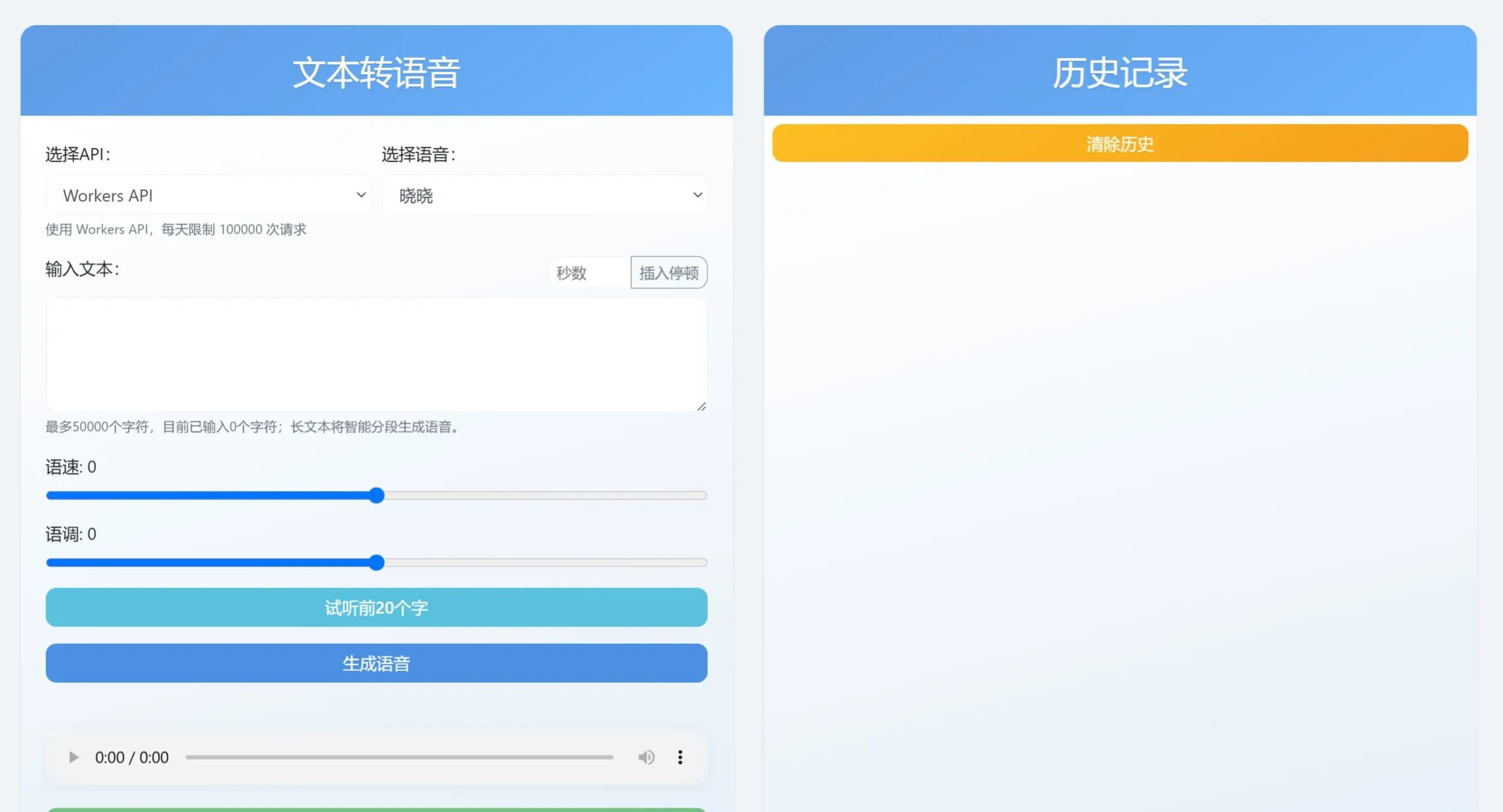
Ciallo TTS is a free online text-to-speech tool that supports multiple voice options, adjustable speech rate and pitch, and provides instant preview and download features. Users do not need to register and can start using it immediately.
Ciallo TTS Features
Multilingual Support: Ciallo TTS supports over 300 languages and accents, allowing users to choose the appropriate voice as needed.
High-Quality Synthesis: Through advanced TTS technology, it can generate natural and smooth speech, making the synthesized audio sound more realistic.
Voice Selection: Users can choose from multiple voice styles to meet the needs of different scenarios.
Speech Rate and Pitch Adjustment: Users can adjust the speech rate and pitch according to personal preferences to generate more natural voice effects.
Instant Preview: Before converting the text, users can instantly preview the generated speech to ensure satisfaction.
Multilingual: Based on Lobe-TTS for speech synthesis services, Ciallo TTS supports over 300 different languages and accent voices, including English, French, German, Spanish, Arabic, Chinese, Japanese, Korean, Cantonese, Vietnamese, and more.
Long Text Processing: Ciallo TTS supports inputting text up to 3,600 characters and supports automatic segmentation of long text, making it convenient for users to generate longer audio files.
History Feature: Saves the user's most recent 50 text records, making it easy for users to review and reuse them.
Multiple API Interfaces: Provides multiple API interfaces such as Workers API and Deno API. The former is limited to 100,000 requests per day, suitable for large-scale use, while the latter is based on Lobe-TTS and does not currently support speech rate and pitch adjustment, making it suitable for quick conversion.
Open Source: Ciallo TTS is an open-source project, allowing users to freely use and modify it.
Ciallo TTS Application Scenarios:
Ciallo TTS is suitable for use in learning, work, creation, and various other scenarios, helping users improve efficiency and convenience, especially in fields such as education, content creation, enterprise services, and accessibility services.
Ciallo TTS Usage Steps:
Visit the Website: Visit the official website of Ciallo TTS.
Enter Text: Enter or paste the text you want to convert in the "Enter Text" box.
Select Voice and Language: Choose the desired voice and language type (e.g., male or female voice) from the dropdown menu.
Adjust Speech Rate and Pitch: Select your preferred voice parameters, such as speech rate and pitch.
Preview and Adjust: Click to generate the audio file and listen to the generated voice effect. If not satisfied, you can continue to adjust the settings.
Download Voice: Once satisfied, download and enjoy your voice content.
Whether for personal or commercial use, Ciallo TTS's ease of use, intelligent segmentation features, and adjustable voice parameters make it a very practical text-to-speech tool. It can help us convert text into speech more efficiently—go ahead and give it a try~
Ciallo TTS GitHub:https://github.com/bestZwei/ciallo-tts














