
 Script Planner Assistant▸
 AI Apps
 AI News

TryMusic AI: AI Music Generator
TryMusic AI: AI Music GeneratorIntroduction
What is TryMusic.ai
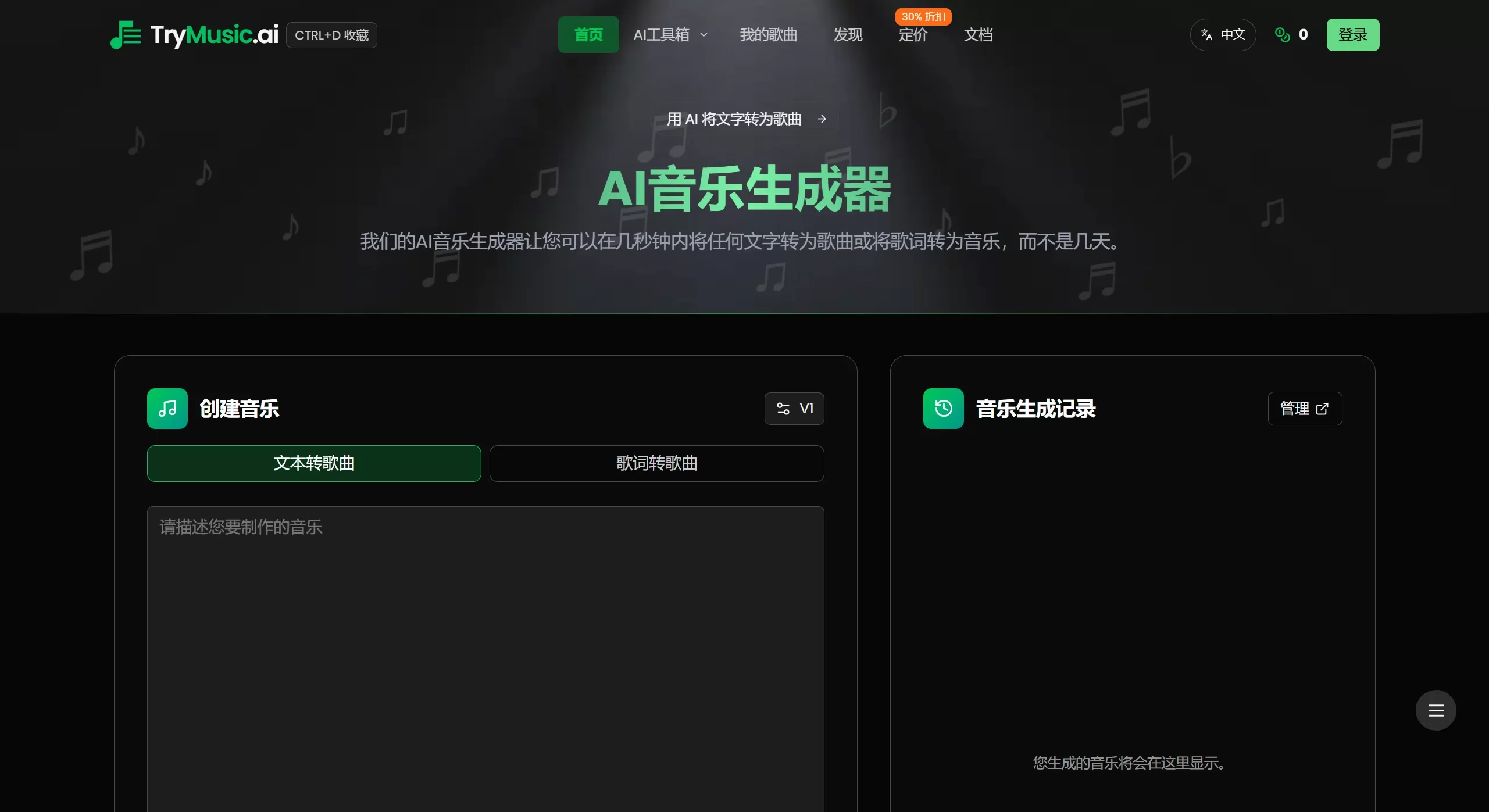
TryMusic.ai is an online AI music generation tool. Just type out some text or lyrics, and within seconds it turns into a complete song—no music theory knowledge required, no equipment needed. It's useful for professional musicians, video creators, and casual music lovers who like to hum a tune.
Features
Core Features
Text/Lyrics to Song: Enter a description or lyrics, and the AI generates a complete song in seconds
Multiple AI Models: Integrates Suno v4, Udio, and more
Wide Range of Music Styles: Hundreds of styles including pop, rock, electronic, hip-hop, classical, jazz, etc.
Fine-Tuning: Adjust rhythm, style, instruments, and arrangement
Seamless Extension: Extend a track while keeping it smooth and stylistically consistent
Classic Remakes: Generate cover versions in different styles
Audio Conversion: Upload existing tracks to enhance, remix, or reimagine them
Vocal Extraction: Isolate vocals or create an instrumental-only version
AI Lyrics Generator: Generate style-matching lyrics from a prompt
Special Tools
AI Rap Generator: 11 Rap styles, 8 moods
BPM Detector: Automatically identifies a song's tempo and key
Slowed Reverb Generator: One-click slowed & reverb effect
MP3 to MIDI: Convert audio to MIDI
AI Cover Generator: Automatically create album covers
Lyric Video Generator: Create lyric videos
Use Cases
YouTube Creators: Royalty-free background music to avoid video takedowns
Podcast Hosts: Custom intros, outros, and BGM, saving up to 90% in cost
Game Developers: Create soundtracks for games
Educators: Create course songs in different languages
Small Business Owners: Make jingles for ads
Casual Music Lovers: Turn ideas into complete songs
TikTok/Short Video Creators: Quickly get custom soundtracks
Pricing Plans
| Plan | Credits | Songs | Price | Key Features |
|---|---|---|---|---|
| Free Trial | 6 credits | Up to 2 songs | Free | V1 model, 4-minute songs, 7-day cloud storage |
| Annual Plan 1 | 4,800 credits/year | Up to 1,920 songs | ¥199/year Save ¥80 | V1-V5 models, 8-minute songs, permanent cloud storage |
| Annual Plan 2 | 15,000 credits/year | Up to 6,000 songs | ¥499/year Save ¥108 | V1-V5 models, permanent cloud storage |
| Annual Plan 3 | 50,000 credits/year | Up to 20,000 songs | ¥1,299/year Save ¥240 | V1-V5 models, permanent cloud storage |
TryMusic.ai Pros and Cons
Pros
Zero learning curve: No music knowledge or equipment required
Instant generation: Songs are ready in seconds
100% royalty-free: Commercial use allowed
Multiple models: Suno v4, Udio, and more
Full-featured: Lyrics generation, vocal isolation, audio conversion all included
Multilingual: Supports 10 languages
Free trial: Sign up and get 6 credits
Improved content filtering: After the February 2026 update, far fewer false positives—only truly inappropriate content is blocked
Cons
Credit limits: Free version only allows 2 songs with limited features
Internet required: Cannot be used offline
Short free storage: Free version only retains files for 7 days
Model limitations: Free version can only use V1
How to Use TryMusic AI
Basic Workflow
Visit the website: https://trymusic.ai/
Enter content: Write lyrics or a description (style, mood, etc.)
Generate music: Click "Generate," and the song is ready in seconds
Preview and download: Listen, and download or share if satisfied
Advanced Operations
Fine-tune rhythm, style, instruments, and arrangement of the generated music
Use "Seamless Extension" to create longer tracks
Use the AI Lyrics Generator to write lyrics, then turn them into a song
Frequently Asked Questions
Q: Can the music generated by TryMusic AI really be used commercially?
A: Yes. It's 100% royalty-free, and you own the full rights.
Q: What are the limitations of the free version?
A: 6 credits (about 2 songs), V1 model only, maximum 4 minutes, 7-day cloud storage.
Q: What styles are supported?
A: Hundreds of styles including pop, rock, electronic, hip-hop, classical, jazz, etc., with 11 sub-styles for Rap.
Q: What format is the download?
A: WAV and MP3.
Q: Do I need to install any software?
A: No, just open it in your browser.
Q: Does TryMusic AI support Chinese?
A: Yes. The interface is available in Chinese, and it supports 9 other languages as well.














