
 Script Planner Assistant▸
 AI Apps
 AI News

TRAE Work (Web) – ByteDance's AI Work Assistant
TRAE Work (Web) – ByteDance's AI Work AssistantIntroduction
TRAE Work is an AI work assistant launched by the TRAE team at ByteDance, formerly known as TRAE SOLO. It supports both Work and Code modes and is available as a web version and a desktop client. It is no longer a tool exclusive to programmers, but has evolved into an AI office platform for everyone, offering document generation, data analysis, prototyping, and cross-device multi-task collaboration features. Its main goal is to truly integrate AI into everyday office work, making it a collaboration partner that bridges both technical and non-technical roles.
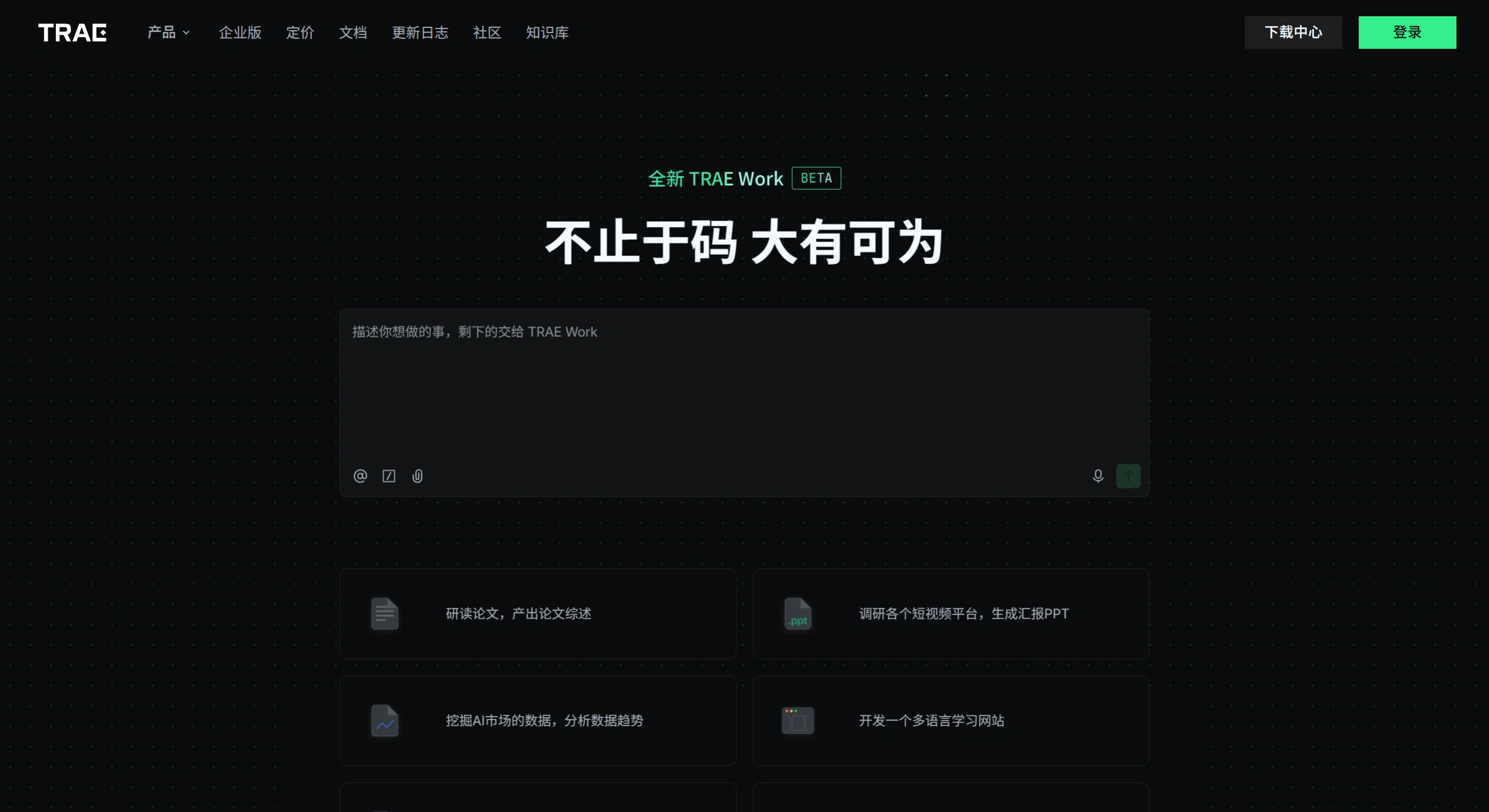
Main Features of TRAE Work
TRAE Work adopts a dual-mode architecture of Work and Code: Work mode handles everyday office tasks such as content creation, data analysis, and writing proposals; Code mode is used to tackle complex software development.
It is very easy to use. You simply describe your needs in plain language, and the AI will automatically break down the task, invoke tools in the cloud backend to execute it, and all you have to do is review the final result.
It features a unified Workspace where files in various formats (such as JSON, Python, pptX, CSV, etc.) can be dropped in directly for processing, with no need to search for files or repeatedly upload them.
It supports sync across PC, mobile, and web. Powered by cloud computing, it handles multiple tasks in parallel, so you can pull out your phone to check progress anytime, even when traveling on business.
It supports both voice and text input, so you can delegate tasks just by speaking. If you are only having a verbal discussion, the AI can also ask follow-up questions in real time, fill in the logic, and finally automatically organize everything into a structured meeting note for you.
Application Scenarios of TRAE Work
In everyday work, it is highly versatile. For example, when creating content or writing a proposal, you can drop in mixed files such as PDFs, Excel sheets, or even images, and it will directly output a complete PPT, PRD, or research report.
For data analysis, uploading an Excel or CSV file allows it to automatically clean, analyze, and chart the data, and deliver a data insight report straight to you.
Even if you don't know how to code, you just describe your needs in plain language, and it can generate interactive data dashboards, campaign landing pages, or product prototypes for you.
It can also help you handle automated tasks and communication collaboration, such as setting up scheduled auto-generated weekly reports, or turning a voice discussion directly into meeting minutes.
TRAE Work Pricing
TRAE offers flexible pricing for different regions and users.
The domestic version is very user-friendly for individual users, currently completely free, featuring a "dual unlimited" experience of unlimited Q&A and unlimited code auto-completion. For teams and enterprises, there is a Team Edition at 149 RMB/seat/month, and a Cloud Exclusive Edition at 259 RMB/seat/month.
The international version offers a free tier with usage limits (for example, 10 fast requests with premium models per month, and 5,000 auto-completions). To upgrade to the Pro version, the price is $10/month (with a $3 discount for the first month), unlocking 600 fast requests and unlimited slow requests.
Review of TRAE Work
It is generally agreed that TRAE Work originated from a developer-oriented "task execution" foundation and has gradually expanded into everyday office scenarios, performing very well at understanding context, managing files, and driving long-chain tasks. Combined with the free domestic version and strong Chinese-language adaptation, it offers extremely high value for money.
In today's Agent competition, each player is taking a different path: Alibaba (DingTalk Wukong) focuses on permission打通 (connectivity) within enterprise systems; Tencent (QClaw/WorkBuddy) leverages super-apps like WeChat and desktop endpoints; while TRAE Work is committed to "workbench and workflow," striving to deliver the best execution of complex tasks.
How to Use TRAE Work
If you want to try it out, simply visit the TRAE Domestic or International official website, download the desktop client or open the web version.
After logging in, switch between Work mode or Code mode on the home page depending on the task you want to do.
Then in the large input box in the middle, describe your needs in plain language or by voice, such as "convert this report into a PPT" or "create a sales data dashboard."
The AI will then automatically break down and execute the task in the backend. You can watch the progress in real time on the tools panel and preview the results, leaving comments and making changes anywhere you feel something is off.
TRAE Work vs. Competing Alternatives
| Comparison Aspect | TRAE Work | Wukong | WorkBuddy |
|---|---|---|---|
| Positioning | A universal AI office platform. Spilling over from AI programming (IDE) into everyday office work, it focuses on seamless connection between "workbench and workflow," catering to both developer Code mode and regular employee Work mode. | An enterprise-grade AI-native work platform. Rebuilt from the ground up based on DingTalk's underlying code, it focuses on "communication as execution," deeply tied to enterprise organizational structures and internal system permissions, striving to deliver a "one-person team." | A full-scenario workplace AI agent desktop workbench. Positioned as an "AI colleague" that can directly operate the local computer, it leverages super-apps like WeChat/WeCom, focusing on local file automation and multi-end collaboration. |
| Advantages | 1. Developer DNA: Performs excellently at understanding complex context, managing files, and driving long-chain tasks. 2. Dual-core driven: Free switching between Work mode and Code mode, covering all roles. 3. Cost advantage: The domestic individual version is completely free, with extremely high accessibility. | 1. Ecosystem moat: Natively operates thousands of DingTalk capabilities, seamlessly integrating with Alibaba's B-end business ecosystem (such as Taobao, 1688). 2. Security and compliance: AI automatically inherits enterprise permissions, runs in secure sandboxes, with controllable data. 3. Scenario implementation: Pre-packaged "one-person team" Skill kits for ten major industries including e-commerce, headhunting, and finance/tax. | 1. True local operation: Can directly read, write, and edit local files (such as batch renaming, handling Excel), rather than only giving suggestions. 2. Remote command: Supports scheduling computer tasks remotely via mobile IM tools (WeCom/WeChat). 3. Multi-model switching: Built-in mainstream models such as Hunyuan, DeepSeek, and Kimi, to be called on demand. |
| Weaknesses | 1. Relatively shallow office ecosystem: Lacks the massive underlying enterprise organizational and business system integration of DingTalk or WeCom. 2. Complex business limitations: For highly complex specialized business logic and cross-system orchestration, human intervention is still required. | 1. Ecosystem limitations: Currently highly dependent on the Alibaba/DingTalk ecosystem; when stepping outside it, external module operations and integration are relatively sluggish. 2. Maturity to be proven: As a recently released product, some search functions are incomplete, and real-world results still need time to refine. | 1. Complex tasks can go off track: When paths are ambiguous or requirements are unclear, the AI is prone to misunderstandings. 2. Stability and cost: Lag or errors can occasionally occur when handling large files or complex Excel formulas; long-term heavy usage also depends on consuming Credits. |
| Pricing | Domestic individual version free (unlimited Q&A and auto-completion); enterprise version charged per seat (e.g., starting from 149 RMB/seat/month). | Expected to combine Token consumption and subscription models (e.g., 99 RMB/month includes 3,000 compute units), focusing on cost-effective enterprise-level compute business. | Individual trial version free (includes 500 Credits); Individual Pro version 58 RMB/month; Enterprise version charged per seat and additional usage packs (starting from 198 RMB/person/month). |















