Script Planner Assistant▸
 AI Apps
 AI News

Kreat3D: An Online 3D Model Generation Platform
Kreat3D: An Online 3D Model Generation PlatformIntroduction
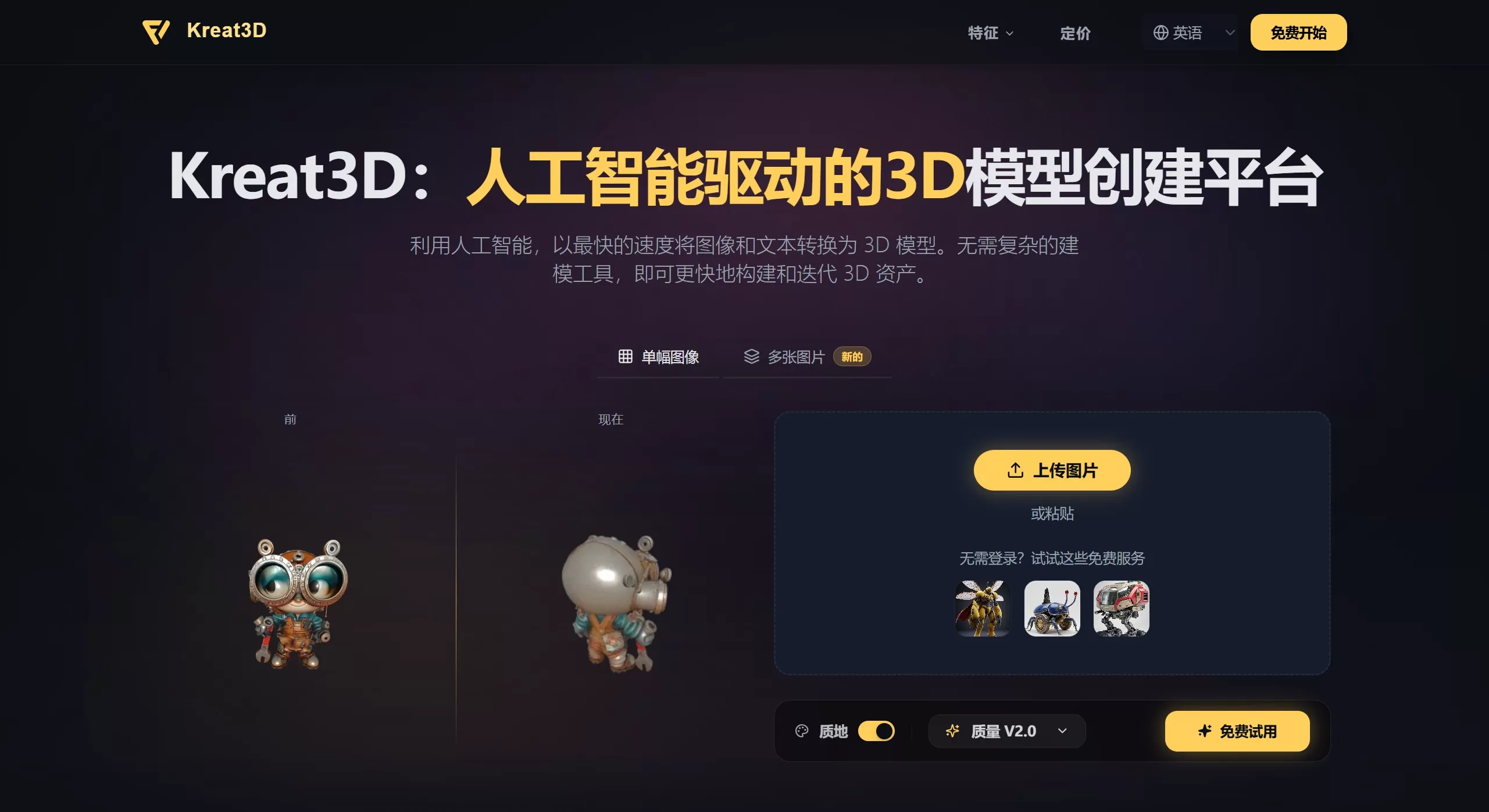
Kreat3D is an online 3D model generation platform. Users don't need to know professional modeling software such as Blender or Maya — just upload an image, multi-angle images, or enter a text description, and within tens of seconds to a few minutes, you can get a 3D model with 4K textures and high geometric accuracy. It is mainly aimed at designers, developers, and 3D creators who need to quickly prototype or produce assets.
Features
Image-to-3D: Analyzes a photo, sketch, or illustration, recognizes shape and visual information, and quickly converts it into a usable 3D asset.
Multi-view reconstruction: Upload front, back, side, and other view images; the generated model has more accurate structure and better consistency across angles.
Text-to-3D: Generate 3D models directly from natural language descriptions, suitable for concept exploration and early-stage prototyping.
High-quality output: Relatively clean geometry, rich texture details, supports 4K-level textures; can be used for both creative previews and real projects.
Multi-format export: Supports mainstream formats such as GLB, OBJ, STL, GLTF, USDZ, PLY, and can be used directly in game engines, 3D printing, AR/VR, and real-time rendering pipelines.
Multi-model integration: Integrates multiple generation models in the backend, allowing flexible scheduling based on the task, and continuous updates and upgrades.
Use Cases
Game development: Quickly generate characters, props, and environment assets, export to engines such as Unity and Unreal, and speed up development.
Product design and e-commerce: Turn product sketches or concept images into 3D models for internal communication, client presentations, or creating rotatable online product displays.
3D printing: Export formats such as STL and send them directly to FDM or SLA printers to create figures, prototypes, or custom parts.
Architecture and spatial preview: Quickly generate 3D conceptual models of buildings or interior spaces from images or descriptions.
AR/VR content creation: Generate assets in GLB and USDZ formats to quickly build prototypes of immersive experiences.
Kreat3D Pros and Cons
Pros
Almost no learning curve: No modeling experience required; generate 3D models from images or text, saving the time spent learning professional software.
Flexible input options: Supports three modes — single image, multi-view images, and text — adapting to different creative habits and source materials.
Good output format compatibility: Offers more than six mainstream formats that connect directly with game engines, DCC tools, 3D printing, and Web/AR platforms.
Fast generation speed: Standard models are usually completed within 30 to 180 seconds, suitable for rapid iteration and batch prototype validation.
Cons
Limited free quota: The free trial has limits on generation count and features; high-frequency use or commercial use requires a paid subscription plan.
Insufficient accuracy for complex structures: For models with very complex or non-standard topology, AI-generated results often still need to be imported into traditional tools such as Blender for refinement and re-topology.
Input quality has a significant impact: For single-image generation, if the source image has a single viewpoint, complex lighting, or heavy occlusion, the restoration of model details will degrade.
No built-in editing and rigging features: Compared with some competitors, the platform currently focuses mainly on generation, lacking a native rigging, animation, and deep editing environment.
FAQ
Q: How long does it take to generate a model?
A: Generally between 30 seconds and 180 seconds, depending on parameter settings, model complexity, and input type.
Q: What export formats are supported?
A: Supports GLB, OBJ, STL, GLTF, USDZ, PLY, and is compatible with game engines, 3D printing, and real-time workflows.
Q: Can the free version be used commercially?
A: The free trial is mainly for experience and testing; commercial use usually requires upgrading to a paid plan. Please refer to the official terms of service for details.
Q: How many images are needed for multi-view image-to-3D?
A: It is recommended to provide key views such as front, back, and side. The more images and the more comprehensive the angle coverage, the higher the model's structural accuracy.
Q: Can the topology of the generated model be used directly for games or 3D printing?
A: The geometry output by the platform is optimized to some extent, but for the low-poly requirements of game engines or the manifold closure requirements of 3D printing, it is recommended to import it into professional software for inspection and adjustment.
How to Use Kreat3D
Open the official website: Go to kreat3d.io.
Choose input method: Based on the materials at hand, select "Single Image", "Multiple Images", or "Text Description".
Upload or enter content: Upload clear images of the subject (or multi-view images), or enter a detailed text description.
Adjust parameters: Set options such as texture quality and output format.
Generate model: Click the generate button and wait for the AI to compute (about 30–180 seconds).
Preview and export: Preview the generated 3D model in the browser, confirm, download the required format, and import it into your subsequent workflow.
Competitor Comparison
| Dimension | Kreat3D | Tripo3D | Meshy AI | CSM |
|---|---|---|---|---|
| Core positioning | AI 3D model generation platform, emphasizing multiple input methods and multi-format export | AI 3D foundation model tool, emphasizing integrated editing and production-grade output | World-leading AI 3D generator, emphasizing community ecosystem and free commercial use | 3D generative AI model builder, emphasizing game-engine readiness and real-time workflows |
| Input method | Single image, multi-view images, text | Text, single image, multiple images, doodles | Text, single image, video | Image, text, sketch, conversation (Chat to 3D) |
| Generation speed | About 30–180 seconds | About 10 seconds | About tens of seconds to several minutes | Real-time / fast generation |
| Output format | GLB, OBJ, STL, GLTF, USDZ, PLY | GLB, FBX, OBJ, STL, USD | STL, 3MF, FBX, GLB, OBJ, USDZ, .BLEND | Game-engine ready formats, supports PBR materials |
| Texture and materials | 4K textures, visually rich textures | PBR textures (albedo, normal, roughness), high-definition textures | PBR textures (Albedo, Normal, Roughness, AO) | PBR materials, supports AI re-texturing |
| Special features | Multi-model integration, high-quality geometry | AI rigging, Smart Mesh topology, stylized filters, local editing | Text-to-texture, AI prompt assistant, remeshing, community model library | Image to Kit component-based generation, AI Reshape (Retopology), 4D content generation |
| Pricing strategy | Free trial + paid subscription (unlocks higher limits and commercial rights) | Free 300–600 credits/month + paid (about $12/month and up) | Free quota + paid membership (CC0/CC BY 4.0 commercial use) | Free trial + enterprise/paid plans |
| Open source / ecosystem | Closed-source, online platform | Closed-source, provides API | Closed-source, provides API and community gallery | > |
Related Information: