
 Script Planner Assistant▸
 AI Apps
 AI News

PianCheng: AI Video Creation Tool — Skip Manual Editing, Generate Finished Videos
PianCheng: AI Video Creation Tool — Skip Manual Editing, Generate Finished VideosIntroduction
Piancheng is an online tool for making videos with AI, with the main selling point of "skip manual editing and generate finished videos directly." It currently has over 500,000 users, and the official figure claims a 98% positive rating. It has over 100 built-in AI-assisted feature components, making it suitable for people who don't want to spend too much time in video editing software.
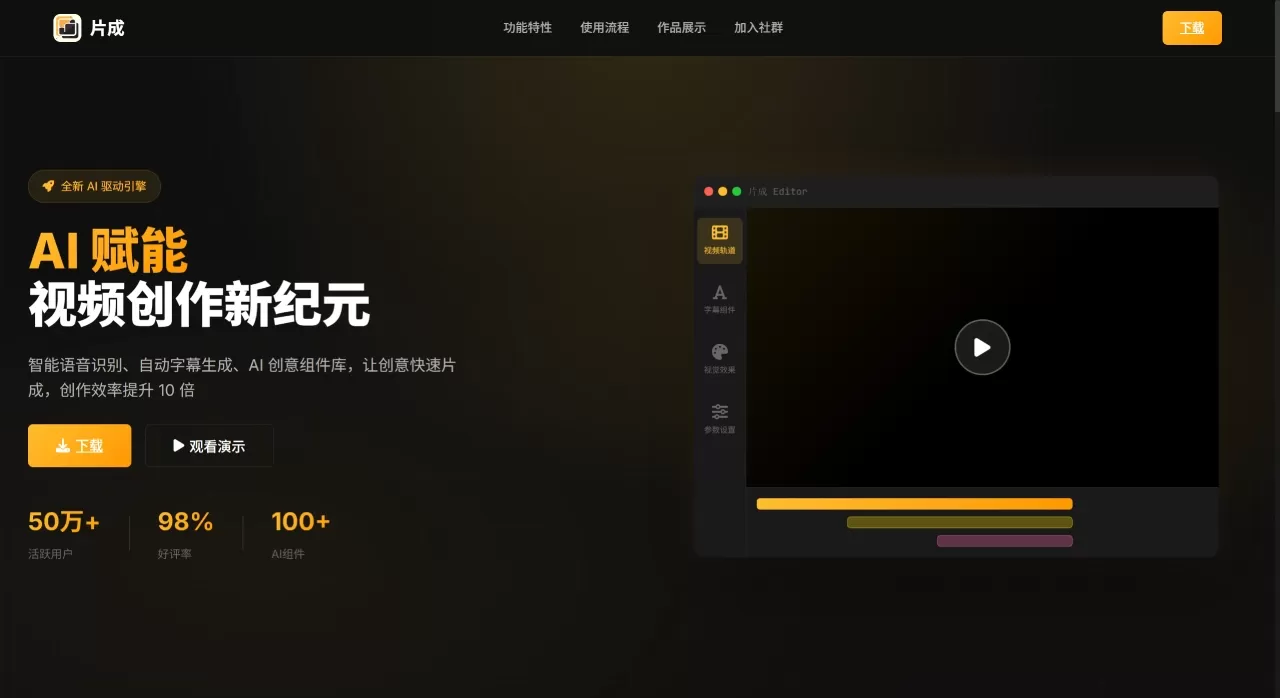
Core Features of Piancheng
Speech Recognition: Uses the Whisper model, which can automatically convert speech into subtitles with timecodes. It supports over 100 languages and automatically handles traditional and simplified Chinese.
Add Subtitles: One-click generation with multiple styles and animations, and supports bilingual display.
Component Library: Comes with over 100 preset effect components, such as dynamic subtitles, data charts, 3D effects, and you can also adjust parameters yourself.
Timeline Editing: Multi-track, frame-accurate, with keyframe animation.
Export: Supports up to 4K, with hardware acceleration and batch export. The official claim is 3x faster than before.
Cloud Sync: Projects stored in the cloud, automatic backups, supports multi-device and team collaboration.
Application Scenarios for Piancheng
Create short videos for TikTok, Bilibili, YouTube, quickly add subtitles and effects.
Create tutorial videos and science explainers, subtitles and components save a lot of effort.
Batch process material for self-media, export different resolutions to suit various platforms.
Teams working on projects together, cloud sync makes it easy to divide work among multiple people.
Companies making promotional videos, use data dashboards and 3D components to enhance visual quality.
Pros and Cons of Piancheng
Pros
High degree of AI automation, recognition, subtitles, and effects can all be done with one click, low barrier to entry.
Relatively comprehensive features, no need to switch to other tools from import to export.
Many components, over 100 covering most common visual effects.
Cloud sync is friendly for team collaboration.
Large user base with a high positive rating, indicating it's generally reliable.
Cons
Complex and fine-grained editing is not as flexible as professional non-linear editing software (a common issue with AI tools).
Requires certain network speed and computer specs, especially for 4K export and cloud sync.
Some advanced components may require payment, and the official pricing hasn't been clearly stated.
Piancheng Tutorial
Upload video or audio files, basically all formats are supported.
The system automatically recognizes speech and generates subtitles, then drag desired effects from the component library, with a timeline for fine-tuning.
Choose resolution (up to 4K), export, and share to platforms.
Piancheng vs. Competitors
| Comparison Dimension | Piancheng | CapCut Pro | Filmora | DaVinci Resolve |
|---|---|---|---|---|
| Positioning | AI-driven, quick output | Mass-market editing | Entry-level | Professional color grading & editing |
| AI Subtitles | Yes, Whisper, 100+ languages | Yes | Basic features | Requires plugin |
| Preset Components | 100+ creative components | Few | Few | None |
| Timeline Precision | Frame-level | Frame-level | Frame-level | Professional-level |
| Cloud Collaboration | Multi-device sync + team collaboration | Basic | None | None |
| 4K Export | Supported | Supported | Supported | Supported |
| Target Users | Creators looking to boost efficiency with AI | General users | Entry-level hobbyists | Professional film & video personnel |
| Price | Not disclosed | Free + Paid | Paid | Free + Paid |
Reasons to Choose Piancheng
AI is deeply integrated at the core, not just a simple plugin stack, from recognition to generation everything relies on AI.
Significant efficiency improvements, official data shows 10x efficiency boost and 3x faster export.
Easy to get started, can be done in three steps, no editing foundation required.
With 500,000 users and a 98% positive rating as reference, it's at least not a niche product.
FAQ
What languages does Piancheng support?
Whisper model, over 100 languages, with automatic traditional and simplified Chinese conversion.
What export resolutions are available?
Up to 4K, supports hardware acceleration and batch export.
Can it be used on multiple devices?
Yes, projects are stored in the cloud, so you can switch devices and continue working.
Is Piancheng suitable for professional users?
It has frame-level editing, multi-track, keyframes, and all professional features, but it's more oriented toward quick creation rather than replacing professional software.
Related Information:












