
 Script Planner Assistant▸
 AI Apps
 AI News

VirWorld AI: Affordable AI Generator for Product Promo Videos
VirWorld AI: Affordable AI Generator for Product Promo VideosIntroduction
VirWorld ai is an online tool designed for e-commerce and social media that can turn images into short videos. No filming is needed—just spend a little money and generate content with a single click. Users upload product photos, and the system uses AI to add dynamic lighting, zoom effects, and background changes. Within minutes, you get a clear short video that can be posted directly to platforms like Etsy, Shopify, Pinterest, and TikTok.
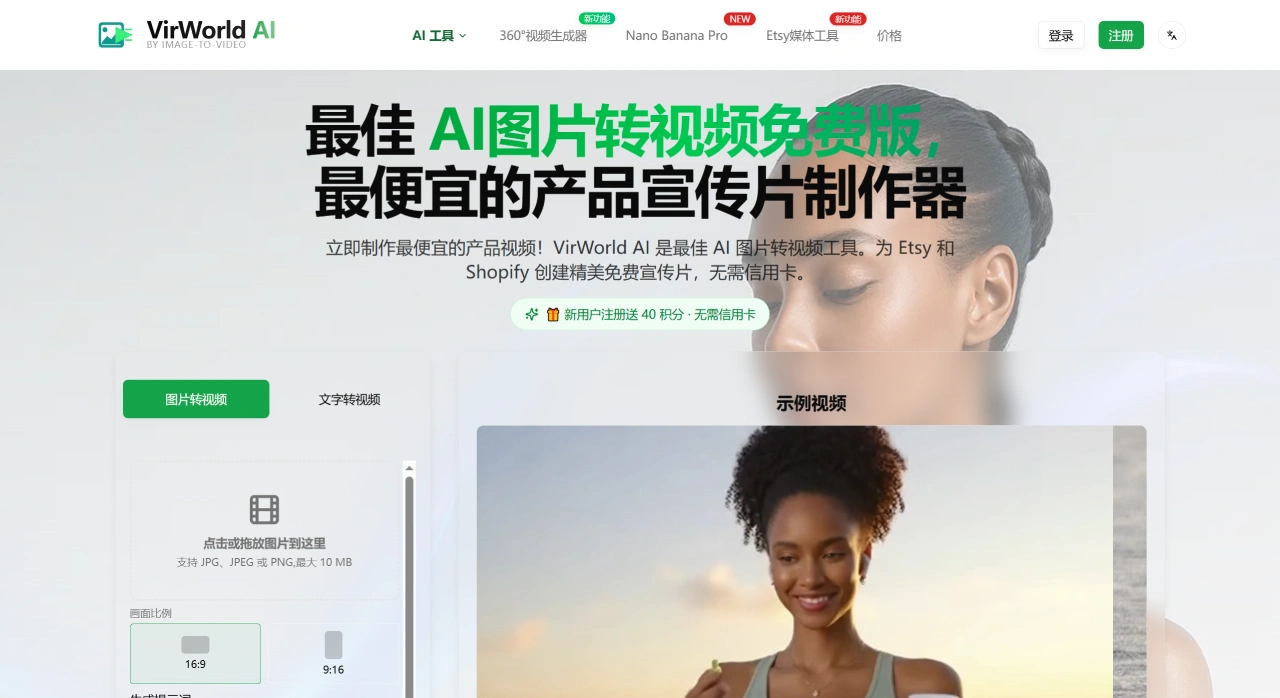
VirWorld AI Features
Image-to-video: Turn a single product photo into a 5–15 second video, no models or sets required.
Multiple aspect ratios: Choose 9:16 (vertical/short-form) or 16:9 (horizontal/detail page) with one click.
Prompt-driven: Describe the motion, mood, and lighting you want to adjust the movement and style.
Prompt optimizer: AI helps refine or complete your prompts, making it easy for beginners.
Batch generation: Upload multiple images at once and create several versions simultaneously for easy A/B testing.
Credit-based pricing: Sign up to get 40 free credits; each generation costs a small amount. Paid plans unlock higher resolution, no watermark, and commercial-use versions.
VirWorld AI Use Cases
Etsy product pages: Listings with videos get more visibility, better search ranking, and higher sales.
Shopify hero sections: Quickly showcase texture and detail, keeping visitors engaged longer and increasing add-to-cart chances.
Pinterest Video Pins: Static pins get fewer views now; video pins can drive 3–5x more traffic.
TikTok/Reels ads: Create multiple creative variations of the same product for easy testing and iteration.
Holidays or promotions: Swap keywords in prompts (e.g., Christmas, Black Friday, spring/summer) to batch-produce themed short videos.
How to Use VirWorld AI
Sign up to get credits: Visit the official site, log in with email or Google, and receive some free Credits.
Upload clear images: Best to use 1:1 or larger than 1200px, with a clean background and a clearly visible subject.
Select aspect ratio and duration: 9:16 for short-form videos, 16:9 for horizontal product detail pages.
Enter a prompt (optional): Describe the desired camera movement, mood, and brand details, e.g., "camera slowly zooms in, soft light sweeps across the surface" or "warm golden lighting." If you're unsure, use the prompt optimizer.
Generate, preview, and download: Confirm there's no watermark and everything looks right, then export the MP4 and use it for listings, ads, or social media.
VirWorld AI Tips
Use clear images for better video quality—use original files whenever possible and avoid compression.
Be specific in your prompts, and add negative phrases like "don't change the logo/color/text" to prevent distortion.
Change only one thing at a time (e.g., lighting or camera direction) to easily compare which works best.
After downloading, use CapCut or Canva to add subtitles, buttons, or outros to create the final version ready for posting.
Check your plan's commercial-use terms before using the videos commercially to avoid infringement. Don't upload images containing sensitive or private information.
In short, VirWorld AI lets sellers who don't know how to shoot video create platform-friendly, eye-catching short videos in minutes, helping them quickly tap into the traffic benefits on Etsy, Pinterest, and TikTok.











