
 Script Planner Assistant▸
 AI Apps
 AI News

Coze Coding: ByteDance's AI Bot Development Platform
Coze Coding: ByteDance's AI Bot Development PlatformIntroduction
📝 Coze Programming Introduction
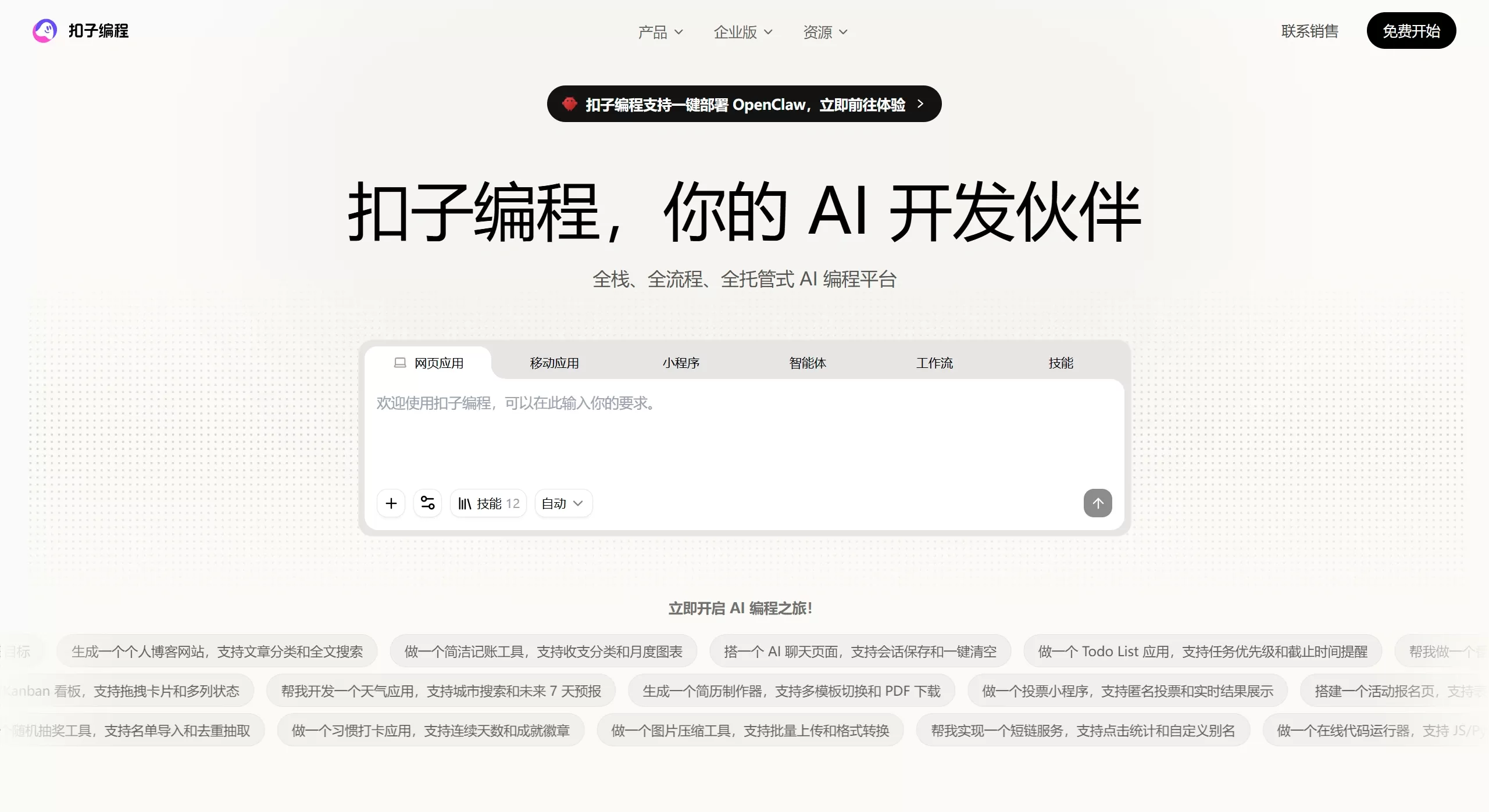
Coze Programming is a cloud-based AI application development platform launched by ByteDance. It adopts a new approach called "Vibe Coding"—you just talk to it in natural language, and it can build full-stack AI applications that are ready to go live.
Simply put, it lets you "write code" and "build products" by "talking." Vibe Coding represents a shift: previously it was humans leading with tools helping, now it's AI-led with humans assisting. You just need to clearly express your needs, and the AI handles the tedious work like writing code and debugging, while you focus on creativity and value.
🛠️ Core Features & Capabilities
With Coze Programming, you can quickly build the following types of applications:
Agents: Create AI agents capable of autonomous task execution and multi-turn conversations.
Workflows: Turn complex requirements into executable, visible automated business process code.
Web Applications: Develop full-stack web apps with both frontend and backend, and bind your own domain name.
Mobile Applications: One-click generation of APK installation packages that can be installed on Android phones.
Skills: Quickly encapsulate reusable AI capabilities and flexibly embed them into other applications.
🚀 Key Features
Out-of-the-box: No development tools to install—just open your browser and start. The platform automatically provisions a cloud environment.
One-stop Deployment: Provides Vibe Infra infrastructure that fully automates everything from coding to deployment, version management, and log monitoring—no need to worry about server configuration.
Enterprise-grade Capabilities: Supports environment isolation, data encryption, and fine-grained permission control to ensure data security and business stability.
High Ceiling: Low entry barrier, yet it generates standard full code that technical staff can deeply customize and optimize.
🎯 Use Cases
Enterprise-exclusive AI Employees: HR builds "Talent Assessment Skills," Sales builds "Customer Analysis Skills," Marketing builds "Brand Content Skills," and so on.
Automated Business Processes: Auto-generate industry research reports, process spreadsheet data and produce visual analyses, one-click generate PPT files, etc.
Content Creation: Assist with end-to-end video production from script to final cut, or generate viral Douyin copy, Xiaohongshu notes, etc.
💰 Pricing
The Coze platform bills based on resource point consumption.
Free Tier: Free for individual users, but trial runs and production runs consume the free resource points provided by the platform. Once used up, you wait until the next day for them to reset.
Paid Tier: For heavy usage or complex requirements, you can purchase resource packs or top up to offset consumption.
👍👎 Pros & Cons of Coze Programming
Pros:
Extremely Low Barrier: No programming skills required—build applications through conversation.
High Efficiency: From idea to a live application in as little as a few hours.
Comprehensive Features: Covers agents, workflows, web apps, mobile apps, and many other types.
Easy Deployment: One-stop cloud deployment with no need to operate your own servers.
Cons:
Runtime Limits: Workflows have a node limit of up to 1,000 nodes and a code node limit of up to 50, with the overall runtime defaulting to 10 minutes.
Request Limits: The total workflow request size is capped at 20MB, and individual node input parameters are also restricted.
Deep Customization Requires Code: While it can generate code, deep customization beyond what the AI can understand still requires professional developers.
🛠️ How to Use Coze Programming
The workflow for using Coze Programming is simple and fully visualized:
After entering the Coze website, select [Coze Programming] from the [Products] dropdown menu in the navigation bar.
Describe Your Needs: Use natural language on the platform for continuous conversation, clearly explaining what kind of application you want—an agent, a workflow, a website, etc.
AI Generation: The platform automatically understands your needs and generates the corresponding application code and configuration.
Debug & Optimize: Test the results in the preview environment, and have further conversations to fine-tune as needed.
One-click Deployment: Once confirmed, use the Vibe Infra capabilities provided by the platform to deploy with one click.
In addition, the platform also provides Coze Programming CLI, a command-line tool for developers that supports the full lifecycle management of project creation, online preview, and cloud deployment, improving development and debugging efficiency.
❓ FAQ
Q: How is Coze Programming different from the previous drag-and-drop workflow approach?
A: Coze Programming is based on "Vibe Coding," an AI-led development model that generates full-code applications through conversation. The drag-and-drop approach is the traditional low-code/no-code visual orchestration. The former is more flexible with a higher ceiling; the latter is more intuitive and easier to understand.
Q: Can the generated applications be exported as code for self-deployment?
A: Coze Programming primarily offers one-stop cloud deployment services aimed at simplifying operations and maintenance. Whether the code can be exported for independent deployment is best confirmed by checking the latest official documentation.
Q: Can someone who doesn't know programming use it?
A: Basic usage requires no programming skills at all. However, if you want to deeply customize and optimize the generated applications, some programming knowledge will be helpful.
Q: What's the difference from Trae?
A: Coze is a drag-and-drop agent building platform, while Trae is a conversational AI-native IDE.
Related Articles:
Coze Space Beginner's Guide & Tutorial Manual
14 Recommended AI Programming Assistants for Intelligent Code Writing & Generation!












