
 Script Planner Assistant▸
 AI Apps
 AI News

QoderWork: A Desktop General-Purpose AI Agent Assistant
QoderWork: A Desktop General-Purpose AI Agent AssistantIntroduction
What is QoderWork
QoderWork is a desktop AI assistant launched by Alibaba. It is an extension of the Qoder product line into everyday office scenarios, bringing the agent capabilities that used to mainly serve programmers into daily office work. Its focus is shifting from "chat-style AI" to "AI that can actually get things done." Unlike previous tools where you ask a question, it gives an answer, and the rest is up to you, QoderWork can directly understand complex natural language instructions, then break down the steps on its own, open local software, process files, and finally deliver the finished product to you.
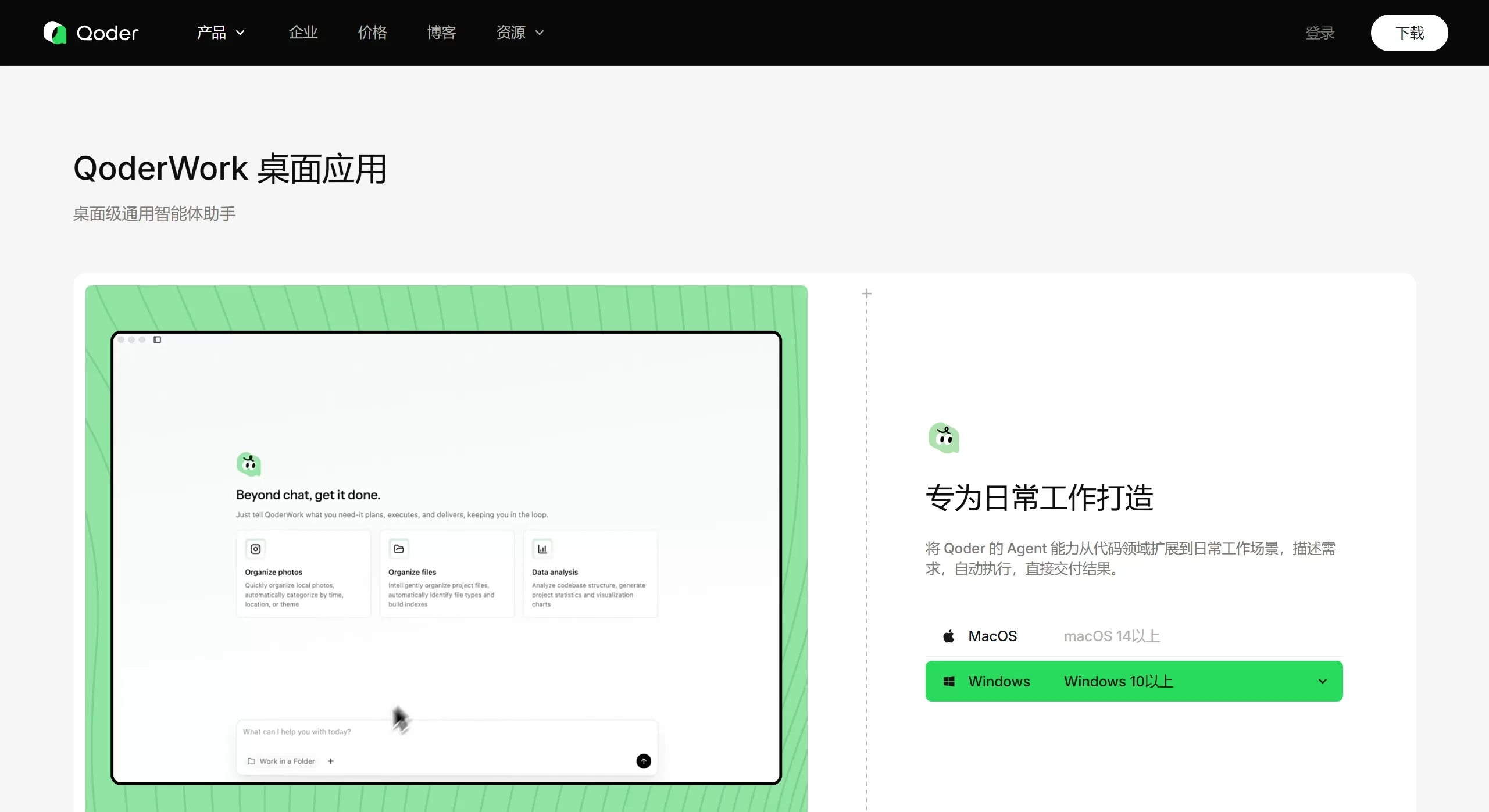
Features of QoderWork
Automatic breakdown and execution: It can understand what you mean, split complex tasks into step-by-step actions, and show you progress along the way. When it comes to key operations, it will pause and ask you to click to confirm.
Local file handling: It can directly call applications on your computer such as Excel, PPT, Word, and browsers, to read files, modify files, and generate new files, without repeated uploading and downloading.
External tool integration: It has the MCP protocol built in, allowing it to connect to third-party tools such as Notion, databases, and Python scripts, which greatly expands its capabilities.
Skill workflows: You can package repetitive tasks into a Skill, and then run them with a single sentence later. Skills can be created by yourself or imported from others.
Multiple content formats: It supports Excel data analysis, PDF and Word conversion, audio-to-text, automatic PPT creation, batch image organization, and more.
Use Cases for QoderWork
File and document organization: It can identify file types and sort messy files by time, location, or topic. It can batch rename, deduplicate, and perform format conversions, such as PDF to Word.
Data analysis and report generation: It can automatically review sales data in Excel, rank the top 5 products, and draw trend charts. When anomalies are found, it will flag them and provide a report with conclusions along with a matching PPT.
Content creation and multimedia: It can apply templates you upload to create PPTs that match your brand style. After listening to an interview recording, it will help you organize it into a video script, WeChat official account article, Xiaohongshu copy, and subtitles.
Office efficiency: Turn your company's internal platform configuration and publishing workflows into Skills, which run with a single click. It can also batch adjust document formatting, such as unifying font, line spacing, and indentation.
Pros and Cons of QoderWork
Pros
Data is processed locally, not uploaded to the cloud, making it well-suited for scenarios with confidentiality requirements.
No programming skills are needed; you can let AI complete complex tasks using everyday language.
It delivers finished files, not just text suggestions — PPT, Excel, and Word can all be modified directly.
It can connect to enterprise systems such as ERP and CRM through MCP and Skills.
Its Chinese language understanding is more accurate than similar foreign products, and it is more stable to use domestically.
Cons
It has hardware requirements; older machines may experience lag.
If instructions are too vague, rework is more likely, and key information still needs to be verified by a human.
The product is still relatively new, with limited support for some niche software and fewer third-party Skills available.
Some MCP connections and model updates require an internet connection, so it cannot operate fully offline.
How to Use QoderWork
The basic steps are simple:
Go to the QoderWork official website (qoder.com/qoderwork) to download the client, which supports macOS 10.15 and above, as well as Windows.
Log in with your Qoder account; this account is the same as the one used for Qoder IDE.
Set up a working directory; the AI will only operate on files within the scope you allow.
State clearly in the dialog box what you want to do, for example: "Analyze this sales spreadsheet, find the top 5 best-selling products, and draw a chart."
Watch the progress bar; if the AI is unsure, it will proactively ask you.
The finished work will be placed in the working directory, and you can open it directly with PPT or Excel to make edits.
Some more advanced usage tips:
Choose the model level — switch to "Light / Standard / Large Model" in the taskbar to control credit consumption. Using the light model for daily tasks can reduce costs by 70%.
Optimize instructions — click "Enhance Prompt" to automatically make your wording clearer and improve success rates.
Enable sub-agents — for particularly complex tasks, you can create a separate sub-agent, for example, "create a dedicated code-checking agent to review this program."
FAQ about QoderWork
Q: What is the difference between QoderWork and Qoder IDE?
A: They share the same account and credits, but point in different directions. Qoder IDE is designed for programmers to write code, with a focus on generating and modifying code; QoderWork is designed for all office workers, with a focus on organizing files, getting data, and creating documents.
Q: How is it different from Claude Cowork?
A: Both are desktop-based intelligent assistants. QoderWork offers additional Skill-based custom workflows, performs better in Chinese, and has lower costs since its credit system is integrated with Qoder. Claude Cowork currently only supports macOS, and accessing advanced features requires a Max subscription of about $100 per month.
Q: How is data security?
A: Local execution combined with sandbox isolation. Files are not uploaded to the internet, and each task runs in an isolated environment that can only access content you explicitly authorize. Actions like deleting or sending files will trigger an additional confirmation pop-up.
Q: How is it priced?
A: It is currently in an early access phase, sharing credits with Qoder accounts. Different models consume credits at different rates (Light 1x, Standard 3x, Large Model 10x), so choosing the Light tier for simple tasks is more cost-effective.
Q: What file formats are supported?
A: The full Office suite (Word, Excel, PPT), PDF, common images (JPG, PNG), CSV, and Markdown are all supported. Additional formats can be supported through MCP.















