
 Script Planner Assistant▸
 AI Apps
 AI News

OpenClaw CN Edition: An Open-Source Personal AI Assistant Platform with Deep Localization
OpenClaw CN Edition: An Open-Source Personal AI Assistant Platform with Deep LocalizationIntroduction
What is OpenClaw Chinese Version
OpenClaw Chinese Version is an open-source personal AI assistant platform that is deeply localized based on the official OpenClaw source code. Its main purpose is to let domestic users use the chat tools they are familiar with, such as WhatsApp, Telegram, Discord, etc., to naturally interact with mainstream AI models like OpenAI, Anthropic, and Gemini. The project is maintained by "Wuhan Qingchen Tianxia Network Technology Co., Ltd.", is completely free and open-source, and data only resides on the user's own device.
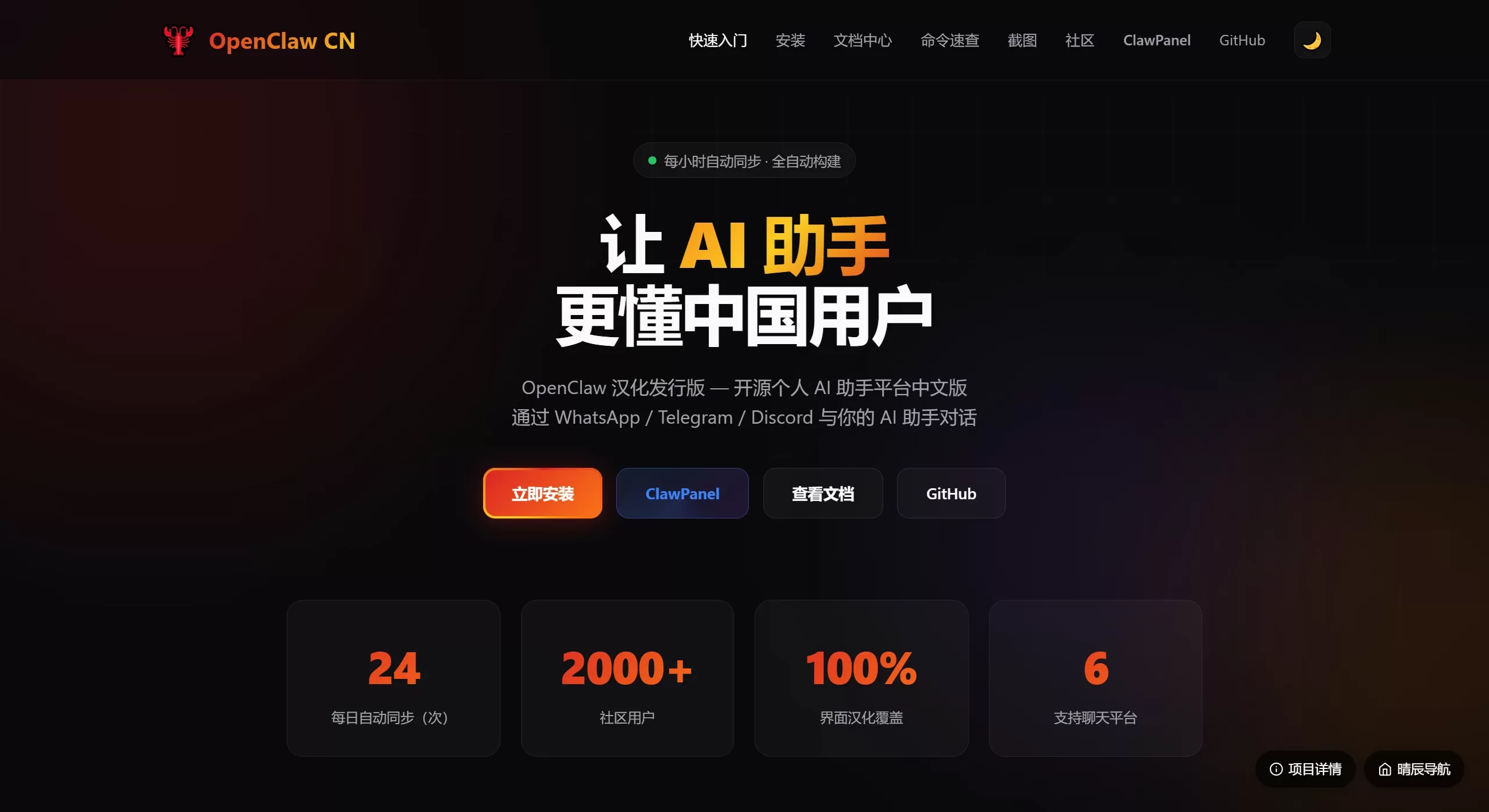
OpenClaw Chinese Version Features
Full Chinese Localization: Translates the command-line interface, initialization wizard, security prompts, help information, and web management panel into Chinese for easier use.
Multi-Platform Support: Can connect to chat tools such as WhatsApp, Telegram, Discord, Slack, Signal, etc. as entry points.
Multi-Model Support: Can connect to mainstream large models such as OpenAI, Anthropic (Claude), Google Gemini, etc.
Memory Enabled: The AI can remember user habits and conversation content, so you don't need to start from scratch every time.
Privacy-Focused: The service runs on the user's own computer or server, and data will not pass through third parties.
Automatic Updates: Uses GitHub Actions to sync the latest official code every hour and package it for release, keeping features up to date.
Extensible Skills: Supports plugins such as 1Password, Apple Notes, etc., to extend functionality.
OpenClaw Chinese Version Use Cases
Personal Assistant: Directly invoke AI in commonly used chat software to help write content, write code, look up information, without switching apps.
Team Helper: Place an AI bot in Slack or Discord groups to help everyone look up knowledge, review code, and organize meeting notes.
Private Model Gateway: For those who have API Keys but want a more convenient unified interface, it can be used as a local gateway.
Automated Workflow: Combined with plugins, it can read and write data across applications, such as automatically saving notes and managing passwords.
OpenClaw Chinese Version Pros and Cons
Pros:
Good Chinese localization; the original version is entirely in English, which is difficult for domestic users, while this version has been changed to Chinese.
Multiple deployment methods, including npm, one-click scripts, and Docker, suitable for users with different technical levels.
Download acceleration for fast domestic downloads.
Local deployment ensures conversation data is very secure.
Fast updates, synced every hour, so new features are available immediately.
Cons:
You need to prepare your own environment; Node.js (≥22) or Docker must be installed.
Configuration is somewhat complex; setting up API Keys and chat tool callback URLs for the first time requires some technical knowledge.
This is not an official release but a third-party Chinese-localized version, with no direct relationship with the official OpenClaw; please note the distinction when using.
How to Use OpenClaw Chinese Version
Prerequisites: Install Node.js (version ≥22) or Docker.
Installation:
Enter in the command line: npm i -g @qingchencloud/openclaw-zh@latest
Or use the one-click script (more convenient):
Windows: Invoke-WebRequest ... | .\install.ps1
Mac/Linux: curl ... | bash install.sh
Initialization: Run openclaw onboard --install-daemon and follow the wizard to fill in the AI model keys.
Start: Run openclaw gateway to keep the service running in the background.
Open Dashboard: Run openclaw dashboard, the browser will open the Chinese management interface, then bind chat tools and make detailed settings.
Common Commands:
Check Status: openclaw gateway status
Restart: openclaw gateway restart
Update: openclaw update
Troubleshoot: openclaw doctor
Common Installation Issues
Installation Failed: It may be due to a low Node.js version (≥22 required) or poor network. It is recommended to use a domestic mirror or the one-click script.
Startup Error: The port may be occupied or the configuration is incorrect; use openclaw doctor to check.
Dashboard Cannot Connect: Check the firewall or whether the service is started; use the correct IP for intranet access.
Remote Access: The documentation includes Nginx reverse proxy and Token authentication tutorials for secure access to the management panel from the external network.
Model Settings: Instructions on how to fill in API Keys for each platform and test connectivity.
Gitee Address:https://gitee.com/qeyser/OpenClawChinese
GitHub Address:https://github.com/MaoTouHU/OpenClawChinese
Related News:
Guide: Integrating WeChat with Openclaw
Shenzhen Longgang District Government Just Released Ten Policy Measures Supporting OpenClaw / OPC
From Beginner to AI Master: 15 OpenClaw Skill Recommendations















