
 Script Planner Assistant▸
 AI Apps
 AI News

MaxClaw: Deploy OpenClaw in the Cloud in 10 Seconds, Ready to Use
MaxClaw: Deploy OpenClaw in the Cloud in 10 Seconds, Ready to UseIntroduction
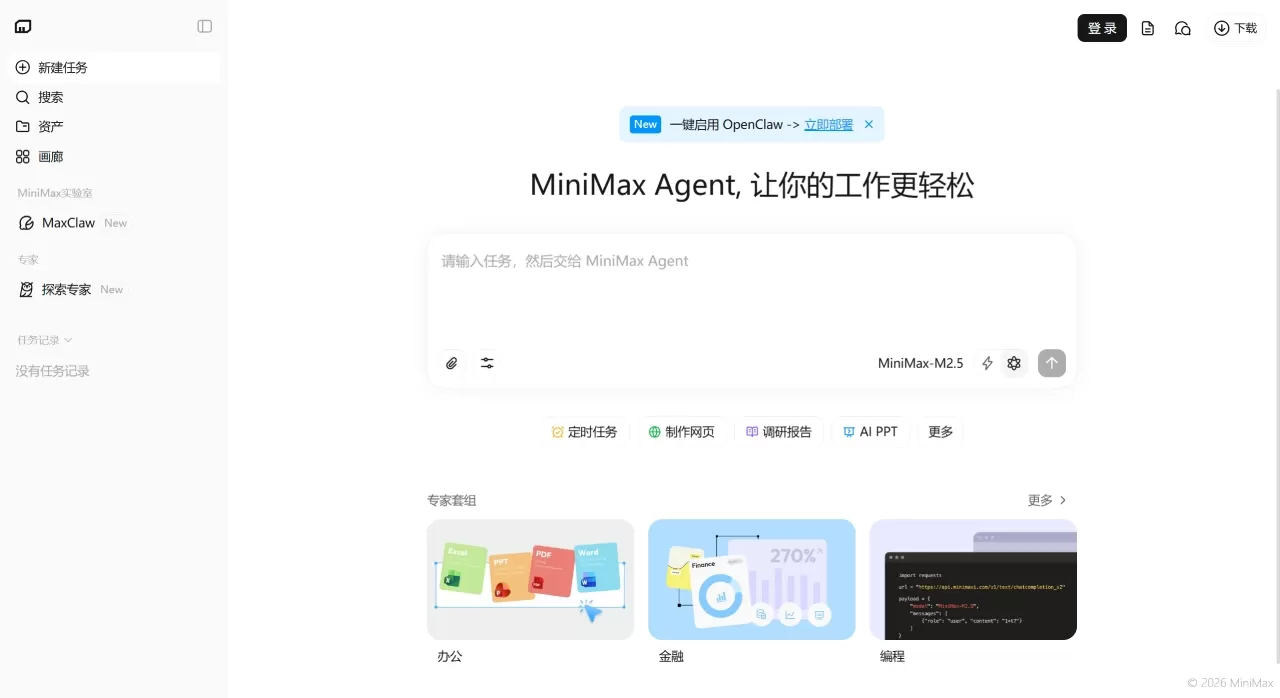
MaxClaw is built on OpenClaw and is directly integrated into the MiniMax Agent web client. Its biggest feature is that it's ready to use out of the box — no need to deploy your own server or configure an API Key; just click to run the OpenClaw ecosystem in the cloud. Released together with Expert 2.0, its main goal is to make professional-grade AI Agents easily accessible to everyday users.
MaxClaw Features
Cloud deployment: One-click launch, from click to Gateway running in less than 20 seconds, no local environment setup needed
Pre-installed tools: Comes with expert-level Skills such as Hot Product Hunter, Multi-Agent Investment Research Team, and Trending Tracker
Content generation: Supports image and video generation, plus tools like image search and web deployment
Storage space: 50G cloud storage with long-term memory support
Cross-platform: Already integrated with Feishu, DingTalk, Telegram, WhatsApp, Discord, Slack, and more
Credit-based system: Free users can use it too, billed via credits (specific rules to be announced)
Cost-saving: Built-in tools don't require third-party APIs, no extra fees
Compared to using OpenClaw directly, MaxClaw has made systematic upgrades to Skills for image understanding, video understanding, web extraction, search, and more.
MaxClaw Use Cases
Office automation: Assign tasks directly in Feishu/DingTalk, online 7×24 hours
Content creation: Quickly produce marketing copy, images, and videos
Business analysis: Use the pre-installed Investment Research Team Skill to track market trends
Financial modeling: Pair with Expert 2.0 for DCF valuation and sensitivity analysis
Application deployment: Generated applications can be directly deployed as web services
How to Use MaxClaw
Prerequisite: Requires a MiniMax Agent basic subscription
Steps:
Log in to the MiniMax Agent web client
Click MaxClaw in the left menu, select "Create Now" and pick a style
Wait for the system to auto-deploy; it'll be ready within 20 seconds
To connect Feishu/DingTalk, follow the prompts in the developer console to configure permissions and send the ID and Secret to MaxClaw
Send instructions on the web client or IM, and view deliverables synced on both sides
MaxClaw FAQ
What's the difference between MaxClaw and OpenClaw? MaxClaw is the cloud-hosted version, no self-deployment needed, with more complete tools, suitable for users who don't want to deal with technical setup
Do I need to know programming? No, zero-code, just talk to use it
Can free users use it? Yes, it's credit-based, free quota to be announced
Can I use it on mobile? Currently it's web-based, mobile version coming soon
Can I define my own experts? Coming soon, you can create them using natural language and visual tools, no coding required
Is the data secure? 50G dedicated cloud storage, tasks initiated via IM are also visible on the web client
MaxClaw Roadmap
Custom experts: Create dedicated Agents without programming
Mobile: Phone and web integration, start workflows anytime
Related Links
MiniMax Agent: agent.minimaxi.com
Expert Marketplace: agent.minimaxi.com/experts
Related News:
Openclaw: From Beginner to AI Master: 15 Recommended OpenClaw Skills















