Script Planner Assistant▸
 AI Apps
 AI News

AHA Music: An Online Browser-Based Song Identification Tool
AHA Music: An Online Browser-Based Song Identification ToolIntroduction
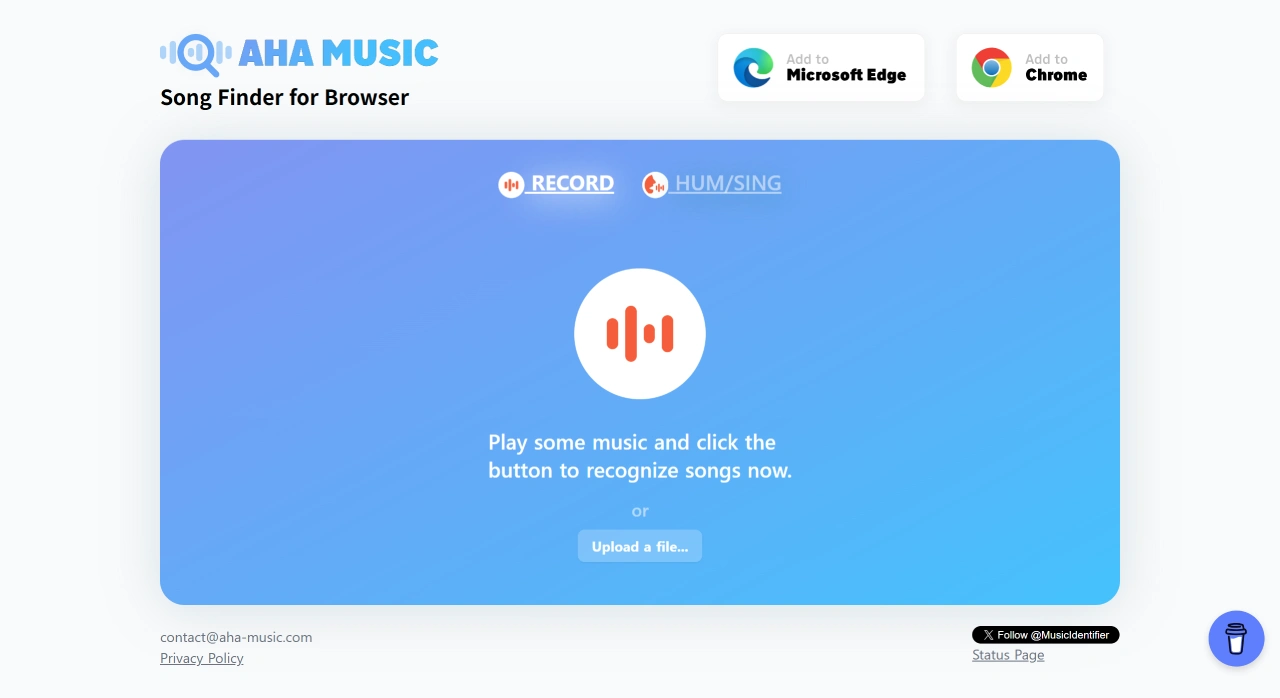
AHA Music is a free browser extension for identifying songs currently playing. It uses the audio fingerprinting technology from ACRCloud and requires no registration. You can use it on your computer to identify music on web pages, local audio files, or audio recorded through the microphone. This tool is often called the "Shazam in your browser."
Main Features of AHA Music
Real-time Online Recognition: Click the extension icon and it will capture the audio currently playing on the webpage, including music in videos, live streams, and ads, quickly providing the song name, artist, and album cover.
Hum or Recording Recognition: On the official website, you can record up to 15 seconds of audio—whether humming or playing music—and it will help you find the corresponding song.
Local File Recognition: Supports uploading common audio format files smaller than 100MB and no longer than 60 seconds, such as mp3, wav, mp4, and flv. Recognition results will be displayed shortly after.
Multi-platform Links: Identified songs can be directly linked to Spotify, Apple Music, YouTube, Deezer, and other platforms, making it convenient to play or save.
History and Export: The extension automatically saves your recognition history, which you can export as a CSV file for further organization.
Use Cases for AHA Music
Watching Videos or Live Streams: When you hear background music on platforms like TikTok, Bilibili, Douyu, or Twitch, identify them instantly.
Binge-watching TV Shows or Anime: Identify insert songs in TV series, movies, or MVs so you never miss any music you love.
Ads or Radio Stations: One-click lookup of background music in web ads, online radio, or podcasts.
Local Audio: Recover unnamed melodies from old MP3s or voice recorders.
Content Creation: Video or graphic content creators can quickly access music copyright information and platform links for easy editing or attribution.
How to Use AHA Music
Install: Search for "AHA Music - Song Finder for Browser" in the Chrome Web Store, then add it to your browser.
Play Music: Play the music or video you want to identify on any webpage.
Identify: Click the AHA icon in your browser toolbar. The extension will automatically capture 5–10 seconds of audio and display the song information, including the title, cover art, and playback links. If you need humming recognition, visit the official website, select "Record & Identify," grant microphone permission, record for 15 seconds, and wait for the result.
Notes
When identifying, try to play only one audio source at a time to avoid multiple audio sources playing simultaneously.
Before uploading files, if a file exceeds 60 seconds, you can split it into smaller segments first.
The extension does not use your microphone for recording; it only reads audio from the browser, so privacy risks are low.
Frequently Asked Questions about AHA Music
Q: What is the main purpose of AHA Music?
A: AHA Music is primarily used to identify unknown songs in the browser.
Q: How do I use AHA Music to identify a song?
A: You can identify songs by humming or recording, or by uploading an audio file.