Script Planner Assistant▸
 AI Apps
 AI News

YPrompt: An AI Prompt Management and Optimization Tool
YPrompt: An AI Prompt Management and Optimization ToolIntroduction
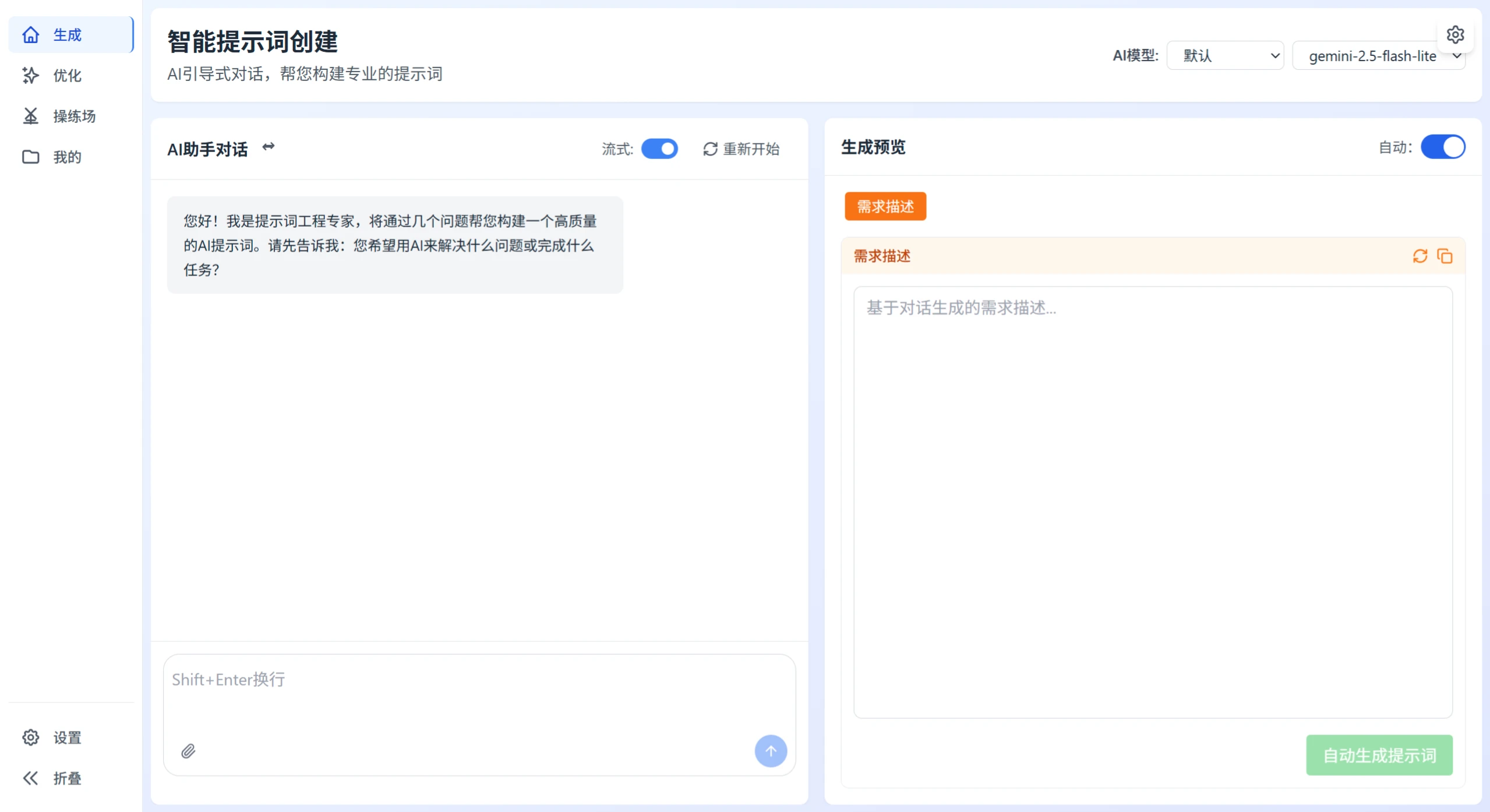
YPrompt is a AIprompt management and optimization tool. Its main function is to understand what users need through AI conversations, automatically generate professional prompts, and also help refine prompts, manage versions, and compare effects.
YPrompt Core Features
Use AI chat to clarify user needs and generate professional system prompts
Can optimize system or user prompts, including matching appropriate dialogue contexts, and see the effect differences before and after changes
Prompts can be stored in different versions, and can be reverted to previous versions
Has a playground to immediately see what different outputs look like, making effects clear at a glance
Two login methods: local account/password, or Linux.do OAuth login
Two database options: SQLite by default, or MySQL
Responsive design, adapting to desktop and mobile devices, usable on both computer and phone
YPrompt Tech Stack
Frontend: Vue 3, TypeScript, Pinia, Tailwind CSS, Vite
Backend: Sanic (a Python web framework)
Database: SQLite by default, can also be switched to MySQL
Deployment: Docker, Docker Compose
Steps to Optimize Prompts with YPrompt
YPrompt can optimize both system prompts and user prompts. Here's how to use it:
Enter the Optimization Module
Find the "Optimization Module" in the YPrompt main interface, which may be in the sidebar or bottom navigation. This module can analyze prompt quality, provide improvement suggestions, and compare effects.
Fill in the Content to Optimize
Write the prompt to be optimized in the "Draft Prompt" box.
The system will immediately display the word count and length type (short/medium/long/extra-long) to help you think about how to optimize.
If you want to add more, you can open "Optional Context" and add:
System prompt—if optimizing a user prompt, you can add the corresponding system context
Conversation history—describe what conversation this prompt is used in)
Choose Optimization Method
Quick Optimization (default recommended): completes in 2-5 seconds, suitable for most everyday situations. When optimizing, it adjusts the length based on the original text length, trying to sound like normal conversation without being too rigid in structure, while preserving more than 74% of the original meaning.
Detailed Optimization (for professional use): performs more in-depth quality analysis with suggestions from multiple aspects.
Start Optimizing
After clicking "Optimize", the system first performs a quality score, examining clarity, specificity, structure, context, and completeness. Then it provides the optimized prompt, displaying it as it's generated. It also places the before and after versions side by side, so you can see the length changes and quality scores.
Use the Optimized Results
First check the details, including scores, suggestions, and exactly what was changed.
You can click "Copy Result" to directly get the optimized prompt, or click "Save" to add it to your prompt library.
If you want to tweak further, modify the original draft and run the optimization again.
You can use "Version Management" to store different optimization approaches for easy comparison later.
Points to Note
When optimizing, prioritize simplicity—don't make it too complicated; natural conversation is better than forcing a rigid structure.
Don't over-optimize; expansion should not exceed 20 times the original text.
The system will maintain the original role perspective. For example, if a patient is asking a doctor, the tone remains as the patient after optimization.
Supports multiple languages—it will automatically recognize the language and adjust accordingly.
Following the steps above to use YPrompt, you can quickly optimize prompts and make AI responses more accurate.
If you're tired of manually copying prompts one by one in Notion, or want to let business stakeholders say just one sentence and turn it into a reusable prompt, then YPrompt is practically the only ready-to-use solution in open source right now.
Demo URL:https://yprompt.252035.xyz/