Script Planner Assistant▸
 AI Apps
 AI News

AIPrompter_云技派,专注ai人工智能!
AIPrompter_云技派,专注ai人工智能!Introduction
aiPrompter is a browser extension. AIPrompter sparks unlimited inspiration for AI creation and serves as a prompt assistant for AI drawing tools, dedicated to helping you quickly add & translate prompts. It helps you perform intelligent prompt assistance when using AIGC websites, making it easier for you to use AIGC websites without spending a lot of time thinking about how to write prompts. The currently supported AIGC websites are Stable Diffusion, Midjourney, ComfyUI, Fooocus, Leonardo.ai, etc.

AIPrompter Features:
Curated prompt library with a vast selection of prompts at your fingertips, bringing more inspiration to your creations.
Rapid intelligent suggestions and convenient one-click translation. Enter your ideas and intelligently match prompt recommendations; long sentences are easily translated.
One-click installation to quickly spark creative inspiration.
How to Install the AIPrompter Browser Extension in Edge:
1. Click the button below to download the zip file. After the download is complete, extract the file to obtain the crx installation file.

2. Click the menu bar in the upper right corner of the Edge browser, open "Extensions" from "More tools", or enter the following in the address bar: edge://extensions, then enable "Developer mode" on the left.
3. Drag the crx file extracted earlier into the "Extensions" page.
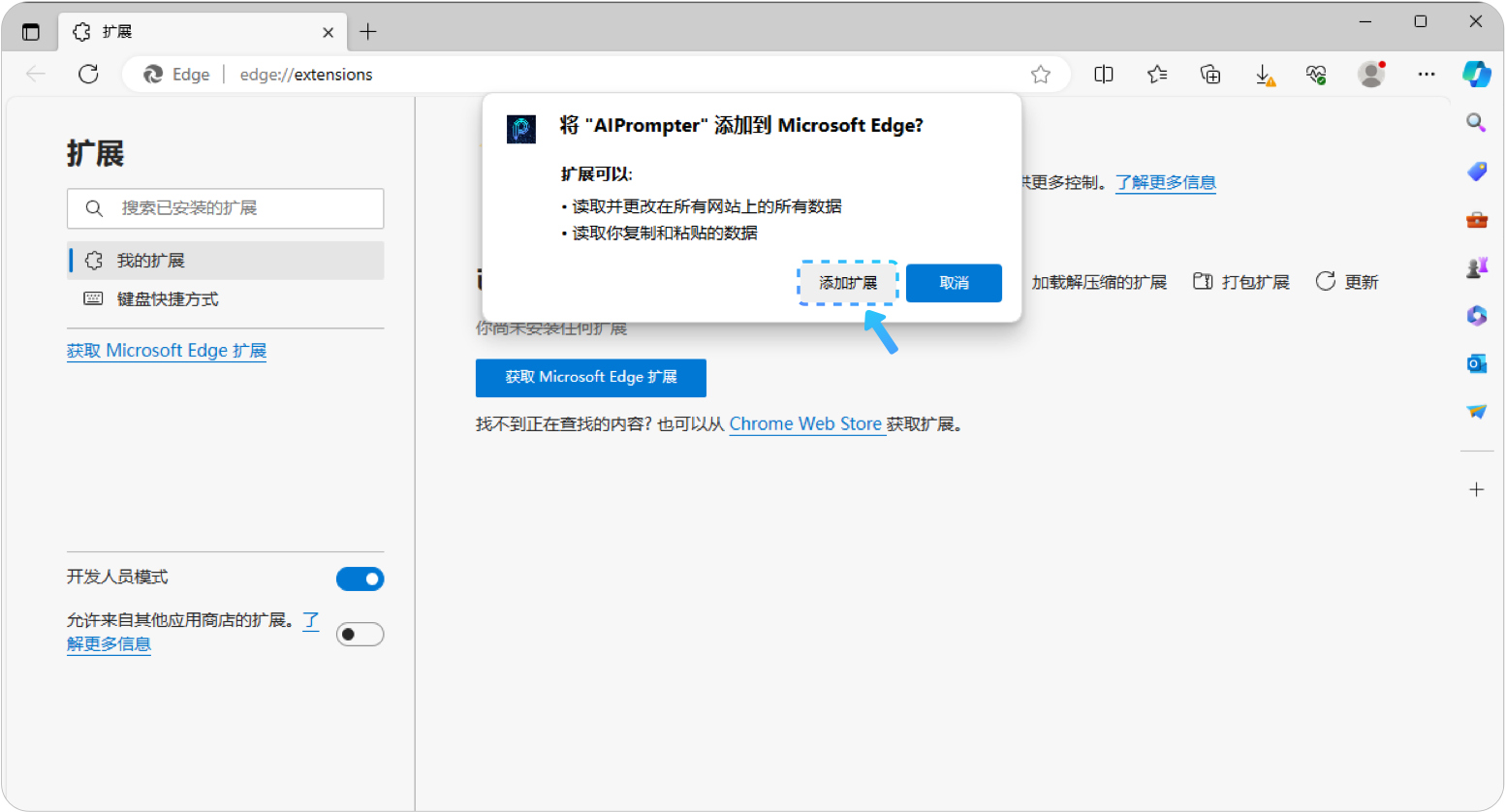
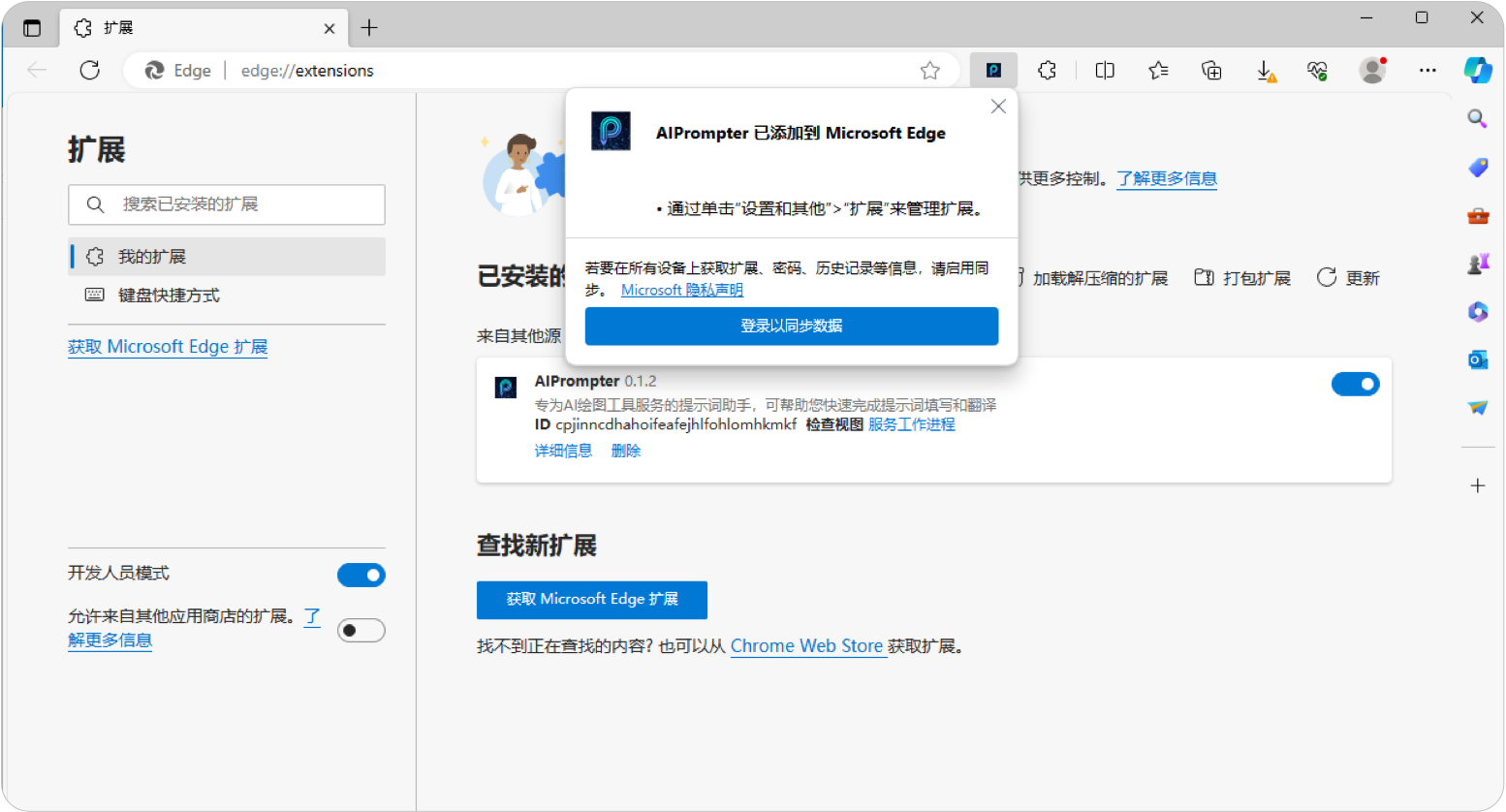
AIPrompter is designed to help users spark inspiration for AI creation. Whether you are a professional artist or an AI creation enthusiast, AIPrompter will provide powerful support for your creative process.