Script Planner Assistant▸
 AI Apps
 AI News

Universal Copy: Unlock Copy Restrictions on Webpages
Universal Copy: Unlock Copy Restrictions on WebpagesIntroduction
全新万能复制, also known as Web Universal Copy, is a tool that helps you bypass webpage copy restrictions, allowing you to easily copy protected webpage content.
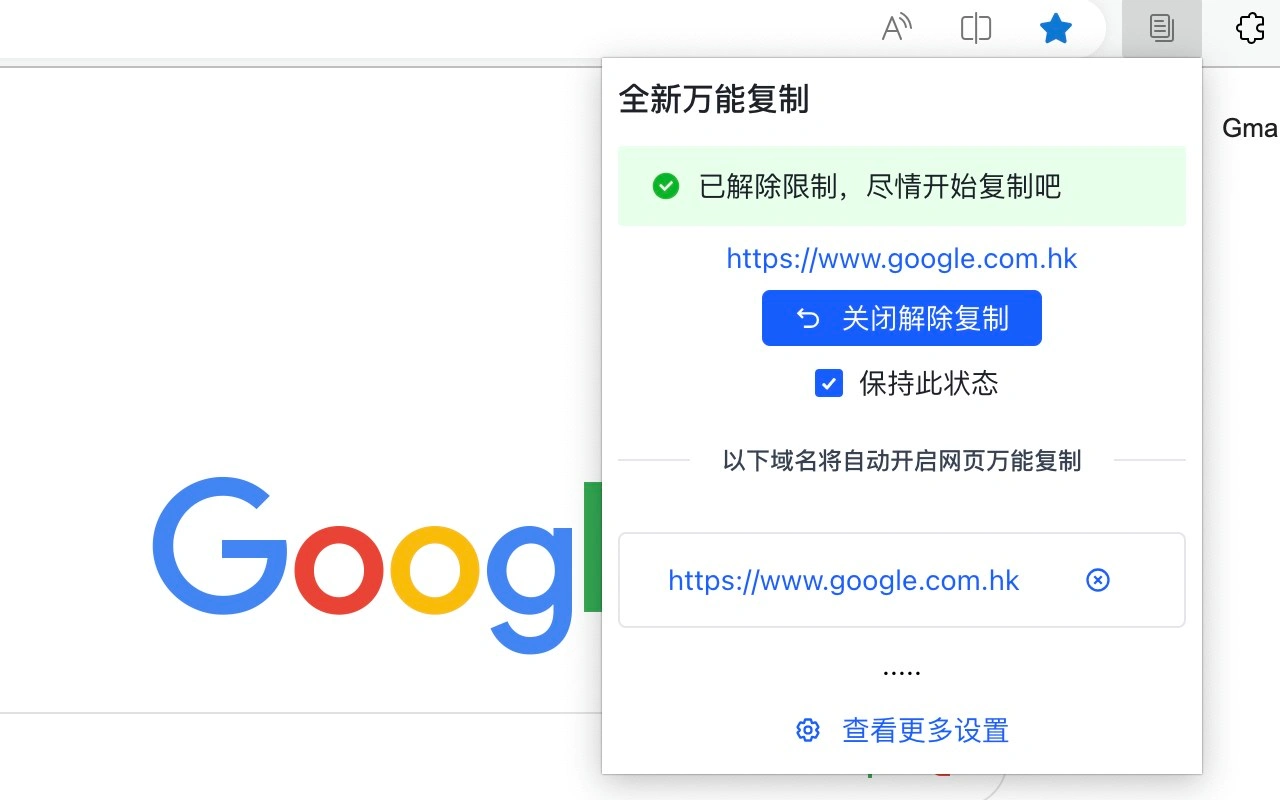
Main Features of 全新万能复制
Remove Restrictions: One-click bypass of webpage restrictions that disable right-click, text selection, copy, and paste.
Supports Common Websites: By default, supports hundreds of frequently used websites such as Baidu Wenku, Doc88, and CSDN.
Custom Addition: You can manually add other unsupported websites, and future versions will continue to be updated.
Auto Memory: After checking "Keep this state", the restriction will be automatically removed the next time you visit the same website.
How to Use 全新万能复制
Install: Search for "全新万能复制" in your browser's extension store and install it.
Remove Restrictions: Open the webpage you need to copy, click the extension icon in the upper right corner of the browser, and select "Enable Copy".
Copy Content: Press Ctrl+C (use Command+C on Mac) to copy.
Auto Memory: Check "Keep this state", and the restriction will be automatically removed the next time you visit the same website.
Add Website: You can manually add other websites that need to have their copy restrictions removed.
Shortcuts for 全新万能复制
Windows/Linux:
Cut: Ctrl+X
Copy: Ctrl+C
Paste: Ctrl+V
Mac:
Cut: Command+X
Copy: Command+C
Paste: Command+V