
 Script Planner Assistant▸
 AI Apps
 AI News

LetsEnhance: AI Image Enhancer That Converts Low-Res Photos to HD or Even 4K
LetsEnhance: AI Image Enhancer That Converts Low-Res Photos to HD or Even 4KIntroduction
LetsEnhance is a tool that uses AI to enhance and upscale images. It can transform low-resolution images into high-definition or even higher-definition images, repair blurriness and noise, and even generate high-quality images based on text descriptions. It supports batch processing, preserves EXIF information, and is suitable for creative professionals and users with printing needs, offering a free version and multiple paid plans.
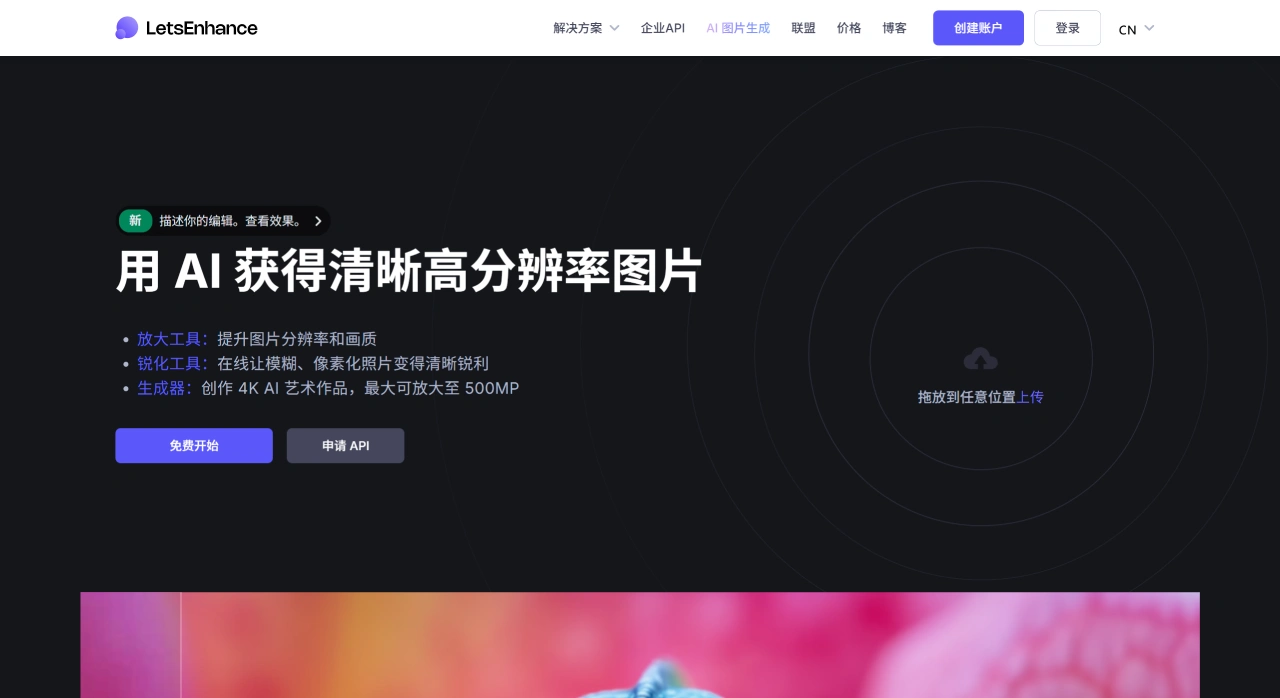
LetsEnhance Features
Image Enhancement and Upscaling: LetsEnhance can upscale low-resolution images to HD, 4K, or even higher resolutions, with a maximum support of 500MP. It uses advanced algorithms to supplement missing pixels, ensuring images remain clear after upscaling.
Repair Functions: LetsEnhance automatically repairs blurry parts of images, removes noise and JPEG compression artifacts, and uses HDR filters to adjust white balance and saturation, making colors more vivid.
AI Image Generation: Generates high-quality original images based on user-input text descriptions, supporting the conversion of text into high-resolution images. For example, entering "Breaking Bad, Ghibli animation style" can generate 4K AI artwork within seconds. Users can specify details such as style, color, and scene through text prompts.
Batch Processing: Supports uploading and editing multiple images simultaneously, reducing repetitive operations and improving efficiency. It offers presets for e-commerce and real estate photos, achieving professional visual effects with one click, without the need for professional editing skills.
EXIF Information Preservation: LetsEnhance preserves the EXIF information of images during processing.
How to Use LetsEnhance
Visit the official website at https://letsenhance.io/zh-CN, register and log in to your account. Upload the image you need to process by clicking the upload button or dragging and dropping the image file directly onto the page. Select the appropriate upscaling algorithm and output quality parameters. Click the "Enhance" button to start processing, and click the "Download" button to save the image after processing is complete.
LetsEnhance Use Cases
Creative Professionals: Prepare HD materials for web and print media, quickly repair old photos and digital artwork, and optimize product images, logos, and commercial materials.
Printing Needs: Help users achieve professional-grade 300+ DPI print quality, improve color accuracy and clarity, and provide on-demand printing API integration.
AI Art Creation: Enhance the resolution of AI-generated images, supporting HD, 4K, and larger output sizes to meet the needs of art creators.
E-commerce: Optimize product photos to make them clear and perfectly composed, improving user experience and conversion rates; repair low-quality product images, saving the time and cost of re-shooting.
LetsEnhance Pricing Plans
Free Version: Allows processing of 10 watermarked images per month.
Personal Version: Priced at $9 - $34 per month, allowing processing of 100 - 500 images per month.
Business Version: Priced at $72 - $290 per month, allowing processing of 1,000 - 5,000 images per month.
Pay-as-you-go: Priced at $9 - $39, allowing processing of 20 - 120 images.
LetsEnhance Key Questions
Question 1: What are the differences in image upscaling resolution permissions for different user types on LetsEnhance.io? How does this difference affect users in different scenarios (such as personal printing, enterprise VR projects)?
Answer: Different user types have different maximum upscaling resolution permissions: the limit for free users is 64 megapixels, the limit for paid subscribers is 256 megapixels, and the limit for enterprise plan users is 500 megapixels. The impact on different scenarios is as follows: For personal printing scenarios (such as home photo printing, small posters): the 64 megapixels available to free users can meet ordinary A4/A3 printing needs, with sufficient size at 300+ DPI, without additional payment; for commercial general scenarios (such as e-commerce product images, small and medium-sized ads): the 256 megapixels available to paid subscribers can support 4K-level image output, meeting most online display and medium-sized printing needs; for enterprise high-end scenarios (such as VR projects, large outdoor posters, photography exhibition large canvases): the 500 megapixels available to enterprise users can meet ultra-high-definition, large-size image needs, avoiding blurriness and loss of detail due to insufficient resolution, ensuring immersive visual effects in VR scenes or clarity in large displays.
Question 2: Compared with traditional image editing tools (such as Photoshop's bicubic interpolation), what are the core advantages of LetsEnhance.io's AI technology (such as super-resolution technology) in image upscaling and quality preservation? How does this advantage solve the pain points of traditional tools?
Answer: The core advantage is that it relies on deep convolutional neural networks (trained on large image datasets) to actively add extra detail and pixels when upscaling images, rather than simply stretching pixels; traditional tools (such as Photoshop's bicubic interpolation) only stretch existing pixels through algorithms, resulting in blurred images and loss of detail. This advantage solves two major pain points of traditional tools: when traditional tools upscale more than 2 times, image edges will show aliasing and harsh color transitions, while LetsEnhance's AI can recognize image content and generate new details consistent with visual logic, maintaining clarity even when upscaled 16 times; traditional tools require manual adjustment of sharpening, noise reduction, and other parameters, and the effect depends on the user's professional skill, while LetsEnhance automates processing through AI, requiring no manual operation, completing high-quality upscaling within seconds, lowering the barrier to use.
Question 3: For e-commerce industry users, which features of LetsEnhance.io can directly solve their core problem of "low product image quality leading to poor conversion rates"? How exactly are they applied?
Answer: The features that can directly solve the core problem of e-commerce users and their applications are as follows: One-click Presets (E-commerce Specific): E-commerce users can directly use one-click presets designed for e-commerce photos, without professional editing, quickly making product images achieve a "clear, perfectly composed" visual effect, improving user browsing experience; AI Upscaling and Sharpening: If the product image was taken with a phone or has a small original size, the tool can be used to upscale and sharpen it, repairing pixelation issues, ensuring users can see clear details when zooming in on the product page, reducing abandoned purchases due to "unclear details"; Color and Lighting Correction (HDR Filter): Some product images have "product not matching the picture" issues due to lighting during shooting. The tool can use HDR filters to correct white balance and saturation, restoring the true color of the product, reducing the return and exchange rate after users receive the goods; Batch Editing: E-commerce users usually have a large number of product images that need to be processed. The batch editing feature can upload multiple images simultaneously and optimize them uniformly, saving the time cost of processing them one by one, quickly completing the upgrade of all store product images, avoiding the overall store image being dragged down by some low-quality images.














