Script Planner Assistant▸
 AI Apps
 AI News

UP Cloud Search: A Powerful Aggregated Cloud Drive Resource Search Platform
UP Cloud Search: A Powerful Aggregated Cloud Drive Resource Search PlatformIntroduction
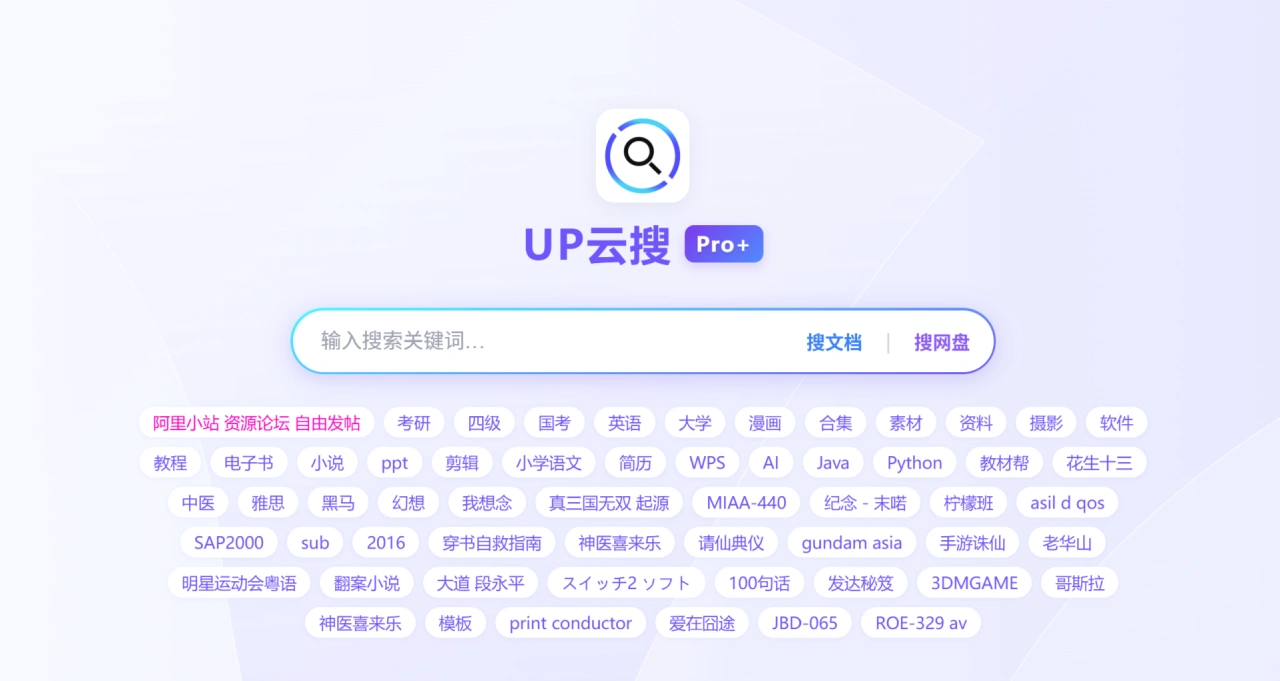
UP Cloud Search is a powerful aggregated cloud drive resource search platform. Its main function is to help users search and share various resources, covering areas such as postgraduate entrance exams, English, civil service exams, subject learning across disciplines, skill learning, entertainment, and practical materials. It also supports free posting and communication on Ali Mini Site and the Resource Forum.
UP Cloud Search Features
Resource Integration and Search
Broad Resource Coverage: UP Cloud Search integrates four major categories—learning and education, entertainment and leisure, practical materials, and specialized niche content—with more than 20细分 resource types. From primary school subject materials (such as Primary School Chinese), workplace templates (such as resumes and ppt), to professional skill tutorials (such as Java, Python programming, autoForm R8 software training), entertainment content (such as film and TV, comics, novels), to device-specific resources (such as RG35XX -P-V1.2.0 firmware), and niche interest content (such as Six-Cell Sudoku, Japanese-exclusive resources), meeting the diverse needs of different users.
Precise Resource Presentation: UP Cloud Search not only labels resource categories but also provides specific resource names, dedicated links, and细分 tags, reducing the difficulty of searching. For example, in the learning field, it labels items like "Huasheng Thirteen Exam Prep Materials" and "BNUP Edition 8th Grade Second Semester Math"; in the practical materials field, it directly provides names like "Summer Safety Education PPT" along with direct links. Users don't need to filter through massive amounts of information and can quickly find target resources.
Diverse Resource Formats: UP Cloud Search includes document types (e-books, PPTs, resume templates), video types (film and TV resources, editing tutorials), software tools types (programming software tutorials, device firmware), image types (Yang Yang photos, photography materials), knowledge types (subject knowledge points, Traditional Chinese Medicine materials), and other formats, adapting to different user preferences for resource formats. Whether for learning, entertainment, or tool use, corresponding resources can be found.
User Interaction and Resource Sharing
Open Posting and Communication: UP Cloud Search has built two interactive sections—"Ali Mini Site" and "Resource Forum"—where users can freely post. They can post resource sharing threads (such as their collected postgraduate exam materials or film and TV collections), request help threads (such as looking for specific software tutorials or niche comics), and experience exchange threads (such as exam preparation methods or resource usage tips), forming a "user mutual assistance" community ecosystem that breaks the "one-way resource output" model and makes resource circulation more flexible.
Mutual Resource Complementarity: Through forum interaction, UP Cloud Search achieves "surplus resource sharing and resource demand complementarity." For example, users with scarce exam prep materials can post to share, and those in need can obtain them by replying; users who cannot find a certain type of resource can post a request for help, and users who have the resource can actively provide it, broadening resource acquisition channels and increasing the chances of obtaining scarce resources.
UP Cloud Search Application Scenarios
Learning and Education Scenarios
Academic Advancement and Exam Preparation: UP Cloud Search is suitable for candidates preparing for postgraduate entrance exams, civil service exams, CET-4 and CET-6, IELTS, and more. For example, postgraduate exam users can find "Huasheng Thirteen Exam Prep Materials" and "Postgraduate Exam Exclusive Collections," civil service exam users can access civics exam knowledge points and exercises, and English learners can download vocabulary, listening, and writing materials for CET-4, CET-6, and IELTS, reducing material collection time and allowing focus on learning.
Subject Learning: UP Cloud Search covers primary school to higher education as well as professional fields. Primary school students can use "Primary School Chinese Resources" to assist learning, junior high students can access "BNUP Edition 8th Grade Second Semester Math" textbooks and exercises, and university students and professional learners can find materials such as "Modern Chinese Sentence Component Analysis," "General History of Modern Chinese Chambers of Commerce," and "Traditional Chinese Medicine Knowledge," meeting both curricular and extracurricular learning needs.
Skill Improvement: For professionals and interest-based learners. Users who want to learn programming can access Java and Python tutorials; design or film and TV workers can find editing tutorials and photography materials; users who need to master professional software can learn content such as "autoForm R8 Software Training," enhancing professional skills or hobby abilities.
Entertainment and Leisure Scenarios
Film, TV, and Literature Consumption: UP Cloud Search is suitable for film and TV enthusiasts and novel/comic readers. It allows finding popular TV series (such as "Novoland: Eagle Flag" and "Double Face Eva"), movies (such as "A Certain Magical Index: The Movie – The Miracle of Endymion" and "Extraction 3"), as well as comic collections and web novels (such as "My Senior Brother Is Too Steady"), enabling one-stop access to entertainment content without switching between multiple platforms.
Interest Collection and Browsing: For users with specific interests. Fans of celebrities can download "Yang Yang Photos," puzzle game lovers can access "Six-Cell Sudoku" content, and those who like niche cultures can find Japanese-exclusive resources (such as those related to "Shinji Mori and Southern Cross"), meeting personalized interest needs.
Work and Life Practical Scenarios
Workplace Office Assistance: Catering to professionals' office needs. UP Cloud Search provides "PPT Templates" (such as "Summer Safety Education PPT," which can be adapted into corporate training PPTs) and "Resume Templates," enabling quick completion of reports and job application documents; it also provides "Commercial Source Code" and "WPS AI related materials," offering tool support for IT development and office efficiency improvement, reducing repetitive work.
Life and Tool Use: Addressing daily device usage and life planning needs. For example, Android car system users can access corresponding resources, those needing device firmware upgrades can find "RG35XX -P-V1.2.0," and users who enjoy DIY or learning can use the "hugo image" image tool and "Geek Cloud Search" to assist in finding resources, enhancing life convenience.
How to Use UP Cloud Search
Resource Acquisition
Keyword Search: After going to the UP Cloud Search webpage, use the platform's search function, enter resource keywords (such as "Postgraduate Exam Materials," "Summer Safety Education PPT," "Java Tutorial"), click search, and select the desired content from the results list. This applies when you know the resource type but are unclear about the specific name or link—for example, wanting to find IELTS materials but not knowing the exact name, you can narrow the scope through search.
Direct Link Access: UP Cloud Search provides direct resource links. Copy the link, open it in a new window, and follow the page prompts to download or view the resource (such as films/TV shows or software tutorials). This applies when the platform has already labeled a specific link, allowing one-step direct access to the resource page and saving search time—for example, when obtaining specific device firmware, if the link is associated with that resource, it can be downloaded directly.
Search by Resource Name: UP Cloud Search lists a large number of specific resource names (such as "Huasheng Thirteen Exam Prep Materials," "My Senior Brother Is Too Steady," "Extraction 3"). Users browse the list to find the corresponding name, then click on the resource entry or follow the prompts for further acquisition (such as jumping to the download page or viewing details). This applies when you already know the specific resource name or discover an interesting resource while browsing—for example, knowing that the "BNUP Edition 8th Grade Second Semester Math" resource exists, you can directly find and obtain it from the list.
User Interaction
Posting Operation: Enter the "Ali Mini Site" or "Resource Forum" section of UP Cloud Search, click the "Post" button, select the post type (such as "Resource Sharing," "Request Help," "Experience Exchange"), fill in the title (such as "Sharing 2025 Postgraduate English Real Questions Collection" or "Seeking Complete autoForm R8 Tutorial") and content (supplementing resource details, request descriptions, or experience details), and confirm publishing. When posting resource sharing threads, label the resource format (such as "PDF version" or "Video collection") and acquisition method (such as "Leave email in comments to receive" or "Link in second floor"); when posting help threads, clarify resource request details (such as "Seeking BNUP Edition 8th Grade Second Semester Math after-class answers" or "Looking for 2024 Civil Service Exam Administrative Aptitude Test real questions") to improve the precision of others' assistance.
Browsing and Replying: Browse the post and replay list of the forum/mini site, click on posts of interest to view their content. To interact, you can enter content in the "Reply" box below the post (such as thanking for sharing, supplementing resource information, or answering questions) and click "Submit" to complete the reply. By replying to help threads, you can share resources or experiences; when viewing replies, you may obtain links supplemented by the original poster or materials shared by other users, achieving resource complementarity.