
 Script Planner Assistant▸
 AI Apps
 AI News

Shotva: An Online AI Screenshot Beautifier
Shotva: An Online AI Screenshot BeautifierIntroduction
Shotva is an online ai screenshot beautification tool that can quickly turn ordinary screenshots (such as web pages, app interfaces, or document screenshots) into high-quality images suitable for posting on social media. It is especially useful for marketing campaigns, product showcases, creating ppt presentations, or advertising materials, helping you easily enhance the visual effect of your screenshots.
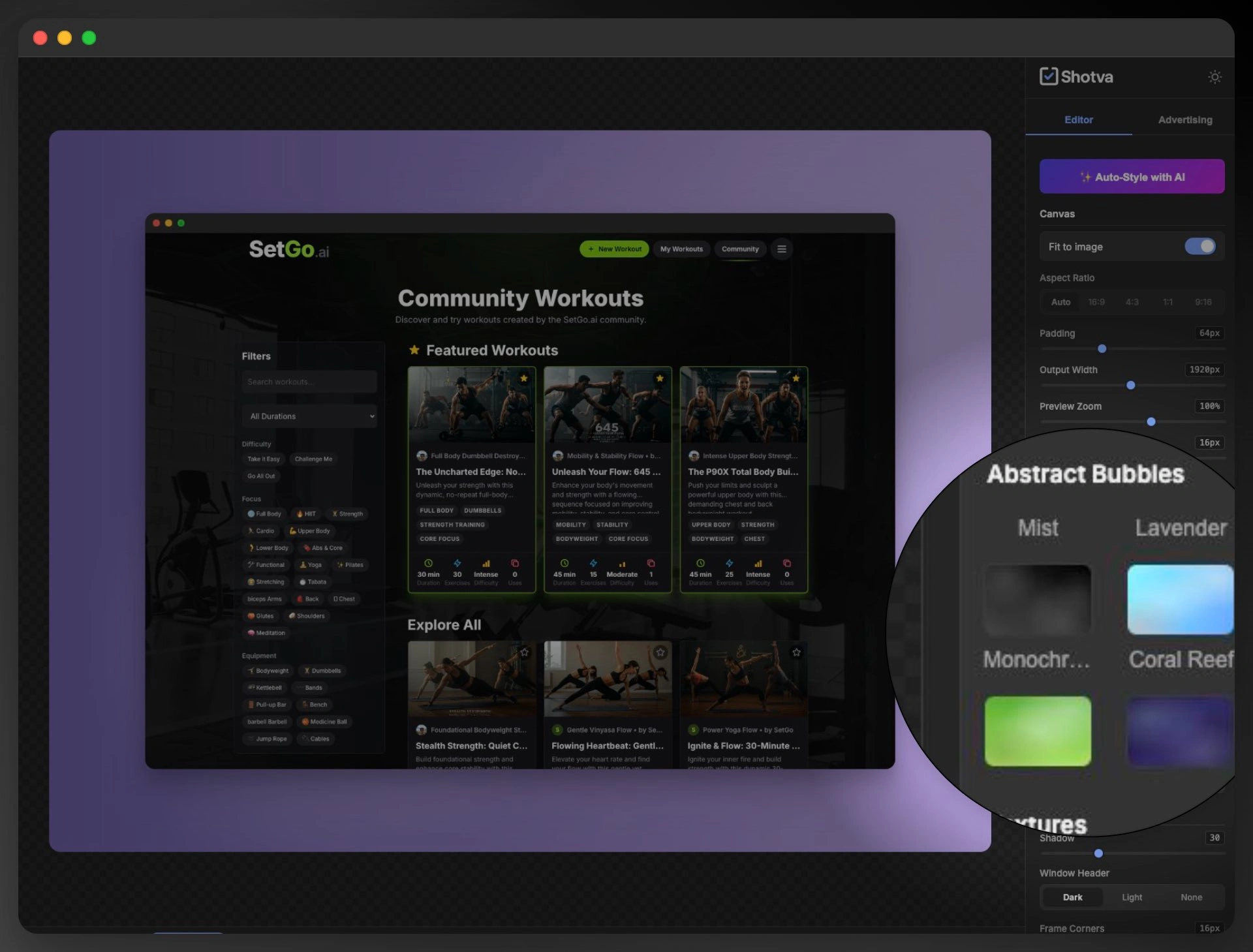
Shotva Main Features
Shotva offers both AI-powered smart optimization and manual adjustment, making it easy to use:
AI Auto-Style: Uses AI to automatically adjust the color tone, contrast, and filters of your screenshots, making them look more professional and appealing. You can also choose different styles (such as modern, minimalist, or tech-inspired) to adjust according to your needs.
Quick Ad Creation: Can directly turn screenshots into advertising materials, suitable for social media ads, Google ads, or e-commerce promotions. AI will automatically optimize the layout, add headlines, call-to-action buttons (such as "Buy Now"), and brand elements to help boost conversion rates.
Free Customization
Change Background: Can switch to a solid color, gradient, or image background.
Add Borders and Shadows: Adds depth to your screenshots.
Brand Customization: Automatically add your company logo, brand colors, and fonts to ensure a consistent style across all images.
Annotation and Enhancement
Highlight Key Points: Use arrows, circles, or text to mark out key content (such as interface features or data).
AI Clarity Enhancement: Automatically improves screenshot clarity and fixes blurry or low-quality images.
How to Use Shotva?
Upload Screenshot: Open the Shotva web version, directly drag and drop or upload your screenshot (supports common formats like JPG, PNG).
Optimize and Adjust:
Use AI one-click optimization (choose a style or ad template) to quickly get results;
You can also manually adjust the background, borders, filters, and brand elements for finer control over details.
Add Annotations: Use highlight tools or text annotations to emphasize key information (such as interface features or important data).
Export and Download: Export high-definition PNG or JPG images, ready for posting on social media, creating PPTs, putting on websites, or running ads.
Suitable Scenarios for Shotva
Social Media Marketing (such as Instagram, Twitter, LinkedIn): Turn product interfaces or app screenshots into attractive post images to boost engagement.
Product Demos and Tutorials: Optimize software interface screenshots for use in help docs, tutorials, or sales presentations.
Advertising and Marketing Materials: Quickly generate Facebook/Google ad images, e-commerce product images, or promotional banners.
Maintain Brand Consistency: Automatically add your company logo, brand colors, and fonts to ensure a consistent style across all screenshots.
Team Collaboration and Reporting: Use professional screenshots in PPT or meeting presentations for a more professional look.
Why Choose Shotva?
AI Smart: No design skills needed—AI automatically optimizes your screenshots.
Simple and Convenient: Runs directly in your browser, no software download required.
Flexible Adjustments: Background, borders, and brand elements can all be modified as needed.
Wide Range of Uses: Works for social media, ads, presentations, and product showcases.
Shotva is a practical AI screenshot optimization tool, suitable for social media operators, product managers, marketers, designers, or everyday users. If you often need to make your screenshots look better and more shareable, Shotva is a simple and easy-to-use choice!
Related Articles:















