
 Script Planner Assistant▸
 AI Apps
 AI News

Presenton: Open-Source AI PPT Generator You Can Run Locally
Presenton: Open-Source AI PPT Generator You Can Run LocallyIntroduction
Presenton is an open-source local aippt generation tool that protects user data privacy. When making PPTs with online AI, users often need to upload sensitive data, which can pose a risk of information leakage. It supports mainstream AI models like OpenAI, Gemini, and Ollama, offers custom HTML templates and multiple PPT template themes, and can integrate image sources such as DALL-E3, Gemini Flash, and Pexels. Additionally, it supports API interfaces, enabling batch generation and integration with other systems, and can ultimately export to PowerPoint and PDF formats, compatible with mainstream office software.
Presenton Features
Core Features
AI PPT Generation: Enter a topic or outline to quickly generate a complete PPT.
Privacy Protection: All code and data processing run on local devices, with no cloud uploads, ensuring data privacy.
Support for Multiple Models: Can use OpenAI, Gemini, etc., and also integrate self-hosted open-source models via Ollama.
Custom Layouts and Themes: Create custom layouts using HTML and Tailwind to meet different design needs.
Image Generation: Generate images from multiple sources including DALL-E3, Gemini Flash, Pexels, Pixabay, etc.
API Support: Can be deployed as an API, generating PPTs via HTTP requests.
Export Formats: Supports exporting to PowerPoint (PPTX) and PDF formats.
UI Features
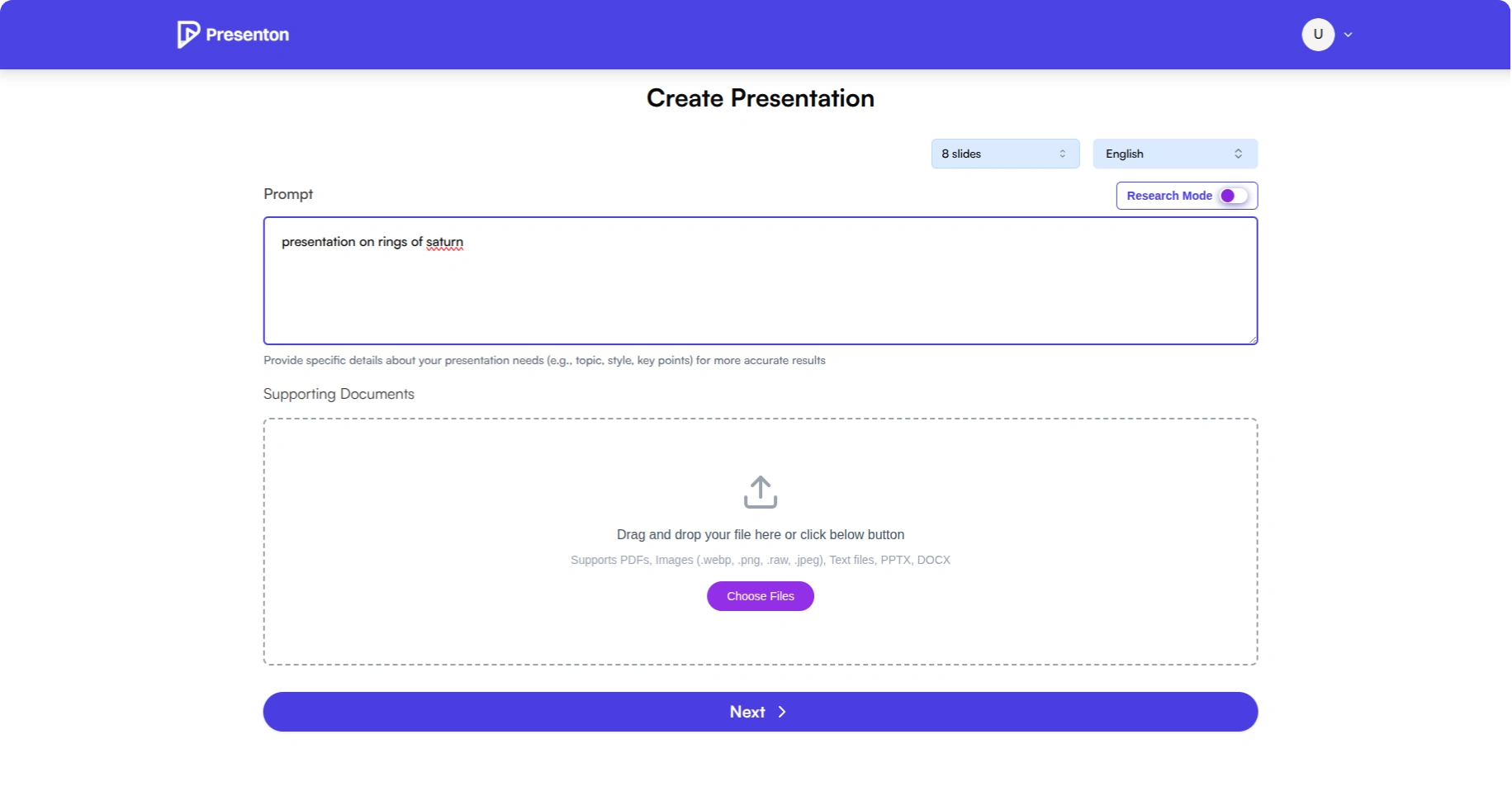
Input a prompt, select the number of slides and language, and upload supported documents.
Choose a PPT theme.
View and edit the PPT outline, and add slides.
Re-select a theme (possibly a repeated step or a choice at a different stage).
View the PPT within the app.
Change the PPT theme.
Export to PDF and PPTX formats.
Presenton Usage Guide
Basic Usage Flow
Launch the App: Follow the deployment guide to start the Presenton service and access it via browser at http://localhost:5000 (default port).
Initial Setup: On first use, configure AI models (such as OpenAI, Gemini, Ollama), enter the corresponding API keys (if required), choose image generation services (such as Pexels, Pixabay), and configure the relevant keys.
Create a PPT: On the main interface, enter a topic or prompt (e.g., "Artificial Intelligence Applications in Healthcare"), select the number of slides (default 8, between 5-15), select the language (default English) and layout style (general/classic/modern/professional), optionally upload reference documents (PDF, TXT, PPTX, DOCX formats), then click generate.
Edit and Adjust: After generation, view the outline, add, delete, or reorder slides, edit content, change theme styles, and adjust images (regenerate or replace).
Export PPT: After completing edits, export to PPTX (for further editing in PowerPoint) or PDF (for easy sharing and presentation).
API Usage
To use it via programming, call the API by sending a POST request to /api/v1/ppt/presentation/generate (example code omitted).
import requests
url = "http://localhost:5000/api/v1/ppt/presentation/generate"
files = {
    "prompt": (None, "人工智能基础教程"),
    "n_slides": (None, "10"),
    "language": (None, "Chinese"),
    "layout": (None, "professional"),
    # 可选:添加文档
    # "documents": open("reference.pdf", "rb")
}
response = requests.post(url, files=files)
result = response.json()
print("生成的演示文稿ID:", result["presentation_id"])
print("下载地址:", result["path"])
Notes
✅ AI models and API keys must be configured correctly, otherwise generation may fail.
✅ Complex topics may take longer to generate.
✅ When running Ollama models locally, the initial download happens automatically on first use and may take a long time.
✅ When generating images, ensure the corresponding image service is configured correctly.
✅ Open-source address: https://github.com/presenton/presenton














