
 Script Planner Assistant▸
 AI Apps
 AI News

MikuTools: A Lightweight, Free, and Open-Source Online Toolkit
MikuTools: A Lightweight, Free, and Open-Source Online ToolkitIntroduction
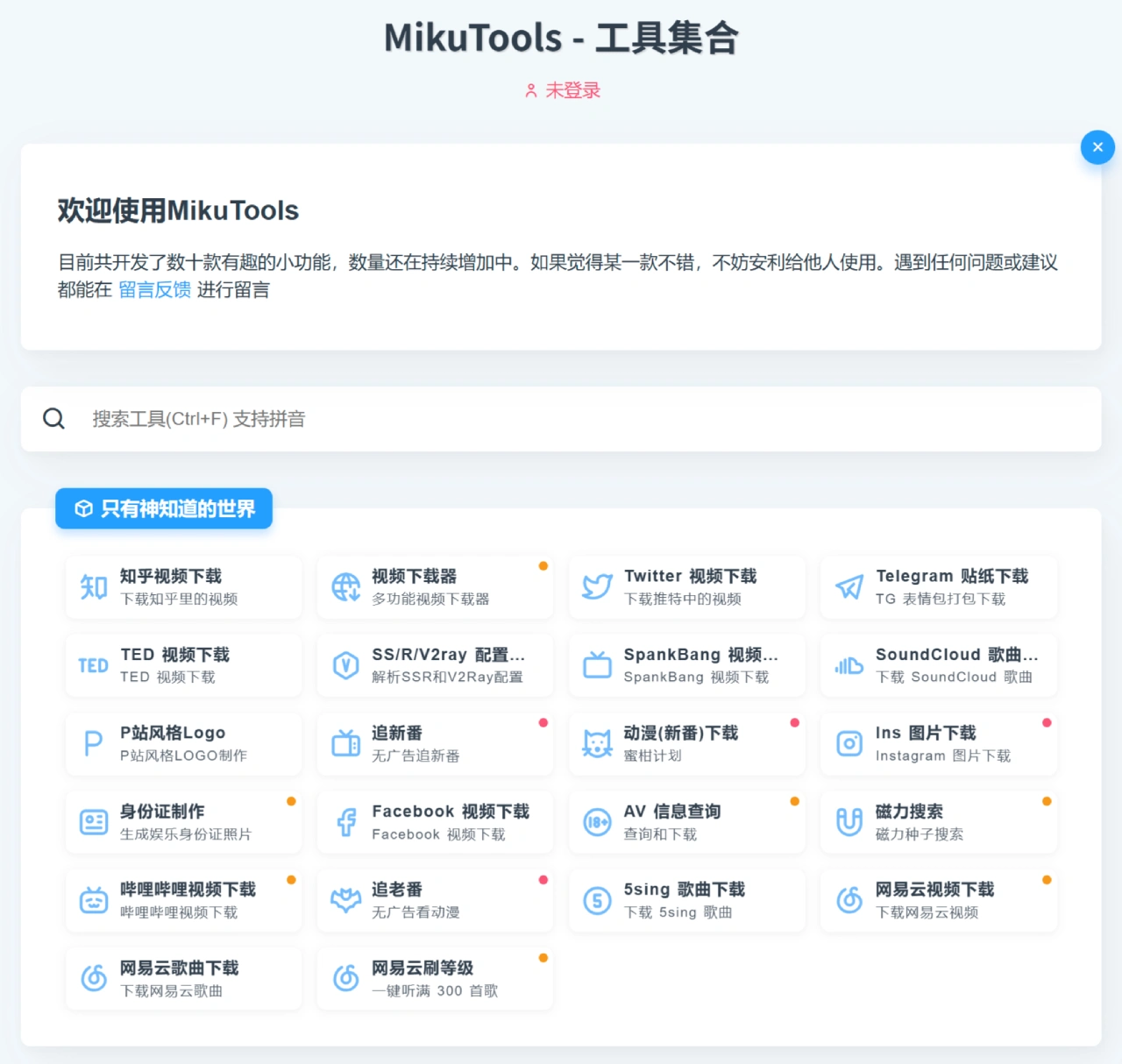
MikuTools is a lightweight, free, and open-source online tools collection website built with the Vue ecosystem and Nuxt.js. It supports cross-platform access (desktop / mobile devices) and lets you use most features without signing up. It offers hundreds of practical utilities covering media downloads, image processing, text processing, data conversion, programming development, and more, along with unique features like Genshin Impact voice synthesis and the Journey Card commemorative edition.
Features
Feature-rich: Offers hundreds of tools, such as video / music download, image creation, online anime tracking, magnet search, reverse image search, parcel tracking, image / text processing, and more.
Free to use: All tools are available for free, with no registration or login required.
Online operation: No download or installation needed — just open the website to use it.
Continuously updated: The developer keeps adding new features.
Supported Platforms
MikuTools is a web-based application that works on a variety of internet-connected devices:
Desktop systems: Windows, macOS, Linux
Mobile systems: Android, iOS
Use Cases
Image processing: format conversion, watermarking, editing, face similarity comparison, etc.
Text processing: text-to-speech, online translation, deduplication, simplified / traditional Chinese conversion, etc.
Programming development: JSON formatting, SQL formatting, regular expression testing, timestamp conversion, etc.
Daily utilities: Journey Card commemorative edition, parcel tracking, weather lookup, currency conversion, etc.
Download-related: video downloads from Zhihu, Twitter, TED, Bilibili, etc.
Others: entertainment ID photo generator, Pixiv-style logo maker, magnet search, etc.
How to Use
Visit the official site: https://tools.miku.ac/.
Browse the tool list and find the tool you need.
Click the tool icon to open its page and start using it.
Key Questions:
Q1: What kind of website is MikuTools?
A: MikuTools is a tools collection website with dozens of practical features that are still growing. It covers areas such as image processing, ai-related tools, lifestyle and entertainment, and lookup utilities. Users can leave feedback or recommend it to others.
Q2: What AI-related tools are available in MikuTools?
A: It includes the AI drawing tag selector, AI drawing (NovelAi), CatGPT, and Genshin Impact voice synthesis (AI anime voice synthesis, which appears twice).
Q3: What lookup utilities does MikuTools offer?
A: It includes weather lookup, phone number attribution lookup, reverse-search anime by screenshot (what anime is this), GPU hierarchy chart (consumer GPU ranking), CPU hierarchy chart (consumer processor ranking), ID card parsing (number parsing / generation), and Bilibili BV to AV conversion (AV and BV mutual conversion).
Pricing
Completely free, with no paid items.
Related Links
Website: https://tools.miku.ac/
GitHub: https://github.com/Ice-Hazymoon/MikuTools













