
 Script Planner Assistant▸
 AI Apps
 AI News

Mockingbird AI PPT: AI PPT Generator by Mockingbird
Mockingbird AI PPT: AI PPT Generator by MockingbirdIntroduction
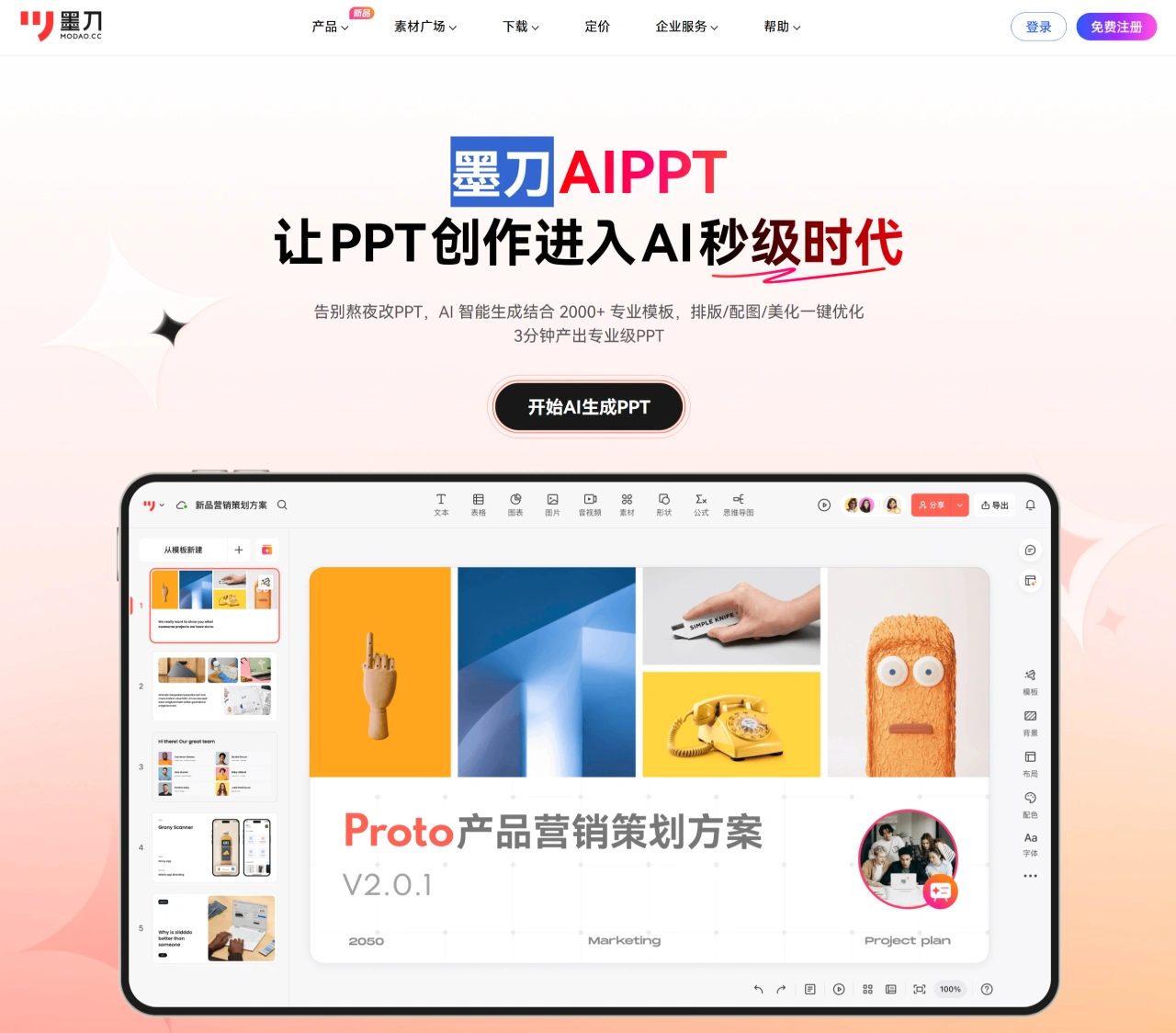
MockingBot ai ppt is an AI PPT generation tool launched by MockingBot. It makes PPT creation efficient and simple. You only need to enter a topic or import a document, and it will automatically generate a PPT with a complete structure, unified design, and rich content. It can also intelligently match copywriting, images, and templates, supports importing multiple file formats, automatically parses the structure to generate outlines and chapters, features intelligent chart generation and automatic theme color synchronization, and covers all industry scenarios such as business and academia. With it, it's like having an "PPT assistant" that truly understands you, freeing users from tedious PPT creation and saving time and effort.
Highlight Features
AI One-Click Outline Generation: When making PPTs, many people don't know where to start, and when faced with a single topic, they tend to suffer from messy logic and content piling up. MockingBot AIPPT can quickly generate a presentation outline based on the topic, building a reasonable narrative order. It is very friendly to workplace newcomers who are not good at structuring content.
AI Document Content Extraction: It not only supports entering content to generate PPTs, but also supports uploading various types of documents such as Word and PDF. The AI automatically identifies key information, extracts content, and converts it into PPT pages, eliminating the hassle of organizing, copying, and pasting. It is suitable for scenarios such as quick proposals and internal sharing.
Intelligent Recognition of Source Data to Generate Charts: Product managers, marketing personnel, etc. often need to create charts for user data analysis and market trend summaries. MockingBot AIPPT can recognize tables or raw data, intelligently generate various types of charts such as pie charts, bar charts, and line charts, and automatically embed them into PPT pages, avoiding the hassle of manually drawing charts in Excel, adjusting formats, and exporting.
Vast Template Library with Instant Switching: It comes with over 2,000 professional templates and an intelligent color scheme system, supporting one-click switching of PPT styles based on scenarios. Even without design experience, you can quickly create professional and beautiful presentation effects. Even if the style needs to be changed at the last minute, there's no need to stay up late recreating it.
Real-Time Multi-Person Collaboration: In cross-departmental projects, PPTs often need to be completed collaboratively. MockingBot AIPPT supports real-time collaborative editing, allows you to @ colleagues to handle specific pages, automatically generates to-do tasks, and retains a record of every modification, achieving an efficient collaboration experience where content is traceable and versions can be restored.
How to Use MockingBot AIPPT
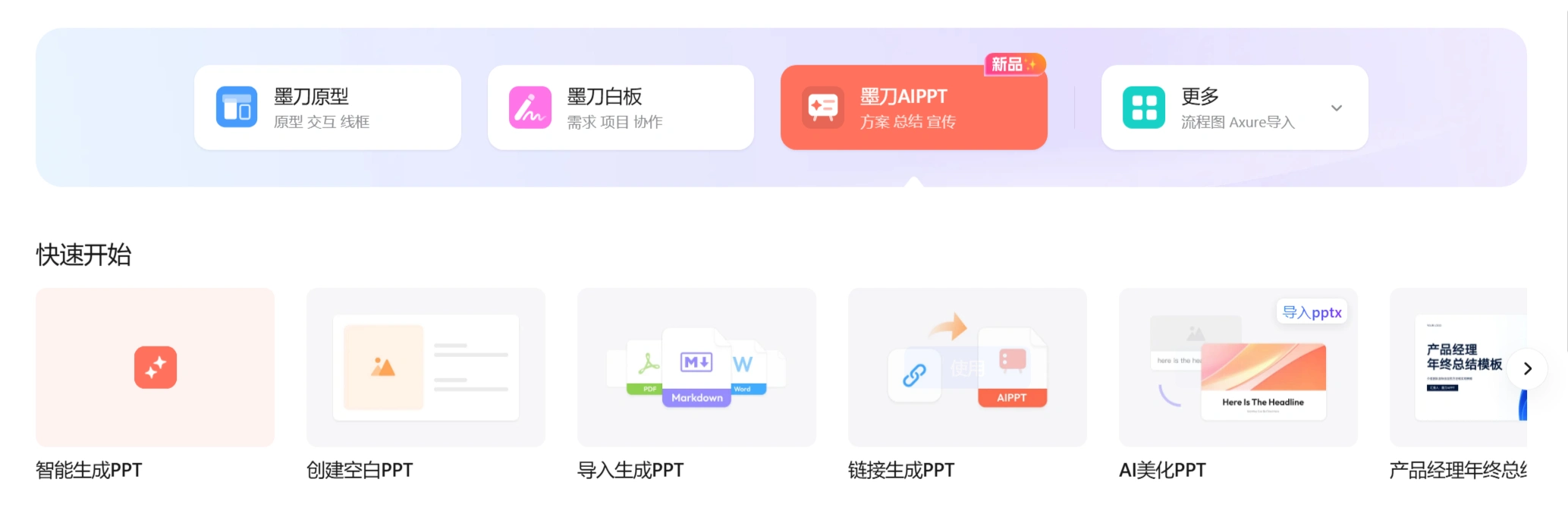
Register and Log In: Visit the MockingBot AI official website, click on the product and select MockingBot AIPPT; or directly visit the official website: https://modao.cc/feature/aippt, and complete the registration and login as required.
Create a New Project: After logging in, click the "MockingBot AIPPT" button and select "Intelligently Generate PPT".
Generate the Outline: Enter the title, and MockingBot AIPPT will automatically generate an outline. If you are not satisfied with the outline, you can refresh to regenerate it.
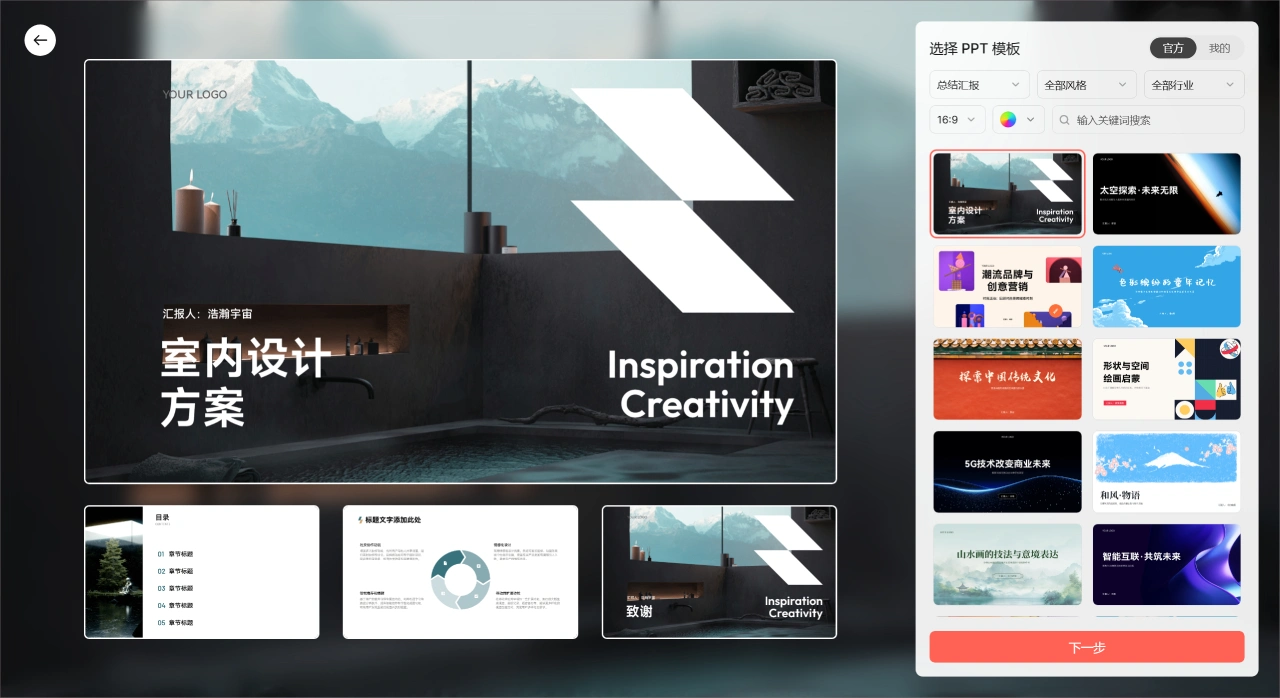
Choose a PPT template theme. The remaining steps are basically similar to those of aippt.
Generate the Layout: Click the "Generate PPT" button, and the AI will generate a PPT draft within seconds, including a cover page, table of contents, subheadings for each chapter, and accompanying copywriting ideas.
Edit Content: Based on the generated PPT, modify and optimize the copy, and adjust the level of detail of the content.
Adjust the Design: Choose different template styles, and the AI will automatically adapt the content to ensure that the design style of each page is consistent. You can also manually adjust the layout, colors, fonts, etc.
Download the Template: After completing the PPT, click the "Share" button to generate a sharing link and share the PPT with others for viewing or downloading; or click the "Export" button, select the export format (such as PPTX, PDF, etc.), and download it locally.
Application Scenarios
Business Reporting: Quickly generate well-structured and beautifully designed reporting PPTs, improving communication efficiency and professionalism.
Academic Presentations: One-click generation of teaching or thesis presentation PPTs, unifying the teaching style and enhancing classroom appeal.
Government and Party Presentations: One-click matching of official-style templates ensures standardized content and authoritative expression, saving typesetting time.
Product Launches: Automatically generate data charts and match theme colors, strengthening data interpretation capabilities and enhancing presentation effects.
Personal Project Showcases: Enter the project theme, quickly generate a showcase PPT, and highlight core values and innovative points.
Target Users
Office Workers: Can be used for weekly reports, competitive analysis, reviews, reporting, and other tasks.
Students: Suitable for thesis defense presentations, course reports, thesis demonstrations, and other scenarios.
Self-Media Creators: Can assist in hot topic breakdowns, content planning, topic selection analysis, and other tasks.
Entrepreneurs: Can be used for BP roadshows, business plans, fundraising presentations, etc.
Product Managers: Can play a role in product proposals, requirement analysis, project progress reporting, etc.
Frequently Asked Questions
How does MockingBot AIPPT achieve rapid PPT generation?
Answer: Simply enter a topic, and the AI can instantly generate a PPT with a complete structure, unified design, and rich content. Combined with over 2,000 professional templates, it enables one-click optimization of layout, images, and beautification, producing professional-grade PPTs in 3 minutes.
What file formats does MockingBot AIPPT support for import?
Answer: It supports one-click import of multiple file formats such as Word, PDF, TXT, and Markdown. The AI automatically identifies title hierarchy and content logic, generates a clear outline structure, accurately reproduces the expression logic of the original document, and automatically generates PPT chapters.
What features does MockingBot AIPPT offer for team collaboration?
Answer: It supports real-time collaborative editing by multiple users, with operations visible in real time and no need to frequently send versions; comments @ members automatically generate to-do items, with real-time reminders for status changes; it automatically saves historical revision versions, supports comparing content differences between different versions, and allows one-click rollback to any node.















