
 Script Planner Assistant▸
 AI Apps
 AI News

Inscribed.app: A Slide-Based Rapid Creative Sketching and Animation Tool
Inscribed.app: A Slide-Based Rapid Creative Sketching and Animation ToolIntroduction
What is inscribed.app?
Inscribed.app is a slide-based rapid creative sketching and animation tool powered by Excalidraw. Inscribed.app is used to create stop-motion animations and slides, combining the sketching experience of Excalidraw with the slide shortcut operations of Apple Keynote, enabling rapid creation of stop-motion animations and slides to solve the problem of visualizing technical content.
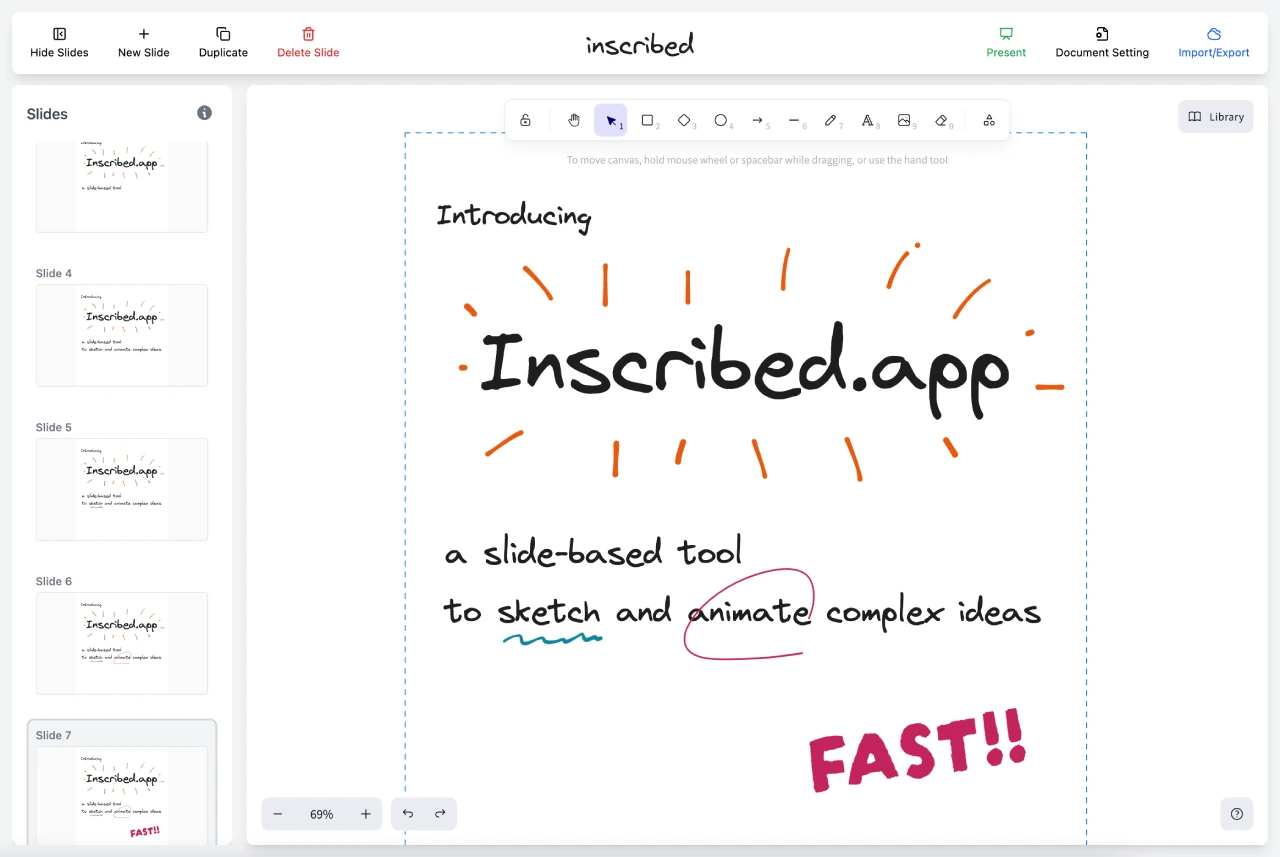
Core Features of Inscribed.app
Slide-based Creation: Users can create multiple slides, and each slide can be independently sketched and animated.
Interactive Drawing Canvas: Powered by Excalidraw, users can freely draw and edit shapes on the canvas, supporting various drawing tools and shapes.
Keyboard Shortcut Support: Supports shortcut operations such as copy, paste, delete, and up/down arrow navigation to improve creative efficiency.
Custom Document Size: Users can adjust the document size according to their needs, suitable for creative scenarios in different situations.
Image Import and Manipulation: Supports importing external images, and editing and adjusting them on the canvas.
Google Fonts Integration: Provides a rich selection of font styles to enhance the visual effect of text.
Presentation Mode: Supports full-screen presentation of slides, making it easy to showcase creative results.
Export Function: Supports exporting works as GIF format, and can be embedded into web pages via iframe for easy sharing and display.
Use Cases for Inscribed.app
Education: Teachers can create dynamic teaching content to better explain complex concepts through animations and sketches.
Marketing: Create eye-catching promotional animations for use on social media or website displays.
Personal Creative Expression: Artists and designers can quickly showcase their creativity and share inspiration.
Advantages of Inscribed
Easier for readers to understand than plain text and images alone
Easier and faster than recording videos
Presentation-style step-by-step explanations make complex processes clear and understandable
How to Use Inscribed.app?
Visit the official website: Go to the Inscribed.app official website.
Start Creating: Click the "Start Creating" button to enter the creation interface.
View Demo: Watch the demo video to learn how to use the tool and its features.
GitHub Project Address:https://github.com/chunrapeepat/inscribed















