Script Planner Assistant▸
 AI Apps
 AI News
Excalidraw: A Hand-Drawn Style Collaborative Whiteboard Tool
Excalidraw: A Hand-Drawn Style Collaborative Whiteboard ToolIntroduction
Excalidraw is a free online whiteboard and hand-drawn style drawing tool. The borders or lines of the shapes inside give people a feeling of being drawn by hand. It is a super conscientious online whiteboard software with powerful features, fast update speed, beautiful hand-drawn style, and integration with other productivity tools.
As a lightweight hand-drawn style electronic whiteboard online application, Excalidraw can be used by simply opening the browser on Windows, macOS, Linux, and even on mobile phones. It allows you to easily draw beautiful and attractive flowcharts, schematic diagrams, and development architecture diagrams, and can also be used as a meeting whiteboard. It is not only an excellent drawing application but also a free and convenient electronic whiteboard application.
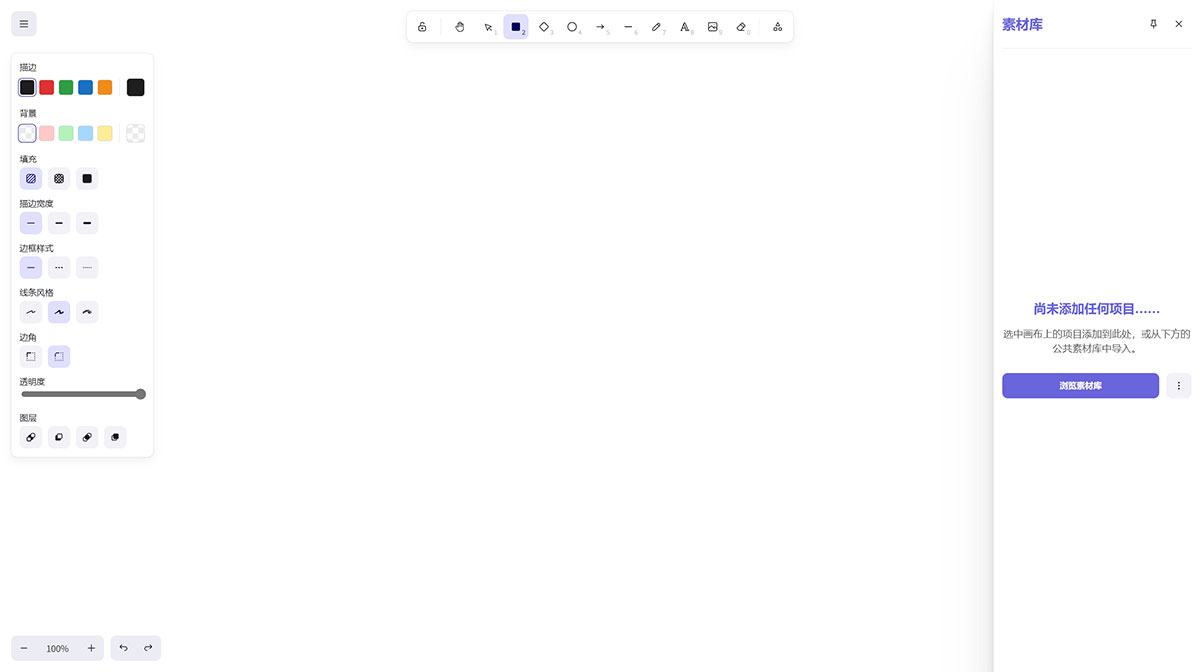
Excalidraw Main Features:
Real-time collaboration: you can invite others to collaborate, and the real-time collaboration sessions are end-to-end encrypted. In theory, the server cannot know the content of the session.
It can be directly exported as images (such as PNG, SVG, etc.), and can also be shared with anyone through a link;
It has a built-in huge resource library with basic shapes needed for drawing, such as rectangles, diamonds, arrows, and text functions. If you need some complex shapes, you can extend them by accessing Excalidraw Libraries.
It can handle making article illustrations, ppt illustrations, as well as architecture diagrams, flowcharts, prototype diagrams, and comparison diagrams.
Excalidraw is quite simple to operate, and its drawing intelligence is slightly higher than drawio, with natural and smooth connections between shapes and arrows (this is a major pain point). This is exactly the opposite extreme of drawio. drawio is too open-ended, which makes many simple operations become complicated.
Excalidraw Technology and Applications:
Excalidraw is open source, maintained by developers such as Zsolt Viczian, and supports integration with multiple platforms and applications.
It supports encryption, localization, and has ai-assisted features, such as enhanced drawing effects in possible future versions.
It is suitable for multiple scenarios such as team collaboration, personal notes, educational explanations, and rapid prototyping.
Excalidraw How to Use Tutorial:
No registration required: users can directly visit the website and start using it without creating an account.
Install extension: you can install the Excalidraw extension in Visual Studio Code to conveniently use it in the code editor.
Import libraries: users can import shapes from public libraries to enrich drawing content.
Theme switching: supports switching themes in the editor, including light, dark, and auto modes.
Local saving: supports local-first saving, automatically saved to the browser.