Script Planner Assistant▸
 AI Apps
 AI News

Lovart AI: Next-Gen AI Design Agent Platform
Lovart AI: Next-Gen AI Design Agent PlatformIntroduction
What is Lovart ai
Lovart AI is a next-generation AI design agent that completes brand design, posters, videos, and 3D assets through ChatCanvas natural language interaction. It integrates multiple models such as GPT, Flux, and Kling, supports pinpoint editing and Brand Kit brand consistency. Users describe their needs in natural language, and Lovart automatically plans steps, generates sketches, completes detail editing, and finally delivers ready-to-use finished products. Even non-designers can quickly produce professional visual materials, making it a productivity booster for designers and marketing teams.
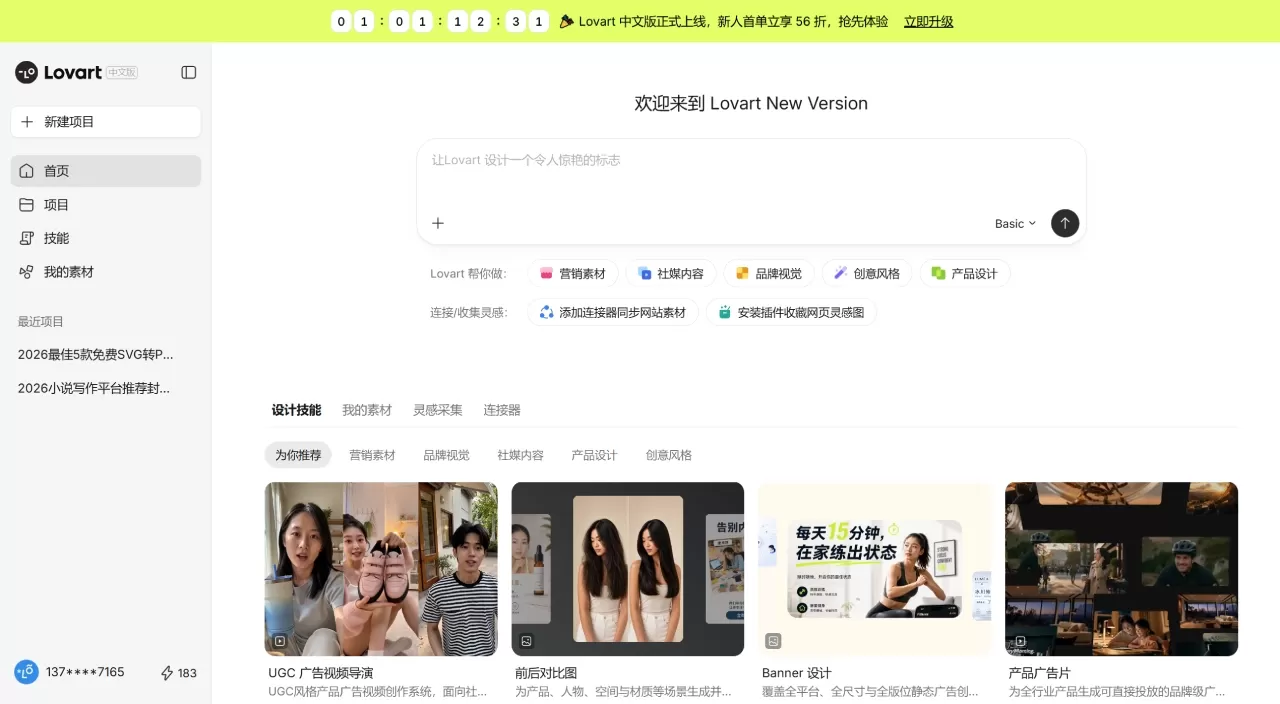
The China version of Lovart AI is also live.
Core Features of Lovart AI
Conversational Design: Enter "design a retro coffee brand packaging," and Lovart automatically analyzes the requirements, plans steps, then generates a complete package including Logo, poster, packaging, merchandise, and more. It supports multi-turn conversational modifications, such as "change the main color to dark green" or "add hand-drawn illustration elements." The AI iterates based on the original without starting from scratch.
Multi-Model Integration: Lovart brings together models like GPT image-1, Flux Pro, Gemini Imagen 3, Kling AI, Tripo AI, and Suno AI on one platform. Generating brand posters calls on image models, Logo animation calls on Kling video models, and background music calls on Suno. All models share the same context and work seamlessly together.
Layer Editing and Image-Text Separation: This is what sets Lovart apart from ordinary AI image generation tools. Generated posters can be split into text and background layers with one click. Text content, font, and color can be modified directly without regenerating the entire image. It also supports adjusting the position and size of individual elements, replacing objects, or replacing the background separately.
Brand Consistency Management: You can create a Brand Kit, set your Logo, standard colors, and fonts, and all subsequent generated content will automatically follow these specifications. This feature is practical for teams that need to maintain long-term visual consistency.
Batch Generation: Generate up to 40 images at a time, suitable for quickly producing multiple versions for comparison.
Video and 3D: Supports AI video generation of up to 10 minutes long, with 15 video model options. It can also generate 3D models through Tripo AI for product displays or three-dimensional brand Logo presentations.
Infinite Canvas: All creation takes place on a canvas that can be freely zoomed and dragged, making it easy to compare different versions and organize complex projects.
Lovart AI Application Scenarios
Full Brand Identity Design: Enter the brand name and positioning, and Lovart can produce a complete VI system at once, including Logo, standard colors, fonts, business cards, letterheads, employee badges, ppt templates, brochures, posters, social media templates, product packaging, tote bags, T-shirts, store signage, and more.
E-commerce Materials: Automatically generate detail pages based on product images, including multi-angle display images, model try-on images, selling point copy sections, specification parameters, user review modules, purchase guidance sections, and more. It also supports generating series posters for shoes, clothing, and other products.
Social Media Operations: Quickly generate Xiaohongshu covers, Instagram posts, WeChat official account header images, etc., with automatic adaptation to platform aspect ratios.
Events and Catering: Wedding posters, café menus, event invitations, and more. Styles range from minimalist to retro.
Advertising Creativity: Enter product information and advertising platform, and automatically generate complete ad images with copy, CTA buttons, and brand elements that can be directly used for ad testing.
Lovart AI Pricing
The following is the pricing for the China version of Lovart AI, using a "monthly fee + credits (Fast Points)" billing model. Credits are used for speed-priority generation tasks, and some plans also support unlimited slow generation (longer queues but no credits deducted).
| Plan | Monthly Fee | Monthly Fast Points | Concurrent Tasks | Core Benefits |
|---|---|---|---|---|
| Basic | ¥39 | 1,000 | 1 | Generate up to about 333 images|100 seconds of video |
| Advanced | ¥99 | 2,700 | 2 | Generate up to about 900 images|270 seconds of video |
| Professional | ¥299 | 7,000 | 4 | Generate up to about 2,333 images|700 seconds of video |
| Flagship | ¥1399 | 38,000 | 8 | Generate up to about 12,666 images|3,800 seconds of video |
Additional discounts are available for annual payment. All paid plans include commercial licensing. Fast Points are issued monthly, and any unused portion typically does not roll over to the next month.
Core Advantages of Lovart AI
Lovart's strengths lie in "full-process" and "all-in-one." Previously, to complete a brand project, you had to switch back and forth between ChatGPT for copywriting, Midjourney for image generation, Photoshop for layout, and After Effects for animation. Lovart compresses these steps onto one canvas, using conversation to string together the entire workflow.
Layer editing capability is another key differentiator. Most AI image generation tools give you a "dead image," where changing a single word means redrawing the whole thing. Lovart can split layers, modify text, and adjust elements, allowing AI-generated results to truly enter an iterative design workflow.
In terms of multi-model orchestration, it doesn't stick to just one model but automatically selects the most suitable tool based on the task type: Flux Pro for images, Kling for video, Suno for music. Users don't need to study each model's quirks.
How to Use Lovart AI
Registration and Entry: Visit https://www.lovart.ai/ and register with an email or Google account. After logging in, enter the main workspace. The left side is the conversation input area, the middle is the canvas, and the right side is the parameter adjustment area.
Describe Your Needs: Use natural language to describe your needs in the input box. It's recommended to follow the structure of "subject + scene + style + details." For example: "A minimalist ceramic pour-over coffee pot, placed on a walnut table, morning window light, shallow depth of field, product photography, high detail."
Select Mode
Text to Image: Create from scratch, suitable for most scenarios
Image to Image: Upload a reference image, and AI modifies based on it
Style Presets: Directly select ready-made styles such as cinematic, watercolor, anime, etc.
Set Parameters: Adjust resolution, aspect ratio, and guidance scale according to the instructions. You can fix the random seed to ensure consistent style in subsequent generations.
Generate and Iterate: After clicking generate, the system returns multiple variants. Pick the satisfactory one, use "Enhance Details" to improve texture, or click "Regenerate" for a new batch. Unsatisfactory parts can be directly dragged and adjusted on the canvas, or you can use conversational commands to let AI make local modifications.
Export and Deliver: After completion, click export and select the required format and resolution. For brand projects, it's recommended to export an SVG vector version for easier printing or further editing.
Lovart AI FAQ
Q: Is the free version enough?
A: The free version only comes with about 100 credits, suitable for trying it out and simple tests. For commercial projects or high-frequency creation, it's recommended to start at least with the Starter plan.
Q: Can someone who doesn't know design use it?
Lovart focuses on natural language interaction, no design software expertise required. Simply enter your requirements and the system automatically handles all the professional details.
Q: Do points expire?
A: Fast Points reset monthly and do not roll over. If your usage fluctuates significantly each month, it's recommended to choose a plan based on your actual workload, or combine with slower generations to save points.
Q: What export formats are supported?
A: PNG, JPG, SVG, PDF, PSD, video files, and more. Logos and brand assets can be exported directly as SVG vector graphics, which remain sharp at any size.
Lovart AI vs. Competitors
| Dimension | Lovart AI | Canva | Midjourney | Recraft | Adobe Firefly |
|---|---|---|---|---|---|
| Positioning | AI Design Agent | Online design tool | AI art generation | Vector design tool | Adobe ecosystem AI |
| Core capability | End-to-end automated design | Template drag-and-drop editing | Single artistic image | SVG vector output | Deep integration with PS/AI |
| Learning curve | Natural language, low | Very low, drag-and-drop | Medium, requires Discord commands | Medium, requires vector editing knowledge | Low, seamless for Adobe users |
| Text/Typography | Supported, editable | Strong | Weak, often garbled | Strong | Medium |
| Vector output | SVG | Partially supported | Not supported | Native SVG | Partially supported |
| Video generation | Supported (15 models) | Basic animation | Not supported | Not supported | Basic video |
| Brand management | Built-in brand kit | Brand kit | None | Style consistency | None |
| Free plan | 100 points | Relatively complete features | None | 30 points daily | 25 points/month |
| Paid starting price | $19/month | $15/month | $10/month | $12/month | $9.99/month |
| Commercial safety | Licensed in paid plans | Safe | Watch out for copyright risks | Licensed in paid plans | Safest (trained on licensed assets) |
| Best for | Designers, marketing teams | Non-designers, operations | Artists, creative exploration | Icon/illustration designers | Existing Adobe users |
Related articles:
2026 Poster Design AI Recommendations: Which Is Better, StarStream, Lovart, DuYou, or 01Agent?
Jaaz: A Lovart Alternative — An AI Design Agent That Connects to Flux, SD, Kling, and More