
 Script Planner Assistant▸
 AI Apps
 AI News

Dubbing神器PRO: AI Voice Synthesis for Text-to-Speech
Dubbing神器PRO: AI Voice Synthesis for Text-to-SpeechIntroduction
What is Dubbing Tool PRO?
Dubbing Tool Pro is a powerful dubbing software that offers key features such as adjusting speech speed, inserting pauses, detecting sensitive words, and adjusting the emotional tone of dubbing voices. It can generate natural and realistic sounds. Users simply input text and can easily generate a variety of voices with emotion. It is suitable for film and TV commentary, emotional copywriting creation, self-media content production, as well as advertising, video, film, shopping malls, and many other scenarios.
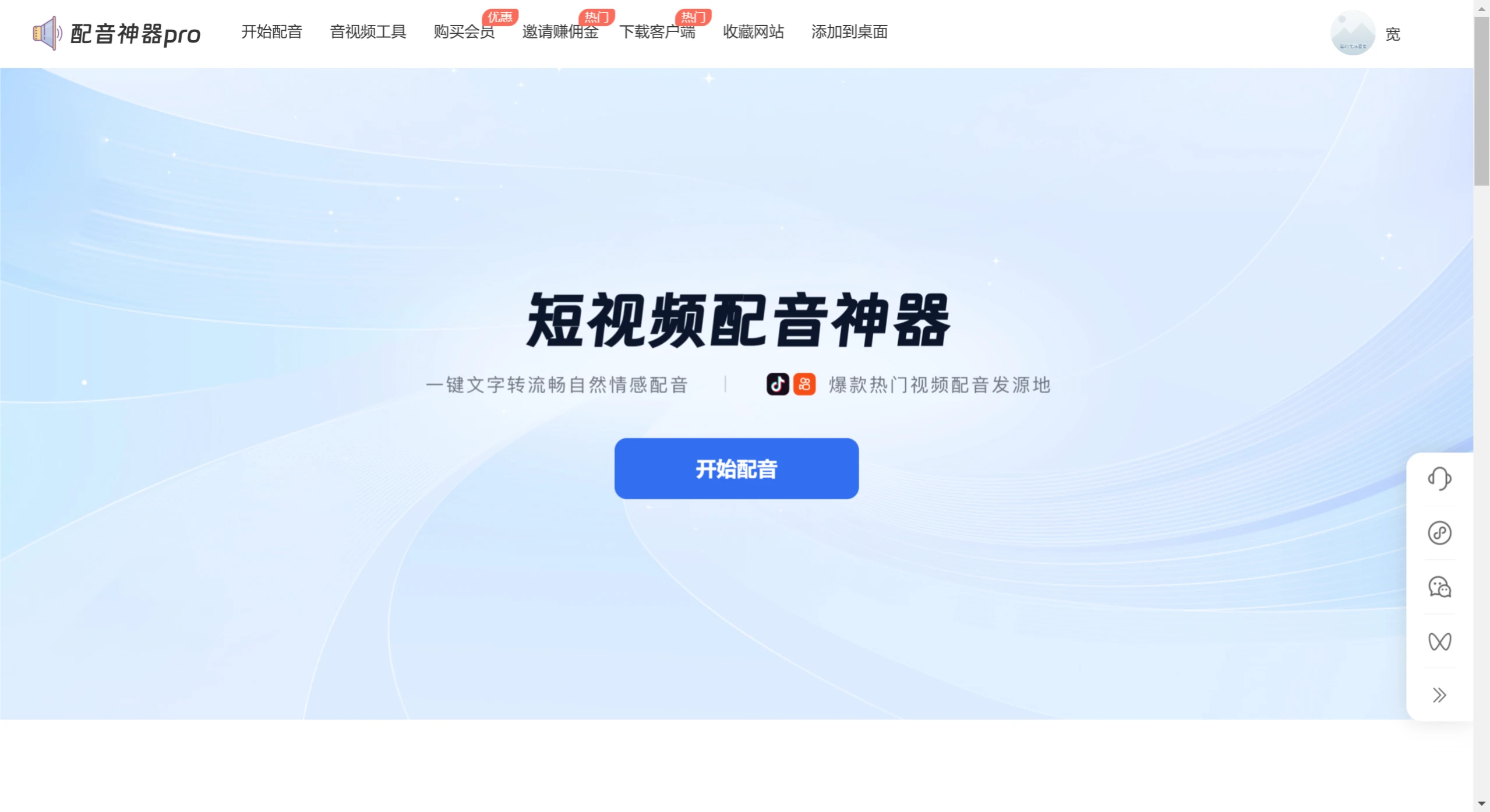
Features of Dubbing Tool PRO:
AI Voice Synthesis: Uses advanced voice synthesis technology to convert text into natural and fluent speech, close to real human pronunciation.
Rich Voice Library: Provides over 200 voice options, including a variety of male, female, child voices and dialects in multiple styles, with support for emotional timbre adjustments to meet personalized needs.
Audio Editing: Allows users to adjust timbre, speed, and volume, as well as make pause adjustments to achieve more natural dubbing effects.
No Word Limit: In the free version, users can input text of any length for dubbing, suitable for long text conversion.
Emotional Dubbing: Specifically designed for scenarios such as film and TV commentary, providing specific pronunciation and emotional adjustments to enhance the emotional expression of dubbing.
Video Copy Extraction and Download: In addition to dubbing, it also has the function of extracting copy from videos and downloading watermark-free videos.
Multi-character Dialogue Dubbing: Supports creating dialogue scenes with multiple characters, suitable for producing complex audio content.
Export Format Selection: Users can choose different audio formats for export, such as MP3, WAV, etc.
Application Scenarios of Dubbing Tool PRO:
Short Video Creation: Quickly generate professional dubbing for short videos on platforms such as Douyin and Kuaishou.
Advertising and Promotion: Enterprises or individuals can use it to create voiceovers for product introductions and promotional advertisements.
Audiobooks: Creators can convert text content into audiobooks to enhance the reading experience.
Educational Content Creation: A dubbing tool for teachers or educational institutions when producing teaching videos.
Personal Self-Media: Provides high-quality audio content for blogs, podcasts, etc.
Commercial Narration: Used for product demonstrations, exhibition narration, and other commercial purposes.
How to Use Dubbing Tool PRO?
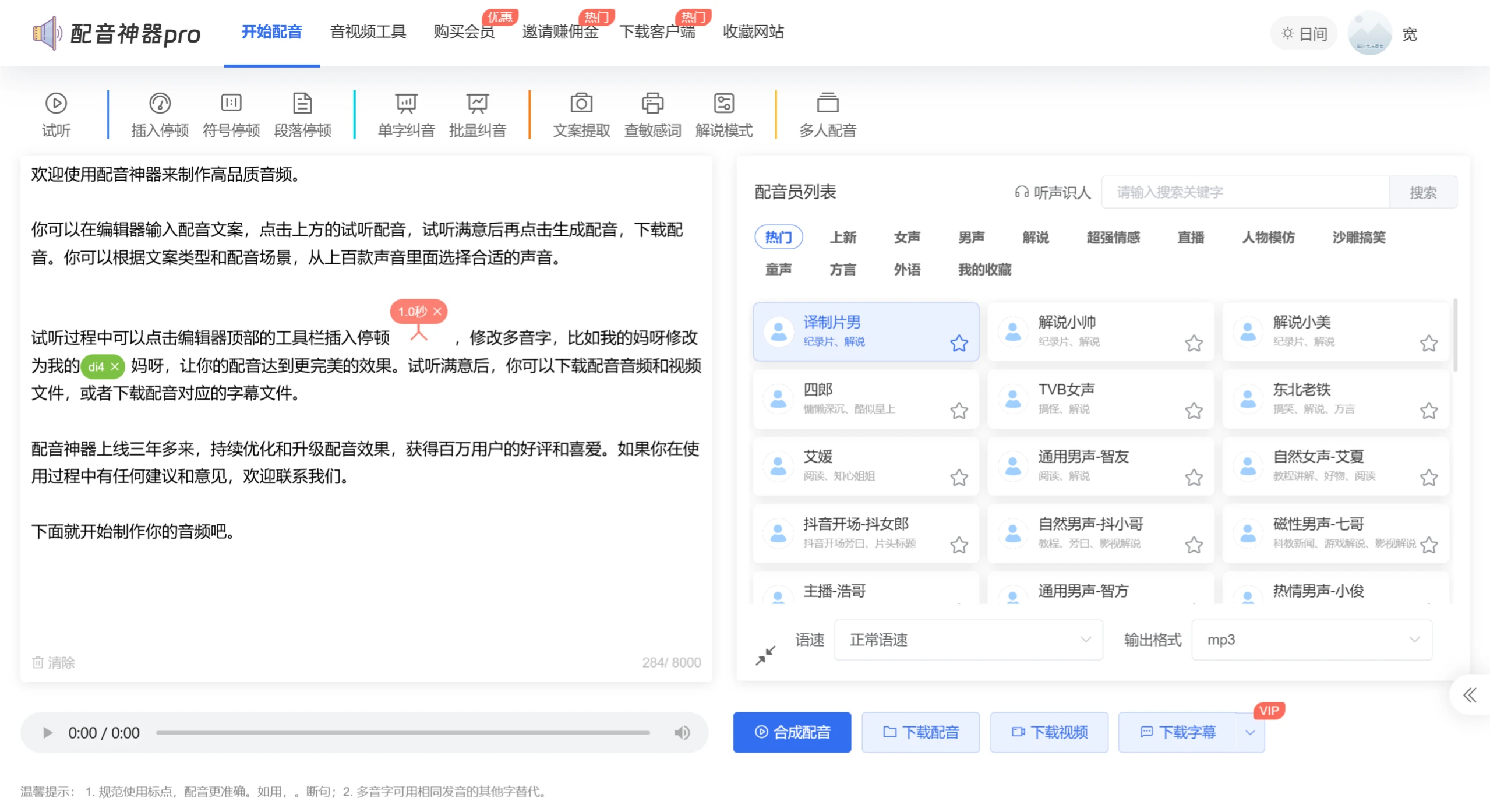
Text Input: Enter or paste the text content that needs dubbing in the software or mini-program, paying attention to punctuation and paragraph divisions.
Select Voice: Browse the voice library, select a suitable anchor voice, and you can audition to determine if you are satisfied.
Adjust Settings: Adjust timbre, speed, volume, etc. as needed to achieve the ideal dubbing effect.
Synthesize and Preview: Click synthesize dubbing, and the software will convert text to speech. You can audition after synthesis.
Export and Save: Once satisfied, directly export the dubbing locally or share it on social media. If you encounter export restrictions, you can use screen recording to obtain the audio.
Advantages of Dubbing Tool
Comprehensive short video workflow: From extracting copy, dubbing to generating subtitles, several steps can be completed in one tool without switching back and forth.
Voices tailored to domestic platforms: Common types on Douyin and Kuaishou such as film and TV commentary and emotional quotes have corresponding voices, and dialects are also well covered.
Practical additional features: Features like voice separation, sensitive word detection, and multi-character dubbing are rare among tools at the same price point.
Affordable price: The lifetime membership price is not a heavy burden for individual creators and small teams.
Multi-platform availability: Available on computer, mobile phone, and mini-program, allowing dubbing anytime.
How Does Dubbing Tool Compare with Other Competitors?
| Comparison Dimension | Dubbing Tool PRO | Moyin Workshop | iFlytek Smart Creation Dubbing | CapCut AI Dubbing | Dubbing Duck |
|---|---|---|---|---|---|
| Number of Voices | 200+ voices, 500+ styles | 600+ AI voice actors, 1300+ styles | Multiple styles and languages, super realistic TTS | 50+ basic voices | 400+ voices, 900+ styles |
| Main Positioning | Short video dubbing tool | Professional AI dubbing + voice store | Enterprise-level voice synthesis + digital human | Built-in free dubbing for editing | Multi-scenario AI dubbing |
| Text-to-Speech | Supported, adjustable emotion | Supported, 20+ tuning functions | Supported, strong TTS technology | Supported, Chinese optimization | Supported, multiple styles |
| Voice Cloning | Supported | Supported | Supported | Basic cloning | Not supported |
| Video-related Tools | Copy extraction, voice separation, subtitle generation | Video parsing, cloud editing, automatic cue points | Digital human video generation | Complete video editing | Video download |
| Multi-character Dubbing | Supported | Supported | Supported | Not supported | Not supported |
| Sensitive Word Detection | Supported | Not supported | Not supported | Not supported | Not supported |
| Free Quota | Basic trial | Experience quota | Partial free trial | Completely free | Partially free |
| Membership Price | Lifetime about tens of yuan (reference) | 99 yuan/year entry, 399 yuan/year professional | Usage-based/custom quote | Free (personal version) | Tens of yuan/month premium membership |
| Suitable For | Short video creators, self-media | Professional editing, audiobook production | Enterprise promotion, news media | Beginner creators | Self-media, advertising dubbing |
In addition to dubbing functions, Dubbing Tool Pro also features copy extraction, watermark removal, dialogue dubbing, MD5 deduplication, audio and video voice separationrel="noreferrer noopener">Video Compression, Sensitive Word Checker and other audio/video tools.
Last updated: August 27, 2026Related Information:














