
 Script Planner Assistant▸
 AI Apps
 AI News

Story Flicks – Open-Source AI Tool for Generating HD Story Short Videos
Story Flicks – Open-Source AI Tool for Generating HD Story Short VideosIntroduction
Story Flicks is an open-source short story video generation tool built on top of a large AI model. It combines advanced language models with image generation technology, and based on the story theme input by the user, it can quickly generate videos that include AI-generated images, story content, and audio. It mainly provides a one-click service to generate high-definition short videos, making it well suited for creators, educators, and marketing professionals who want to quickly produce visual content.
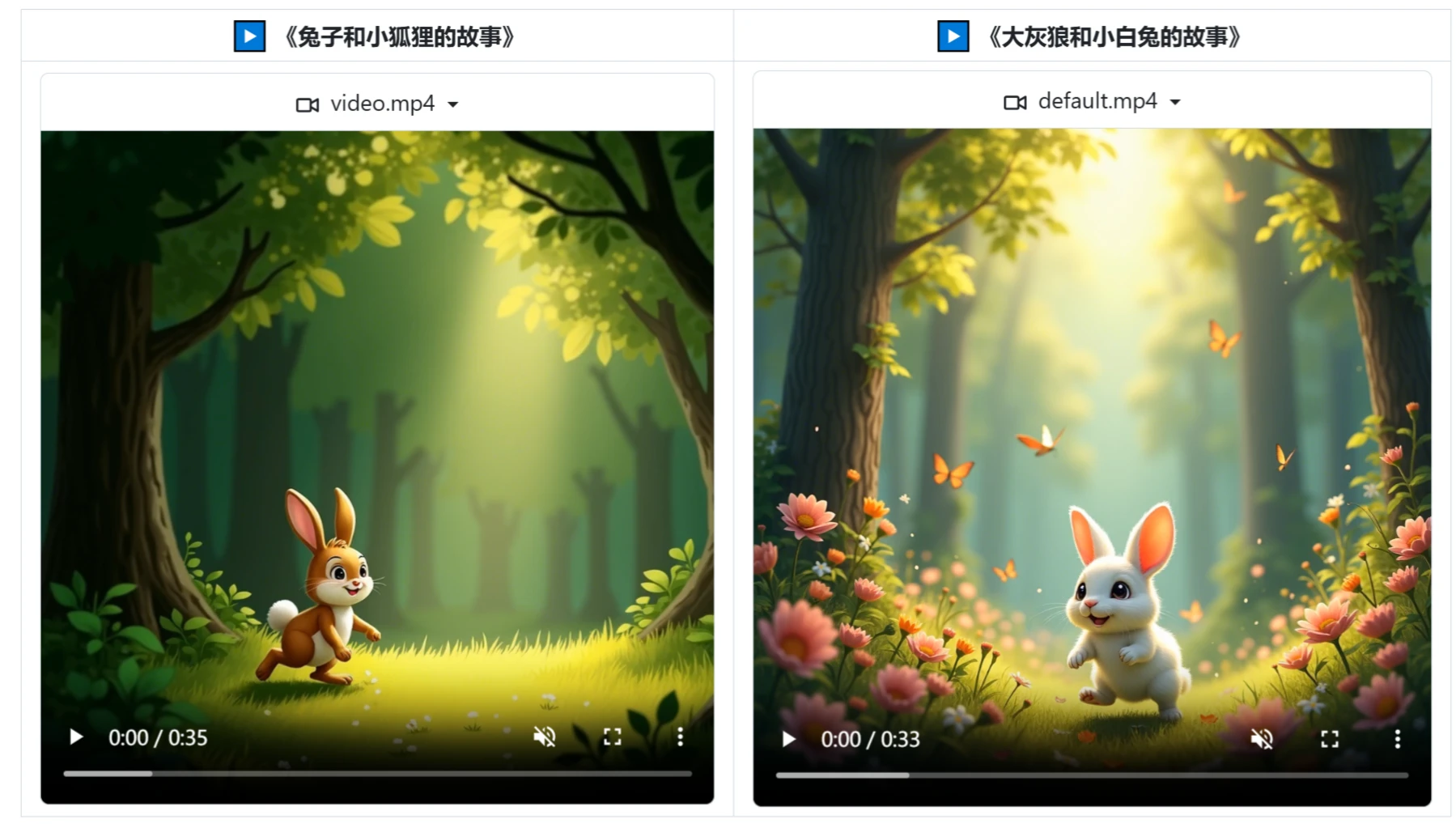
Features:
Smart Generation: Users only need to input a story theme or keyword, and the system will automatically generate corresponding short videos, producing multiple creative results in a short time.
Multi-language Support: Story Flicks supports multiple languages, allowing users to choose the appropriate language to generate content according to their needs, which enhances convenience and flexibility during use.
Image and Audio Combination: In addition to generating text content and storylines, Story Flicks can also add AI-generated images and background sound effects to videos, enhancing the overall viewing experience.
Multi-modal Generation: Story Flicks uses a large language model (LLM) for intelligent parsing, capable of comprehensively constructing narrative frameworks while synchronously integrating visual, auditory, and textual elements. In other words, it can not only generate text-based stories but also automatically create AI images, dynamic voice narration, and smart subtitles that match the story.
AI Image Generation: Story Flicks uses image generation technology to create vivid visual effects for the scenes and characters in the story, making the generated video content highly visually appealing.
Integrated Audio Production: It includes dynamic voice narration, which means users do not need to additionally record or find audio material; the system will automatically generate voice based on the story content.
Smart Subtitles: It can automatically arrange subtitles, which not only helps hearing-impaired users understand the video content but also improves video accessibility.
Tech Stack: The backend uses Python and FastAPI, while the frontend uses React, Ant Design, and Vite, ensuring the system runs efficiently and stably and providing users with a good development experience.
Use Cases:
Creative Content Production: Suitable for short video bloggers, self-media influencers, and marketing professionals, helping them quickly produce rich visual stories to boost efficiency.
Education and Training: Very useful in the education industry, capable of providing learners with intuitive learning materials, such as educational short video content.
Entertainment and Advertising: Entertainment industry practitioners and advertising creators can use it to quickly produce promotional videos.
Personal Use: Ordinary individual users can also easily create commemorative videos and share stories.
How to Use Story Flicks:
1. Download this project:
git clone https://github.com/alecm20/story-flicks.git
2. Configure model information
# 先切换到项目的 backend 目录下
cd backend
cp .env.example .env
text_provider="openai"    # 文本生成模型的提供商,目前支持 openai和 aliyun、deepseek、ollama、siliconflow,阿里云文档:https://www.aliyun.com/product/bailian
image_provider="aliyun"   # 图片生成模型的提供商,目前支持 openai和 aliyun、siliconflow
openai_base_url="https://api.openai.com/v1" # openai 的 baseUrl
aliyun_base_url="https://dashscope.aliyuncs.com/compatible-mode/v1" # 阿里云的 baseUrl
deepseek_base_url="https://api.deepseek.com/v1" # deepseek 的 baseUrl
ollama_base_url="http://localhost:11434/v1" # ollama 的 baseUrl
siliconflow_base_url="https://api.siliconflow.cn/v1" # siliconflow 的 baseUrl
openai_api_key= # openai 的 api key,可以只填一个
aliyun_api_key= # 阿里云百炼的 api key,可以只填一个
deepseek_api_key= # deepseek 的 api key,目前该 api_key 只支持文本生成
ollama_api_key= # 如果需要使用的话,请填写ollama,目前该 api_key 只支持文本生成,并且不能用参数量太小的模型,推荐qwen2.5:14b 或者更大的模型。
siliconflow_api_key= # siliconflow 的文本模型目前只支持兼容 OpenAI 格式的大模型,如:Qwen/Qwen2.5-7B-Instruct。图像模型只测试了:black-forest-labs/FLUX.1-dev
text_llm_model=gpt-4o # 如果 text_provider 设置为 openai,这里只能填 OpenAI 的模型,如:gpt-4o。如果设置了 aliyun,可以填阿里云的大模型,如:qwen-plus 或者 qwen-max。ollama 的模型不能使用体积太小的模型,否则无法输出正确的 json,可以使用如:qwen2.5:14b 或更大的模型。
image_llm_model=flux-dev # 如果 image_provider 设置为 openai,这里只能填 OpenAI 的模型,如:dall-e-3。如果设置了 aliyun,可以填阿里云的大模型,阿里云推荐使用:flux-dev,目前可以免费试用,具体参考:https://help.aliyun.com/zh/model-studio/getting-started/models#a1a9f05a675m4。
3. Start the project with Docker
In the project root directory, execute:
docker-compose up --build
4. Start using
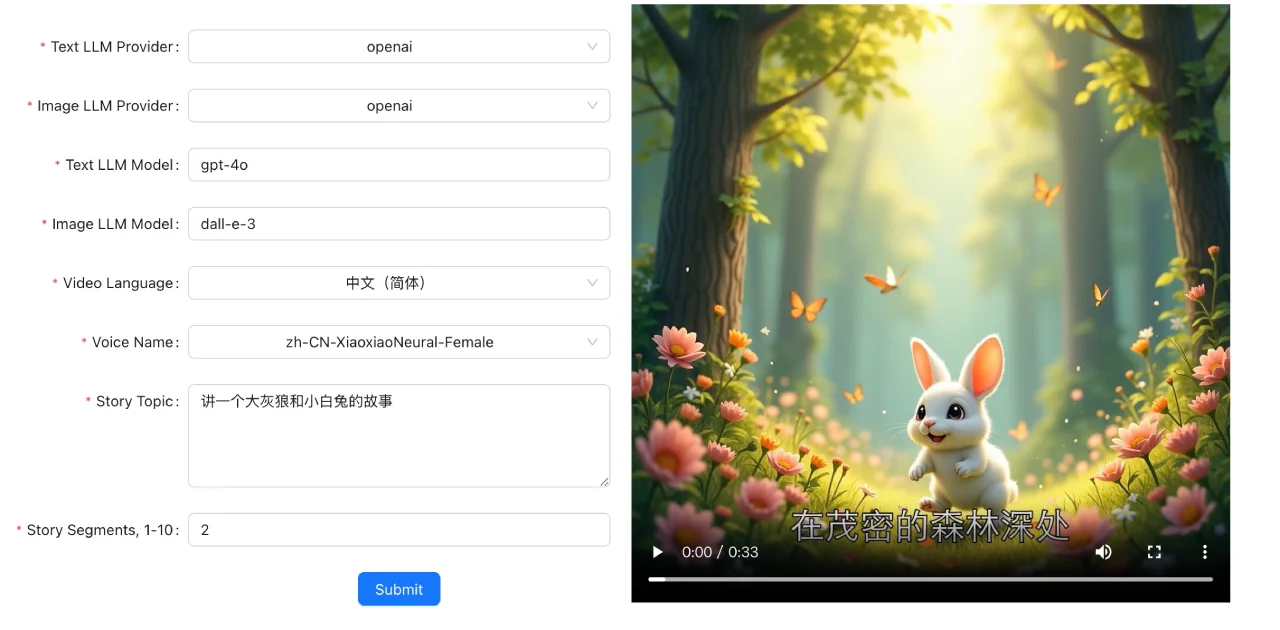
Input story theme: In the generation tool interface, select the text generation model provider, image generation model provider, text model, image generation model, video language, voice, story theme, and story segments.
Video Generation: After clicking the generate button, the system will process based on AI technology and produce the final video within seconds.
Related News:












