
 Script Planner Assistant▸
 AI Apps
 AI News

MediaGo: A Free Open-Source Cross-Platform Video Downloader
MediaGo: A Free Open-Source Cross-Platform Video DownloaderIntroduction
MediaGo, an open-source and free cross-platform video extraction tool. It supports streaming media downloads, video downloads, m3u8 file downloads, and Bilibili video downloads.
It provides desktop clients for Windows, macOS, and Linux systems, allowing users to easily switch between different devices. It directly sniffs video resources from web pages and allows downloading them.
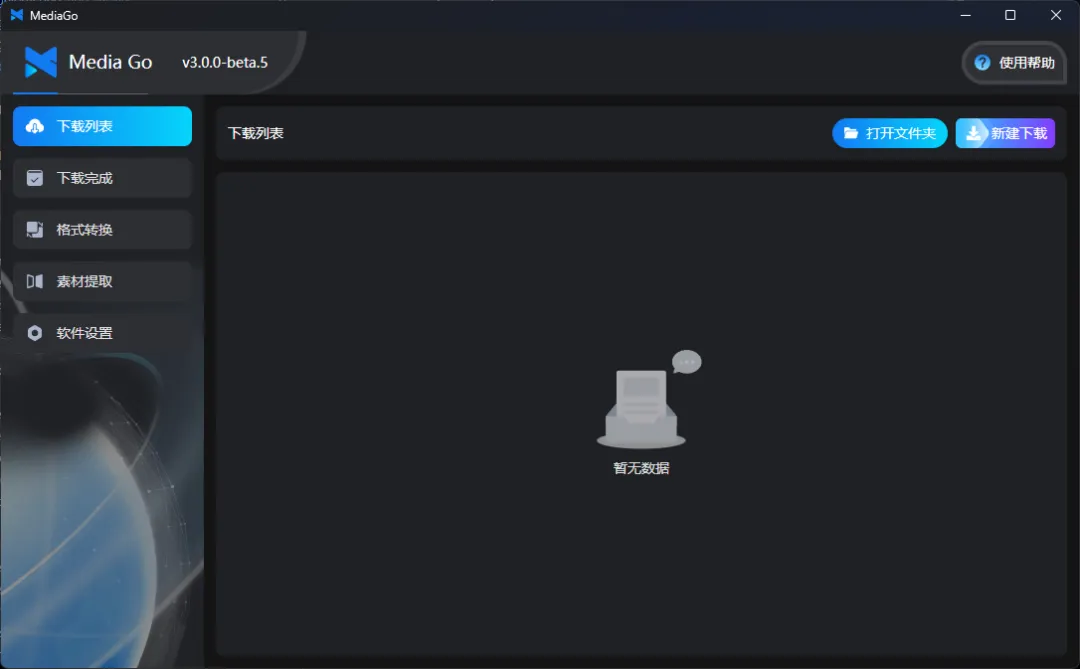
MediaGo Features:
No Packet Capture Needed: Use the software's built-in browser to easily sniff video resources on web pages, and select the resources you want to download from the sniffed resource list—simple and fast.
Mobile Playback: Seamlessly switch between PC and mobile devices. Once the download is complete, you can watch the video on your phone.
Batch Download: Supports downloading multiple videos and live stream resources simultaneously, making full use of high-speed bandwidth.
Video Format Support: Supports downloading multiple video formats, including m3u8, mp4, and more.
Multi-Platform Support: MediaGo supports Windows, macOS, and Linux systems, allowing users to use it on a variety of devices.
Supports Docker Deployment: Supports deploying the web version via Docker, which is convenient and quick.
How to Use MediaGo:
Automatic Video Sniffing
1. Select 【Resource Extraction】
2. Navigate to the video URL
3. Click 【Download Now】 to download the video
Manual Download
1. Click 【New Download】 in the upper right corner of the page
2. In the New Download popup, fill in 【Streaming Media (m3u8)】 or 【Bilibili】 along with the 【Video Name】
3. Click download in the list to download the video
MediaGo Installation:
1. Install the 宝塔面板 (Baota Panel) on the server.
2. Log in to the Baota Panel, click Docker in the menu bar. On first entry, it will prompt you to install the Docker service—click 【Install Now】.
3. Once the installation is complete, find MediaGo in the Baota Panel app store, click install, configure the domain name and other information, and you're done.
GitHub:https://github.com/caorushizi/mediago
Related News:














