Script Planner Assistant▸
 AI Apps
 AI News

ServBay: An All-in-One Platform with Everyday Dev Tools and Components
ServBay: An All-in-One Platform with Everyday Dev Tools and ComponentsIntroduction
ServBay is an integrated platform that includes the tools and components developers need for everyday development. It can set up a Web development environment and development languages with one click in 3 minutes, without polluting the system environment and without third-party dependencies such as Homebrew or Docker.
ServBay supports multiple development languages, databases, Web servers, mail servers, DNS servers, and more, providing a comprehensive set of development tools. ServBay allows developers to manage multiple websites simultaneously on a local machine, with each website having its own independent settings and development environment. Supported Web servers include Caddy and NGINX, with HTTP/3 and CORS support, and automatic SSL configuration.
ServBay supports multiple versions of Node.js and PHP, providing flexible development environment configuration. It includes SQL databases such as MySQL, MariaDB, and PostgreSQL, as well as NoSQL databases such as Redis, Memcached, and MongoDB. It provides a graphical interface for managing the /etc/hosts file, and supports custom domain names and DNS services.
ServBay also integrates phpMyAdmin and Adminer for convenient database management.
ServBay Features:
Multi-site management: Supports managing multiple websites simultaneously, simplifying configuration and switching.
Web servers: Supports Caddy and NGINX, with HTTP/3 and CORS support.
Development languages: Supports multi-version switching for Node.js and PHP, with flexible configuration.
Database support: Built-in SQL databases such as MySQL, MariaDB, and PostgreSQL.
NoSQL databases: Supports Redis, Memcached, MongoDB, and more.
Domain name and DNS services: Supports custom domain names and DNS services, with SSL certificates.
Mail server: Built-in mail server, supports SMTP/POP3, integrated with PKI system.
Reverse proxy: Supports reverse proxy services such as ngrok, frp, and Cloudflared.
ServBay Target Users:
Web developers, Node.js developers, PHP programmers, and IT operations engineers using the macOS operating system, as well as novice programmers, teams that need a unified development environment, and web development and testing engineers.
ServBay Quick Installation Guide:
Download:
Get the latest version of ServBay.
Installation:
Double-click the downloaded .dmg file to open it.
In the opened window, drag the ServBay.app icon to the Applications directory.
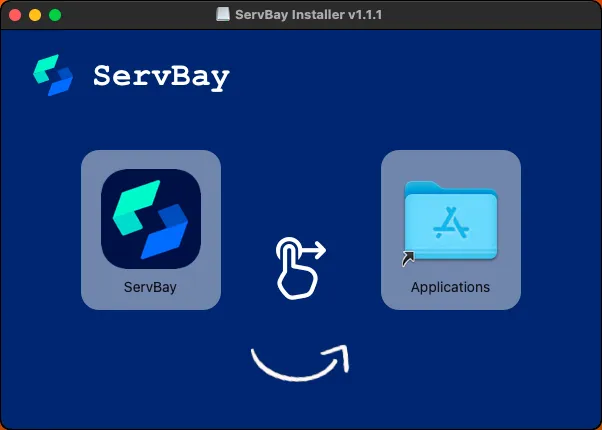
After installation, find ServBay in the Applications directory.
Access the database and deploy the website:
After downloading, double-click to open, then click "Select Packages" in the bottom right corner.
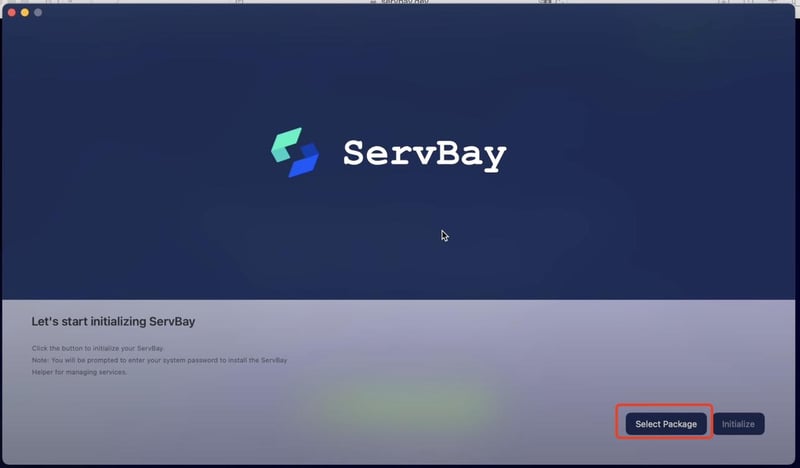
Select the necessary services.
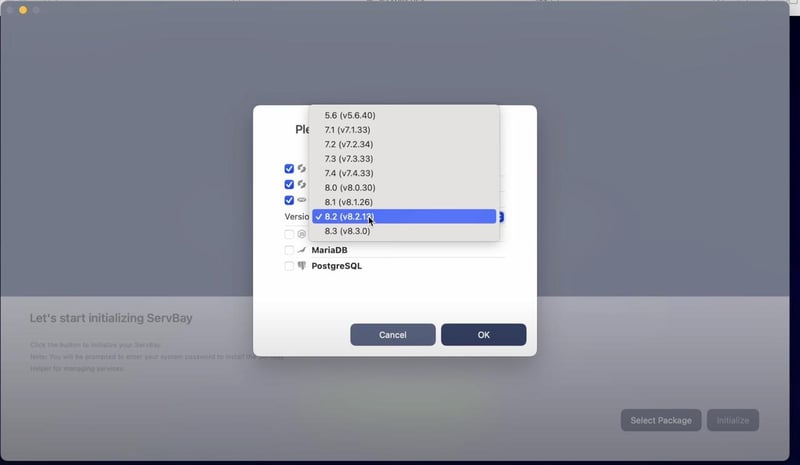
After selecting, click "Initialize".
After initialization, open ServBay, navigate to the website management interface, then click the browser icon under "Hosts" on the left.
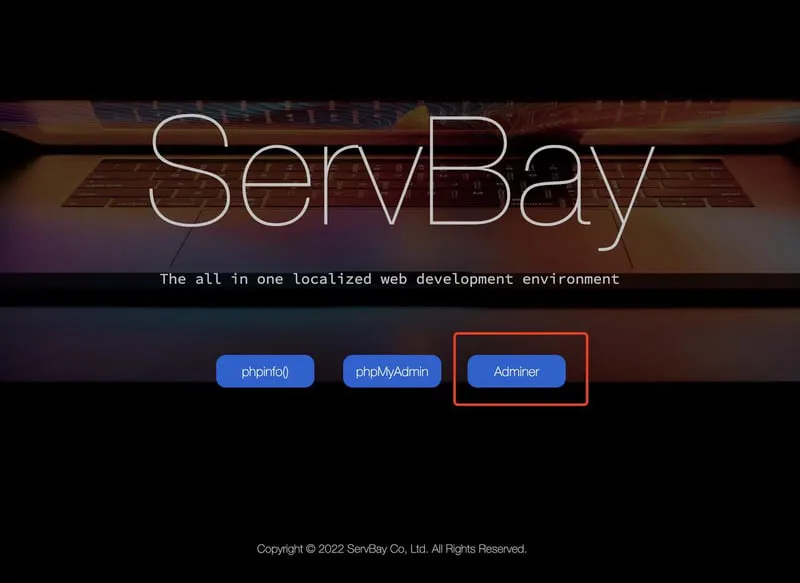
Once opened, access the ServBay demo website. Click phpMyAdmin or Adminer to enter the database management tool.
Find the database account and password on the ServBay "Settings" page.
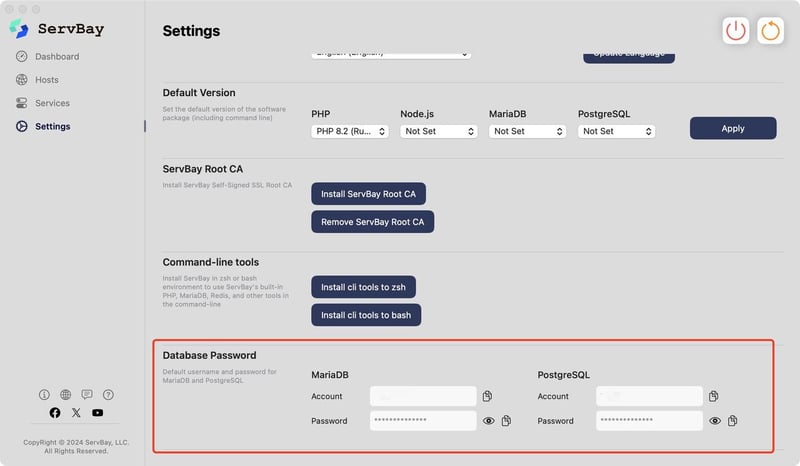
After entering the account and password, you can add a new database yourself.
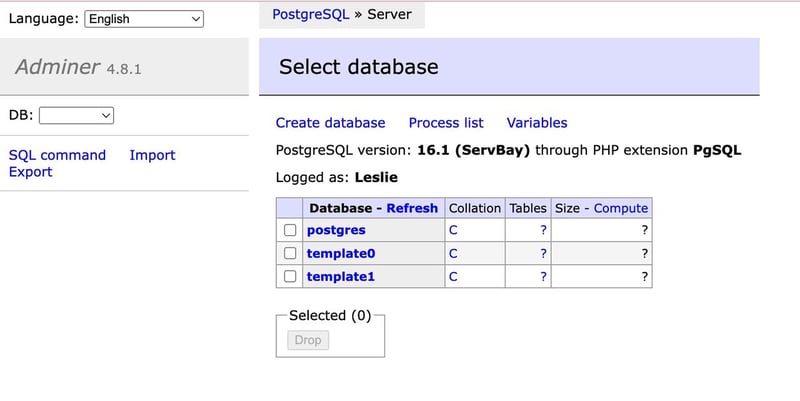
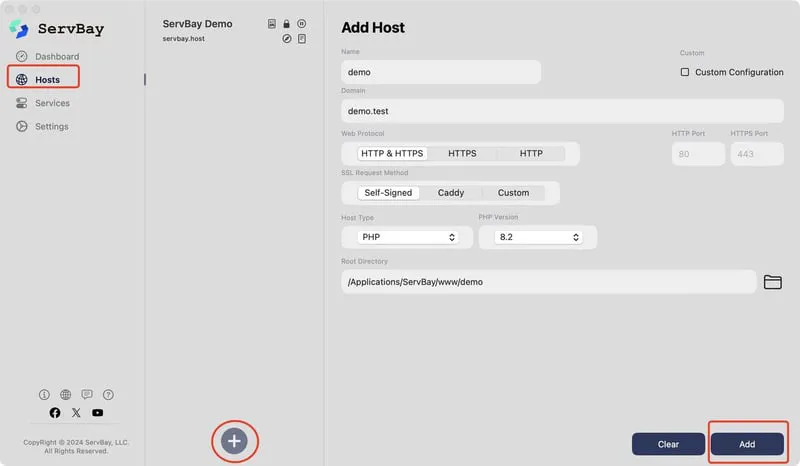
Next, create a new website.
Under "Hosts", click the + button below, enter the website information, then deploy the website.