
 Script Planner Assistant▸
 AI Apps
 AI News

AnyEnhancer: An AI Video Enhancer by iMobie
AnyEnhancer: An AI Video Enhancer by iMobieIntroduction
AnyEnhancer is an ai-driven video enhancement tool. Leveraging advanced AI algorithms, AnyEnhancer can automatically analyze and optimize videos, including upscaling resolution to 4K, denoising, colorizing black-and-white footage, enhancing color saturation, restoring facial details, and optimizing frame rates—bringing new life to your old videos.

AnyEnhancer Features:
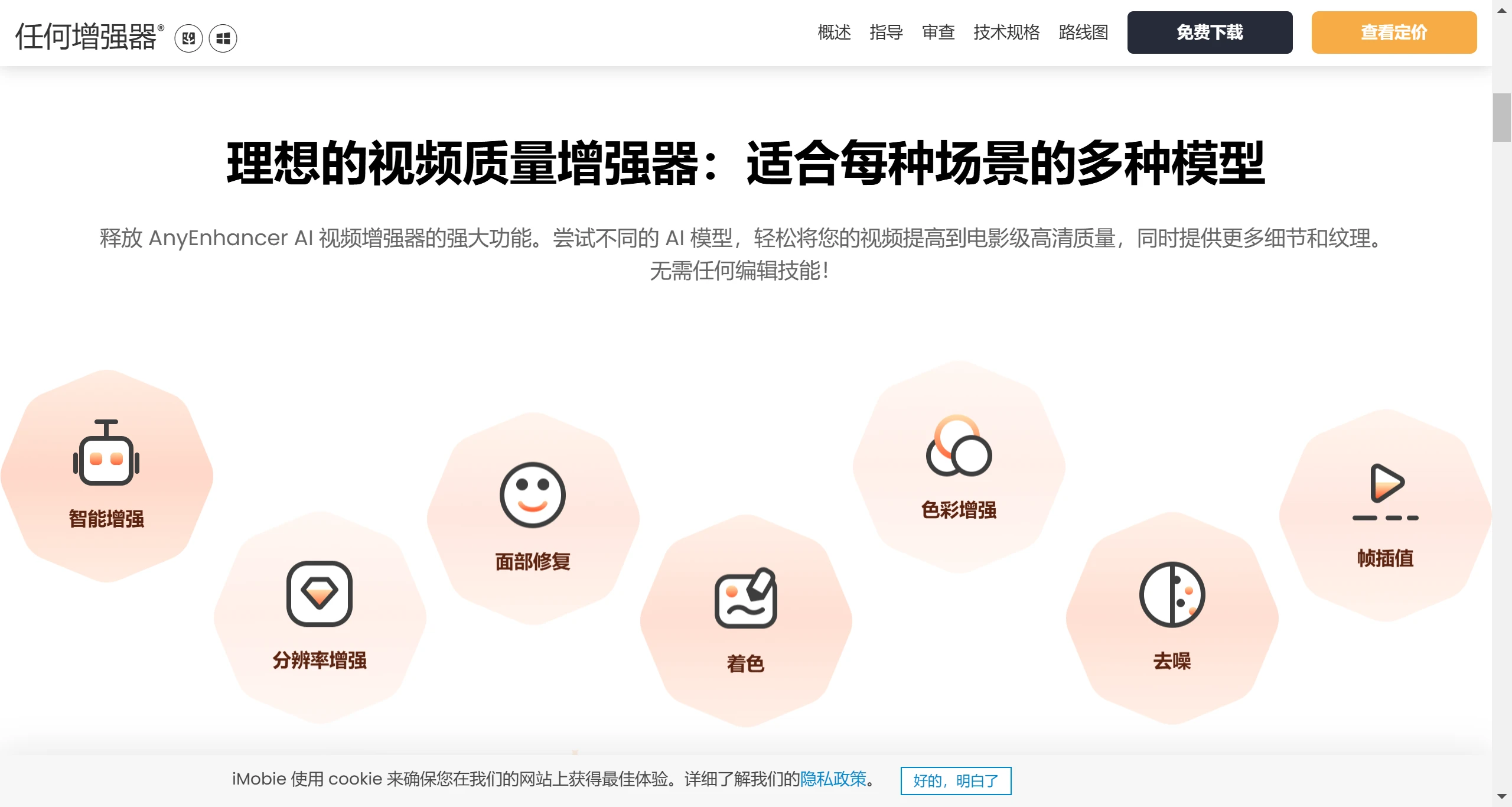
Video Upscaling: Capable of upscaling low-resolution videos to higher resolutions, such as 4K, improving image quality.
Denoising: Removes noise from videos to enhance overall clarity.
Black-and-White Video Colorization: Converts black-and-white videos into color, restoring the vivid hues of old footage.
Smoothing: Applies smoothing to videos to reduce unnatural artifacts.
Face Restoration: Specifically sharpens faces in videos, making facial details more distinct.
Smart Enhancement: Combines resolution upscaling and face restoration to significantly improve video quality without requiring professional skills.
Video Color Enhancement: Automatically optimizes color saturation and brightness, making every scene more vivid.
Frame Interpolation: Uses intelligent algorithms to insert frames, boosting video frame rates to ensure smooth visual experiences—particularly ideal for fast-moving scenes.
How to Use AnyEnhancer
Upload Video: Import the video file you want to enhance into the AnyEnhancer software.
Select AI Model: Choose the AI model that best suits your video content based on the specific aspect you want to enhance (such as resolution upscaling, denoising, or colorization), and start the automatic video enhancement.
Preview and Export: Once processing is complete, you can preview the video results and export the enhanced video.
AnyEnhancer Use Cases:
Old Movies and Nostalgic Content: Revive old videos and restore faded colors.
Family Memories: Make blurry home videos clear and viewable.
Social Media Content: Enhance video quality to make it more engaging on social media.
Travel Videos: Transform travel videos into a cinematic visual experience.
Anime Videos: Upscale anime videos to high definition for a more refined image quality.
AnyEnhancer Technical Highlights
Face Restoration: Specifically optimizes faces in videos, ensuring clear and natural details.
Smart Denoising: Reduces graininess in videos, delivering smoother and clearer images.
Visual Refinement: Uses AI algorithms to optimize every detail of the video, enhancing the overall visual experience.
AnyEnhancer Pricing:
One-Year Subscription: $88.99, including all features and 24/7 support.
One-Month Subscription: $28.99, ideal for short-term projects.
One-Time Purchase: $268.99, lifetime access and upgrades.
In addition, AnyEnhancer supports both Windows and macOS systems and runs smoothly across different platforms.















