
 Script Planner Assistant▸
 AI Apps
 AI News

OfficePLUS: Smart Productivity Plug-in by Microsoft
OfficePLUS: Smart Productivity Plug-in by MicrosoftIntroduction
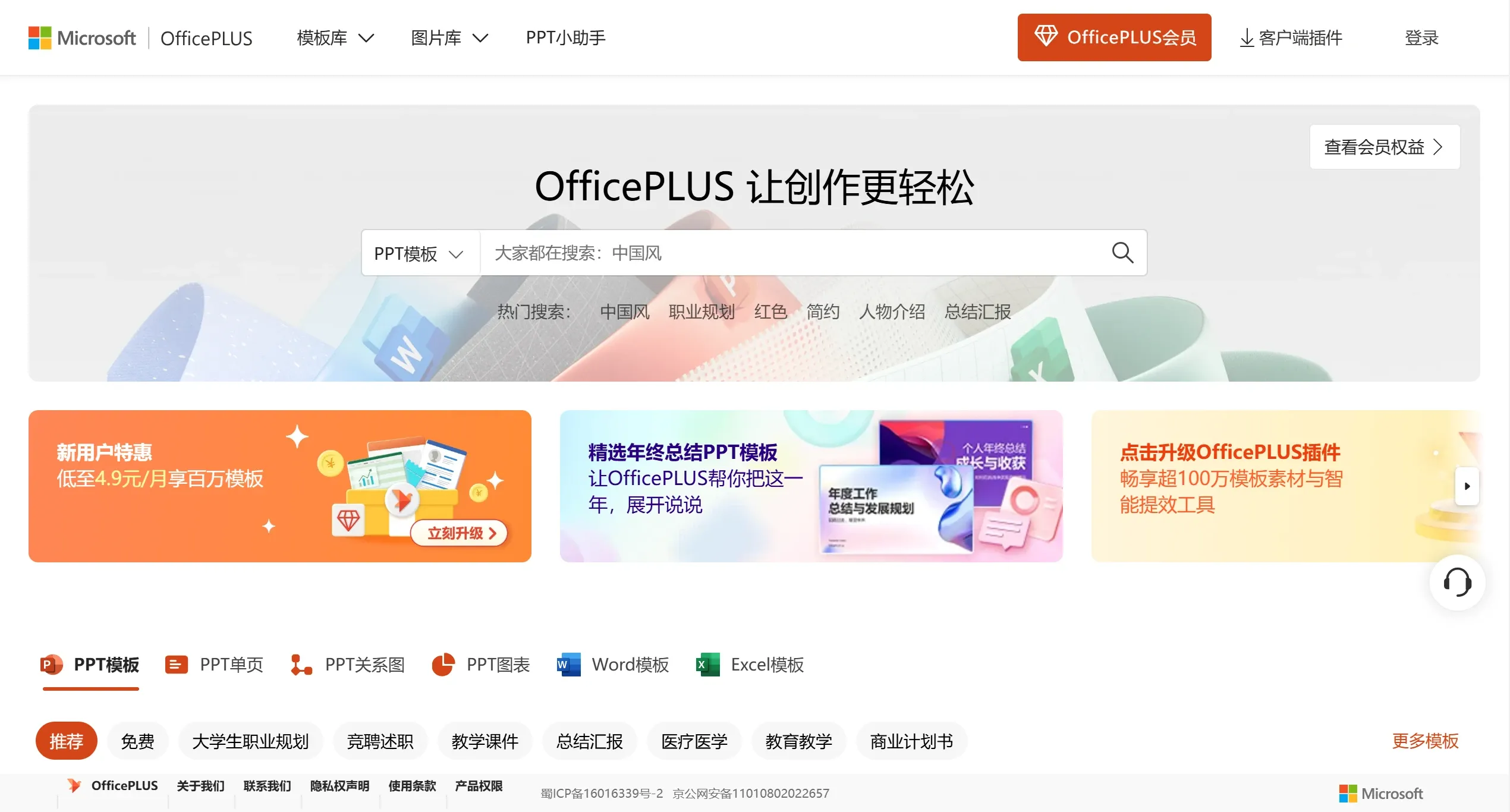
OfficePLUS is an intelligent office efficiency plugin officially produced by Microsoft. It provides users with a wealth of Office templates such as PowerPoint, Word, and Excel, as well as tools.
OfficePLUS offers over 1 million high-quality template assets and a variety of intelligent tools. It features four key strengths: premium high-quality content, simple and efficient operation, intelligent creation, and full-scenario coverage. It helps users improve their efficiency when working with Office and PDF files of various types, making it easy to create professionally formatted office documents. Currently, the OfficePLUS plugin covers PPT, Word, and Excel. They can be accessed directly within the Office suite or downloaded and installed as the latest version from the official website.
OfficePLUS Main Features
Massive Template Library: Provides millions of template assets, including PPT, Word, and Excel templates. It gathers a wide variety of templates such as work summaries, job reports, graduation thesis defenses, marketing plans, and job competition presentations. Ready to use at your convenience, it helps you confidently tackle workplace challenges and become an MVP at work.
Intelligent Beautification Tools: Unlock hundreds of styles with one click, providing nanny-level beautification assistance.
Intelligent one-click optimization: Switch styles and unify fonts in 1 second, turning beginners into experts. Features include one-click PPT skin and color changes, font unification, a Word formatting toolbox, and one-click Excel table and chart beautification, boosting design efficiency.
One-click Export Tool: With just one keyword, the PPT assistant can automatically generate a finished PPT with specific content and layout design. Powered by intelligent technology that understands your needs, it frees your hands and unleashes unlimited productivity.
AI Technology: Leveraging the artificial intelligence capabilities of Microsoft Research, the AI Lab will continue to roll out applications built on cutting-edge AI technologies, inviting you to explore the next generation of office productivity innovation together.
How to Use OfficePLUS:
Install the OfficePLUS Plugin: Download and install the OfficePLUS plugin from the official website.
Access the Template Library: After installation, find the "OfficePLUS" tab in the PowerPoint, Word, or Excel menu bar, click to enter the template library, and select the OFFICE template you need to download.
Uninstallation Method: If you want to uninstall OfficePLUS, you can directly locate the Uninstall.exe file in the installation directory to uninstall it, or use a third-party uninstaller such as Geek Uninstaller for a complete removal.
OfficePLUS Subscription Pricing:
OfficePLUS offers a subscription service. Users can subscribe on a monthly or yearly basis, with a monthly fee of 19.90 yuan and an annual fee of 99.00 yuan. The pricing is as follows:
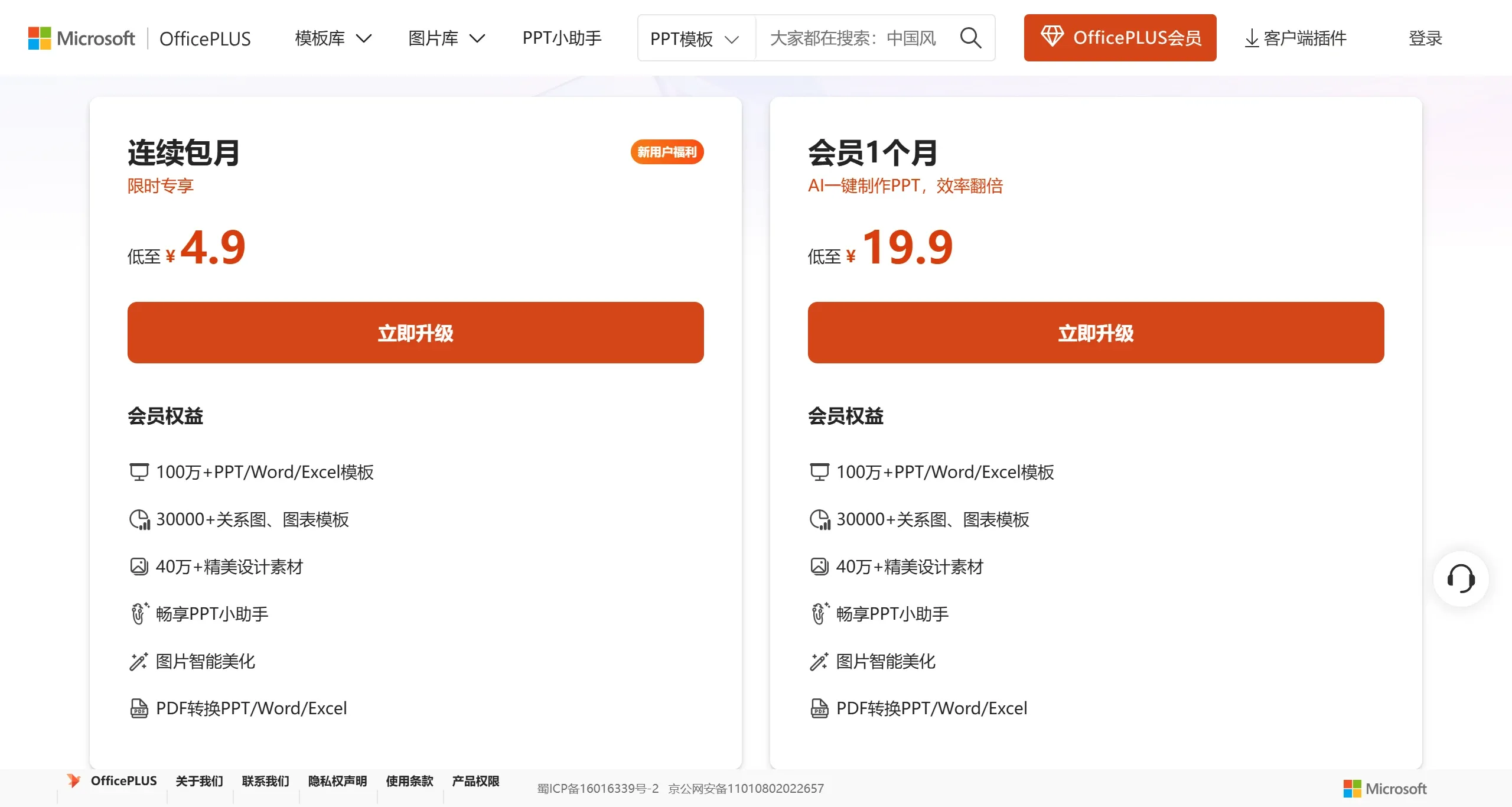
Through a paid subscription, users can unlock more advanced features and templates, making it suitable for individuals or enterprises that frequently need high-quality office documents.
As a value-added service from Microsoft, OfficePlus provides convenient resources, but its default installation and membership-based model have caused dissatisfaction among some users—particularly those who do not need extra template resources or have high requirements for software purity. This affects the user experience and has led some users to choose to uninstall it.















