Script Planner Assistant▸
 AI Apps
 AI News

MESH·Y: An Online Mesh Gradient Background Generator
MESH·Y: An Online Mesh Gradient Background GeneratorIntroduction
Mesh·Y is an online tool created by full-stack designer Anup Aglawe, focused on generating beautiful and colorful mesh gradients. Users can use it without registration, and it supports custom colors and sizes, offering a variety of gradient template options. Through simple operations, users can generate unique gradient backgrounds with one click and export them as high-resolution PNG images.
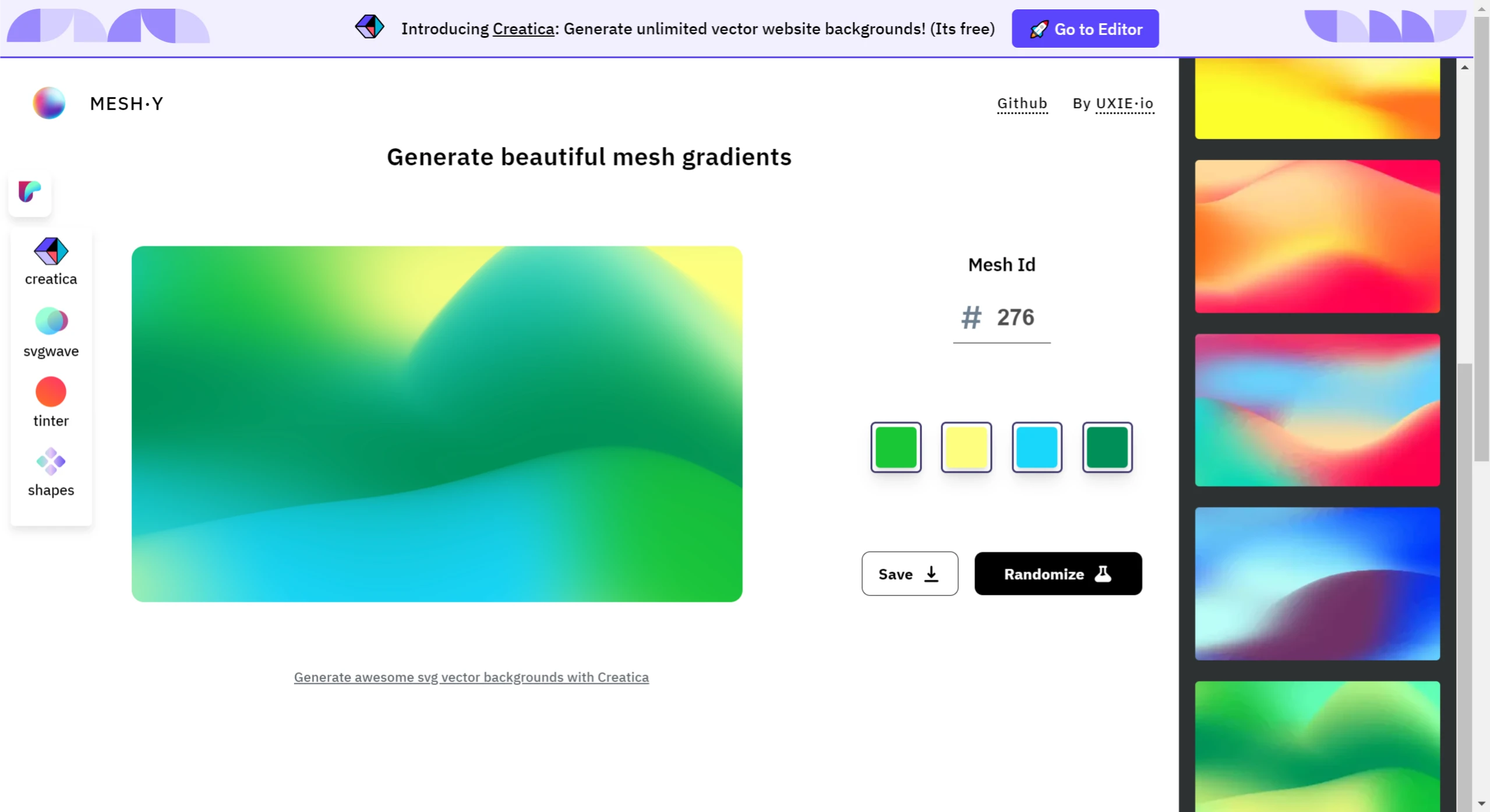
MESH·Y Features:
User Interface: Mesh·Y features a simple and clear interface, allowing users to easily select colors, adjust mesh models, and randomly generate different gradient effects.
Color Customization: Users can choose up to four colors to combine and configure. If only three colors are needed, two of them can be set to the same color, achieving diverse gradient effects.
Mesh Model Selection: The tool offers up to 1000 different mesh models, and users can quickly switch to their preferred style by entering a specific Mesh ID.
Random Generation: Users can randomly generate multiple cool mesh gradient patterns with one click.
Custom Mesh ID: Each generated gradient effect has a unique Mesh ID. Users can save this ID to quickly retrieve their previous design when needed in the future.
High-Resolution Export: Mesh·Y supports exporting high-resolution images in PNG format. Users can customize the output size, with a maximum support of 3000x3000 pixels, and adjust the resolution of the output image to suit different application scenarios such as web backgrounds, graphic design elements, etc.
Free to Use: MESH·Y is completely free to use and does not require registration.
How to Use MESH·Y:
Color Modification: In this section, users can select or adjust the four colors used for the gradient. If a simpler gradient effect is needed, two or more colors can be set to the same to accommodate different design requirements.
Random Mesh Model Switching: By clicking the "Randomize" button on the interface, MESH·Y will randomly generate a new mesh model, providing different gradient effects.
Mesh ID: Each unique mesh gradient style has a corresponding ID (e.g., #757). When users find a particularly pleasing gradient effect, they can save this ID to easily recreate the design by entering the ID when needed in the future.
Save Function: After completing color and mesh model selection, users can save the design via the "Save" button. In addition, users can adjust the width and height of the generated image to download a PNG image with the resolution that meets their specific project needs.
We have previously featured a background color generator called Mesher. MESH·Y mainly exports PNG images, while Mesher mainly exports CSS. In terms of effects, MESH·Y offers a diffused gradient effect. Overall, these two tools are very useful for web designers.