Script Planner Assistant▸
 AI Apps
 AI News

Mesher: Online CSS Gradient Background Generator
Mesher: Online CSS Gradient Background GeneratorIntroduction
Mesher is an online tool for generating gradient backgrounds, designed specifically for front-end developers and designers. Users can produce stunning mesh gradient backgrounds with simple CSS code. Mesher allows users to choose their favorite colors, or use randomly generated colors from the tool to create gradient effects. Mesher is developed by CSSHERO, the team behind a WordPress theme editor.
Mesher supports online visual editing and exports CSS code, enabling you to create impressive mesh gradient backgrounds using only CSS. You can pick colors you like, or let the tool randomly match colors for you. For front-end developers and designers, Mesher is a tool for quickly implementing gradient effects.
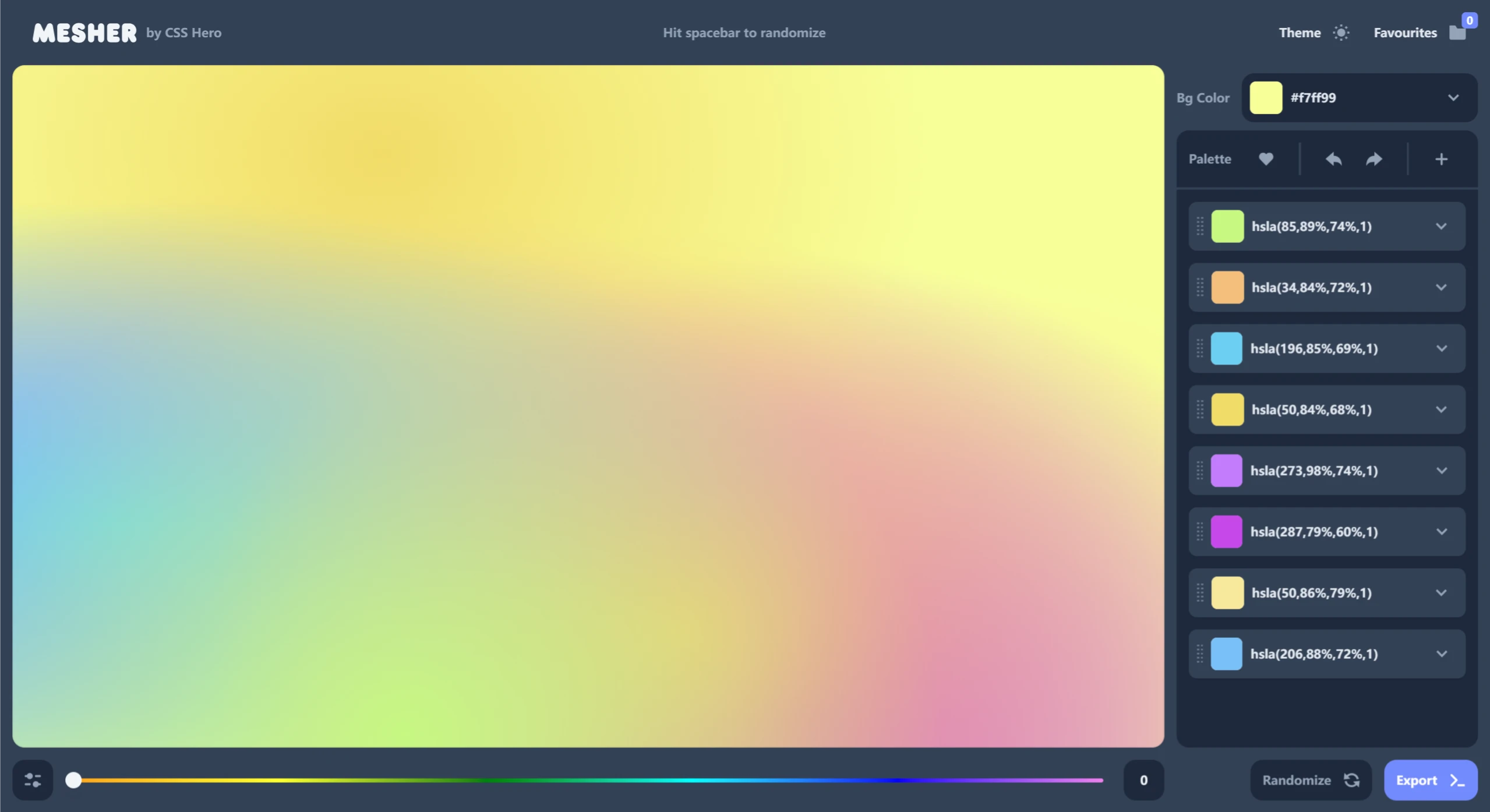
Mesher Features:
Online Visual Editing: Mesher allows users to adjust colors and gradient settings in real time through an intuitive interface, providing an interactive environment where users can see the immediate effects of their adjustments.
CSS Code Export: A standout feature is its ability to generate CSS code that can be directly applied to web projects. Users can easily integrate these gradient effects into their website designs.
Customization & Random Generation: Mesher supports user-defined colors while also offering random color generation options, helping designers quickly explore different gradient styles—from standard linear and radial gradients to more complex mesh gradients.
Versatile Applications: Whether for web design, UI design, or other visual projects, Mesher provides a rich selection of gradient backgrounds.
Diverse Options: Users can manually select up to four colors to create dynamic backgrounds, and can adjust the speed and direction of the gradient to achieve the best visual effect.
Responsive Design Support: Considering the needs of modern web design, the gradient backgrounds generated by Mesher adapt well to different screen sizes.
Export Functionality: The generated gradient effects can be directly exported as high-definition PNG images, suitable for use in various design projects such as PPT presentations and web design.
How to Use Mesher:
Visit the Website: Users can access Mesher's official website through their browser.
Choose Colors: In the tool's interface, users can select their preferred colors or use randomly generated ones.
Generate Background: With simple operations, users can generate the desired gradient background.
Export Code: The generated background can be exported as CSS code for easy use in web design.
Save Images: Users can save the generated backgrounds in high-quality image formats.
Mesher Use Cases:
Web Design: The gradient backgrounds generated by Mesher can be directly applied to web design, enhancing visual effects.
PPT Backgrounds: Users can use the generated backgrounds in PPTs to make presentations more appealing.
Social Media: The generated backgrounds can be used for social media posts to boost visual appeal.
Desktop Wallpaper: Users can set the generated backgrounds as desktop wallpaper to personalize their computer interface.
Graphic Design: The backgrounds generated by Mesher are suitable for various graphic design projects.