Script Planner Assistant▸
 AI Apps
 AI News

Floweb: Ultra-Lightweight Floating Browser
Floweb: Ultra-Lightweight Floating BrowserIntroduction
Floweb is a powerful ultra-lightweight floating browser. One of Floweb's core features is the ability to convert it into a WebApp, allowing you to launch and run web pages just like you would with a native application. Now you can quickly add your most frequently used websites or services (such as email, social media, online documents, etc.) to your desktop for one-click access.
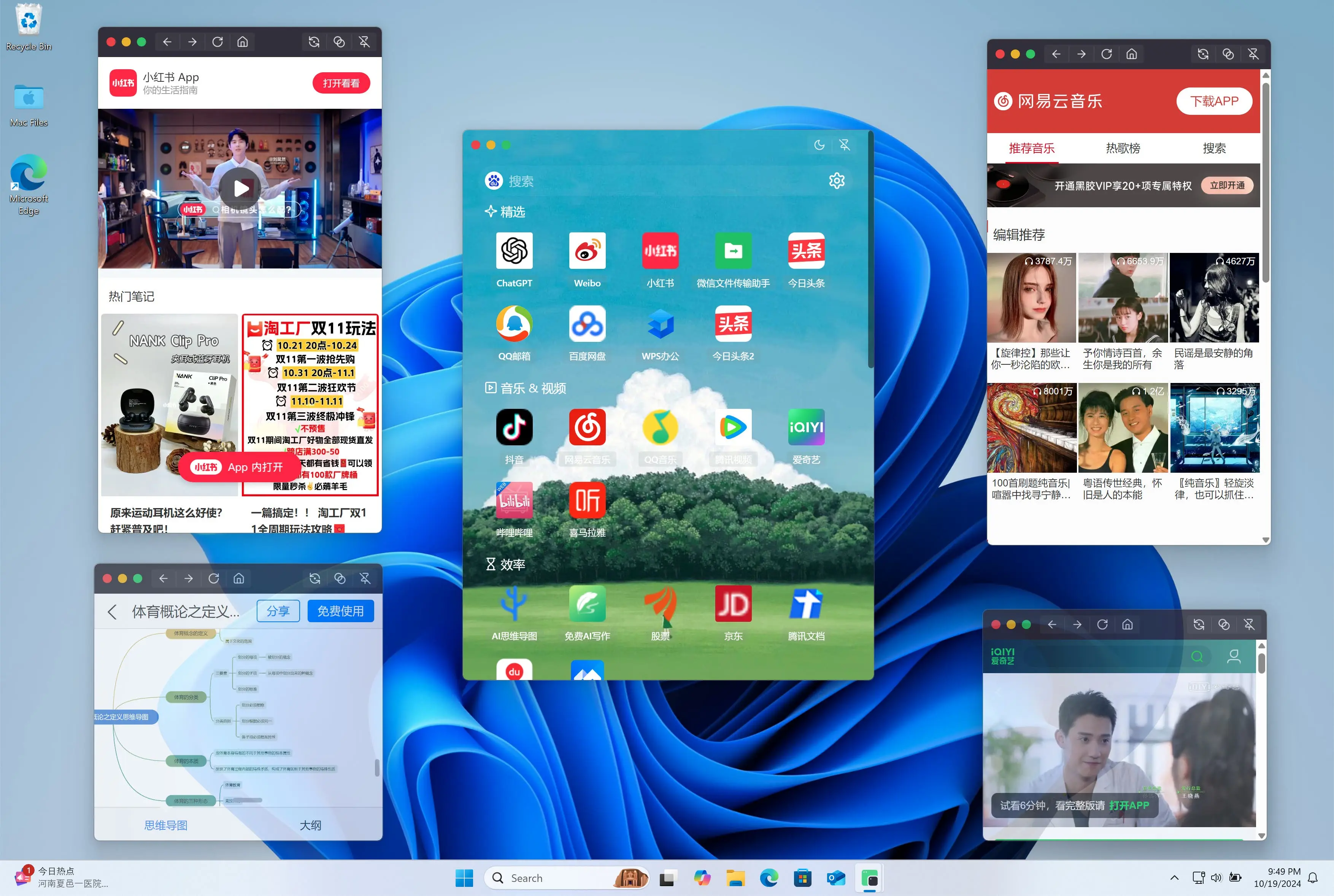
Floweb Browser Features:
Always on Top: Floweb's always-on-top feature allows you to keep your desired web page in front at all times. Whether you're multitasking or need to view multiple windows simultaneously, Floweb ensures that your important content won't be obscured by other applications.
Window Transparency: Floweb also offers a window transparency adjustment feature, allowing you to adjust the window transparency according to your preferences and needs. This not only adds visual flexibility, but also helps you stay aware of your surroundings while browsing.
User Agent: Floweb provides a rich selection of user agent options, including macOS Safari, Chrome, Android Chrome, Windows Chrome, Linux Chrome, macOS Edge (macOS), and Kindle, among others. This allows you to simulate the browsing experience of different devices and browsers. Whether you're testing websites or accessing content specific to a particular device, Floweb can meet your needs.
Auto Refresh: To ensure you always see the latest content, Floweb allows you to set up auto-refresh functionality. Whether monitoring stock prices, tracking news updates, or viewing real-time data, Floweb automatically refreshes pages at the interval you set, ensuring real-time information updates.
Multi-Account Login: Each WebApp has its own independent data storage. Create multiple WebApps with the same URL to log in to different accounts. (Windows exclusive)
Lightweight Design: Floweb's lightweight structure allows it to consume fewer system resources at runtime, making it suitable for running web pages for extended periods without slowing down your computer.
Web to Desktop App: Users can turn frequently visited web pages into independent desktop apps for easier management and quick access, as if a dedicated application were installed.
How to Use Floweb Browser?
Open Floweb Browser: First, make sure you have installed the Floweb browser or application.
Visit the Target Website: Enter the URL of the website you want to convert into a WebApp in Floweb, then visit that website.
Create WebApp: While browsing, look for the "Add to Desktop" option or similar provided by Floweb. This is typically found in the browser's menu, tools bar, or sharing function.
Custom Settings: During the WebApp creation process, you may have the opportunity to customize the app's name, icon, and settings such as whether to auto-refresh.
Save and Launch: After confirming the settings, Floweb will generate a shortcut or an independent window that behaves like a standalone application. You can pin it to your desktop or app list.
Use and Manage: Afterwards, you can launch this WebApp directly from the desktop or from Floweb's app collection and enjoy an experience similar to a native app.
Related Information: