
 Script Planner Assistant▸
 AI Apps
 AI News

Napkin AI: Turn Text into Visual Diagrams
Napkin AI: Turn Text into Visual DiagramsIntroduction
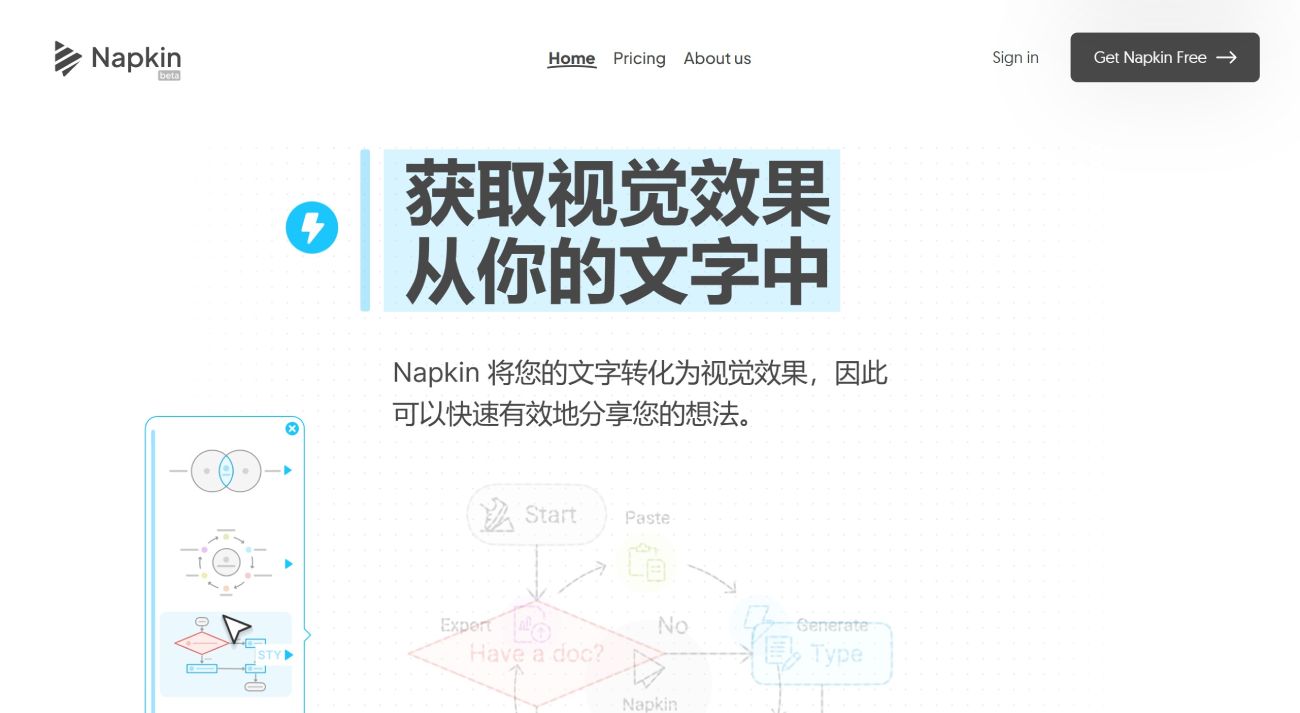
Napkin is a note-taking product that's truly eye-opening. Its powerful feature is the ability to turn text into images. This means you no longer need to spend time agonizing over mind maps and PPT slides, because Napkin can automatically generate various graphics to match your text content.
The working principle of Napkin AI is simple: users simply paste the text onto the platform, and Napkin automatically recognizes the text content and instantly transforms your written words into vivid visuals such as charts, infographics, and flowcharts.
Napkin AI Product Features:
Text-to-Image Conversion: Users can paste text into Napkin AI, and the platform will automatically generate relevant visual content, such as flowcharts, pie charts, and mind maps.
Fully Editable: Napkin AI offers completely editable visual elements, including icons, decorations, connectors, and more, allowing you to make your creations more personalized.
Smart Color Matching: The system automatically matches color schemes, maintaining visual harmony and appeal in both light and dark modes.
Variety of Fonts: From casual to formal, a wide range of font choices to meet the creative needs of different styles.
Personalized Editing: Users can adjust the style, color, and layout of images as needed to ensure the final result aligns with the brand image.
Multi-Platform Compatibility: Supports integration with a variety of enterprise content tools, including Google Docs, Slides, Microsoft Word, PowerPoint, and more, aiming to enhance user work efficiency and creativity.
Napkin AI's Special Features:
Icon Library: Provides a rich collection of icon resources that can be added or replaced as needed.
Decorative Elements: Use decorative elements to emphasize certain parts of the chart, making the visual presentation more vivid.
Connectors: Dynamic connector functionality that can link various elements within a chart to show logical relationships.
Colors and Fonts: Offers a variety of color schemes and font choices to suit different visual needs
Basic Usage of Napkin AI:
Paste Text: First, paste your text content into Napkin AI.
Generate Visuals: Napkin AI will intelligently recommend the most suitable visual effects based on the text content you provide.
Personalized Editing: You can freely adjust the content and style of these visual elements to ensure they perfectly express your ideas.
Export and Use: Once editing is complete, you can export your visual work in PNG, PDF, or SVG format for use in your e-books, social media posts, and even product presentations.
Napkin AI Applications:
From designers to educators, from content creators to business development professionals, Napkin AI has brought more efficient and creative changes to their work. It has not only greatly improved work efficiency but also sparked their creativity.
Business Presentations: With Napkin AI, business analysts can quickly transform complex data and analysis into intuitive charts and flowcharts, making presentations more engaging.
Educational Materials: Teachers and educators can use Napkin AI to create teaching aids, such as mind maps and concept maps, helping students better understand and remember key points.
Social Media Content: Self-media creators can use Napkin AI to produce eye-catching images and infographics, boosting the engagement and reach of social media posts.
Napkin AI Pricing:
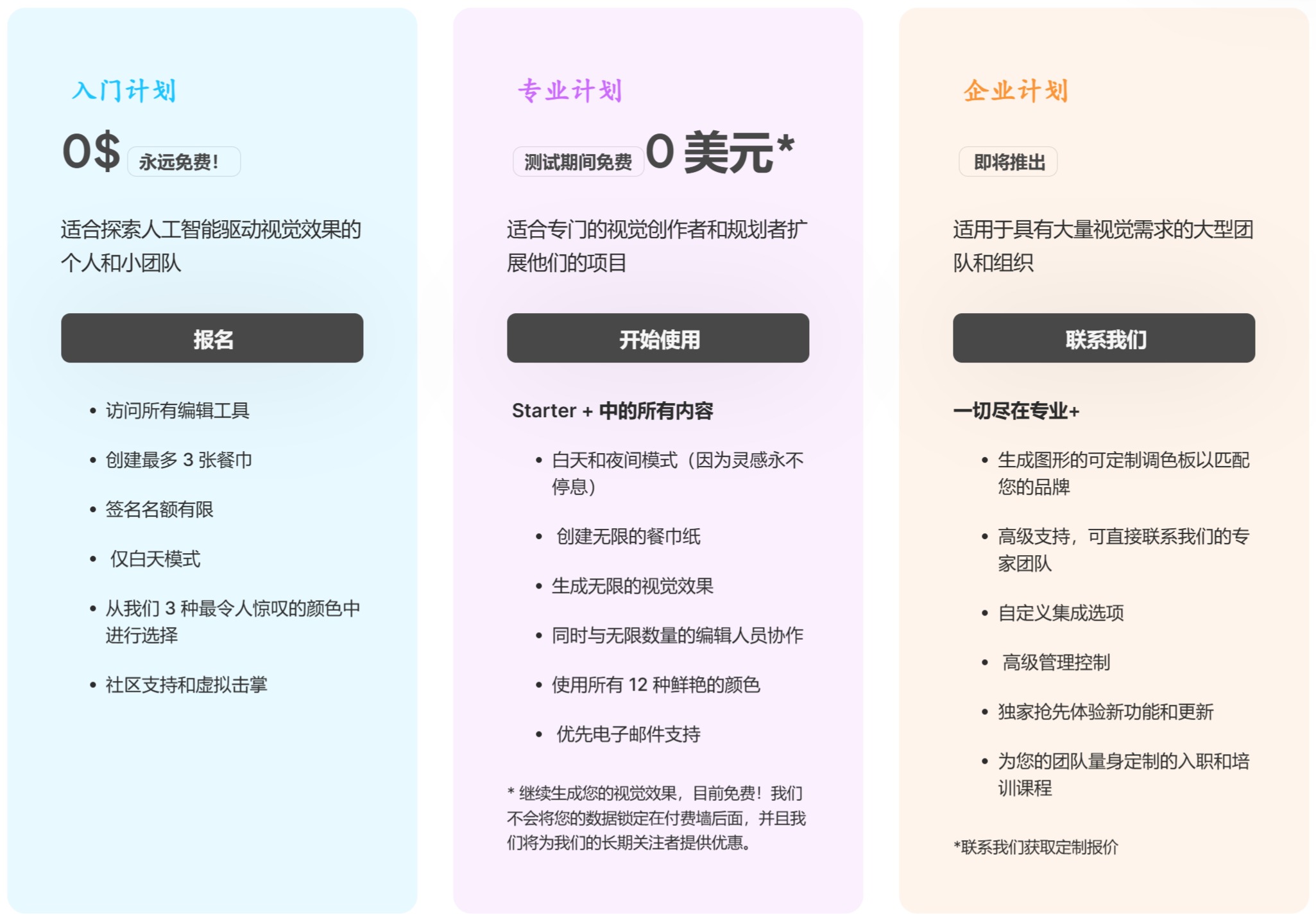
Regarding Napkin AI's fees, Napkin AI currently offers a free plan. Although there are some limits on quotas and customization features, during the testing phase, users can enjoy all the features of the Pro plan for free. While Napkin AI is primarily targeted at individual use, it also offers real-time multi-user editing and commenting features to support team collaboration.
As a powerful tool, Napkin AI makes complex information easy to understand and creative expression more intuitive and vivid. It not only improves work efficiency but also inspires users' creativity, making content creation more enjoyable.















