
 Script Planner Assistant▸
 AI Apps
 AI News
ToonCrafter: Cartoon Image to Animation Tool
ToonCrafter: Cartoon Image to Animation ToolIntroduction
ToonCrafter is an AI-driven tool that transforms static cartoon comic images into fluid, vivid animations. Through AI algorithms, ToonCrafter can automatically generate transition frames between key frames, maintain consistency with the original artistic style, and provide pixel-level detail extraction and seamless transition animations.
ToonCrafter Main Features:
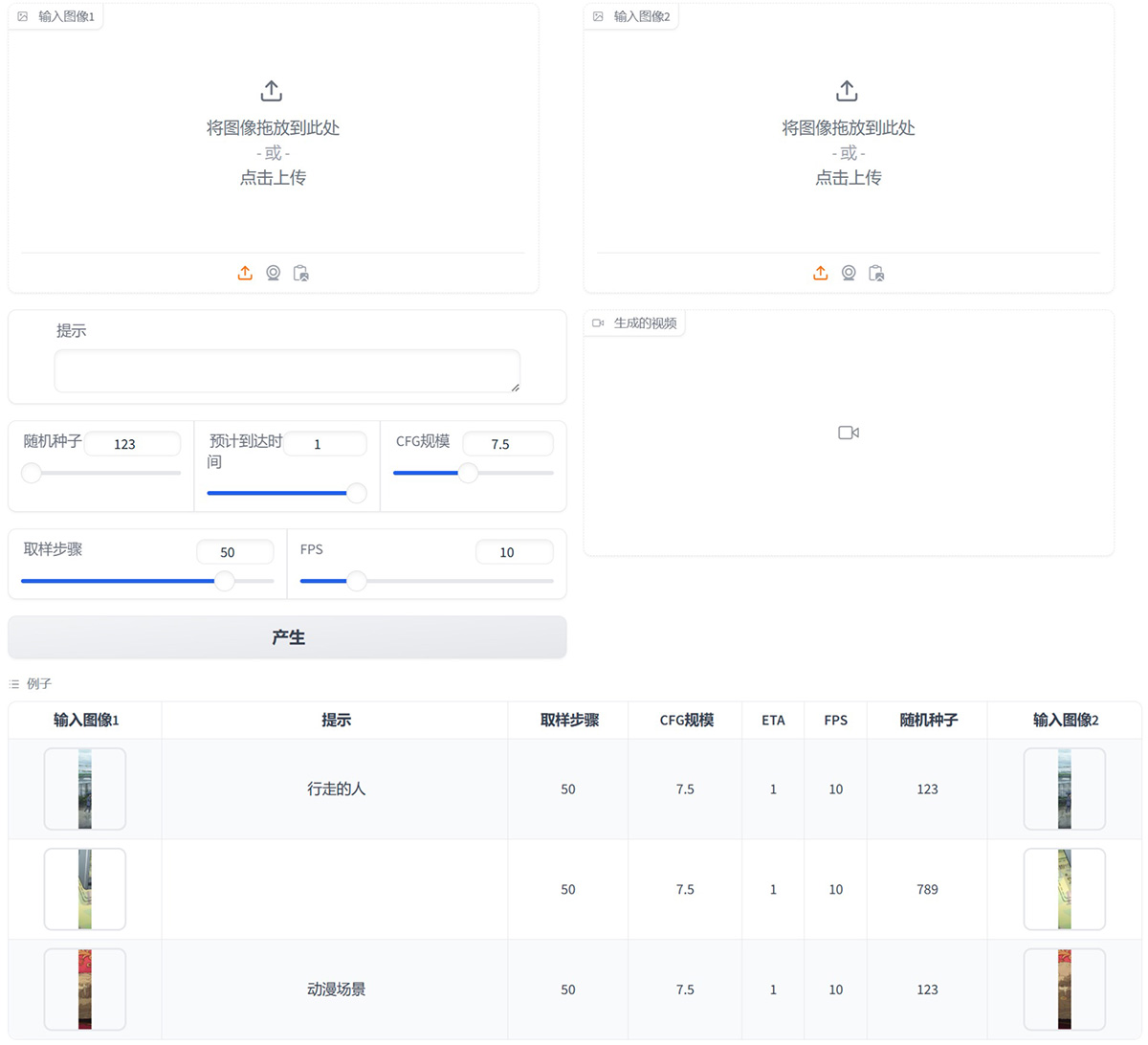
AI-Driven Animation Generation: Input two static cartoon images, and ToonCrafter automatically generates fluid, realistic animation clips.
Style Transfer Learning: ToonCrafter has been trained on massive cartoon datasets, ensuring that the generated animations seamlessly blend with the original artistic style and maintain visual consistency.
Pixel-Level Detail Extraction: ToonCrafter extracts fine textures, lines, and other visual elements from the input frames and incorporates them into the generated animations.
Smooth and Seamless Transitions: ToonCrafter generates smooth, seamless transition animations, ensuring fluid, natural motion between key frames for a polished look.
Efficient Animation Generation: ToonCrafter generates animation clips in approximately 20 seconds, depending on the input configuration and current system load. Although it may take slightly longer in some cases.
Creation History Management: Easily track and manage your creation history.
ToonCrafter Applications:
Social Media Marketing: Use ToonCrafter to enhance your social media posts with eye-catching cartoon animations. Boost engagement and attract more followers.
Personal Creative Projects: Bring your drawings and sketches to life. Use ToonCrafter to create dynamic animations for your art portfolio or passion projects.
Custom Animated Stickers: Design your own animated stickers for chat applications and social media.
Animated Presentations: Use ToonCrafter to incorporate animated characters and scenes into your PPT.
How to Use ToonCrafter?
1. Upload Your Key Frames: Upload 2 to 4 key frame images (usually 2 are sufficient), representing the start and end points of the animation.
2. Describe the Animation You Want: Use text prompts to describe the animation effect you want to achieve. Click "Generate".
3. Download Your Animation: You can download the animation in MP4 format.
ToonCrafter Pricing:
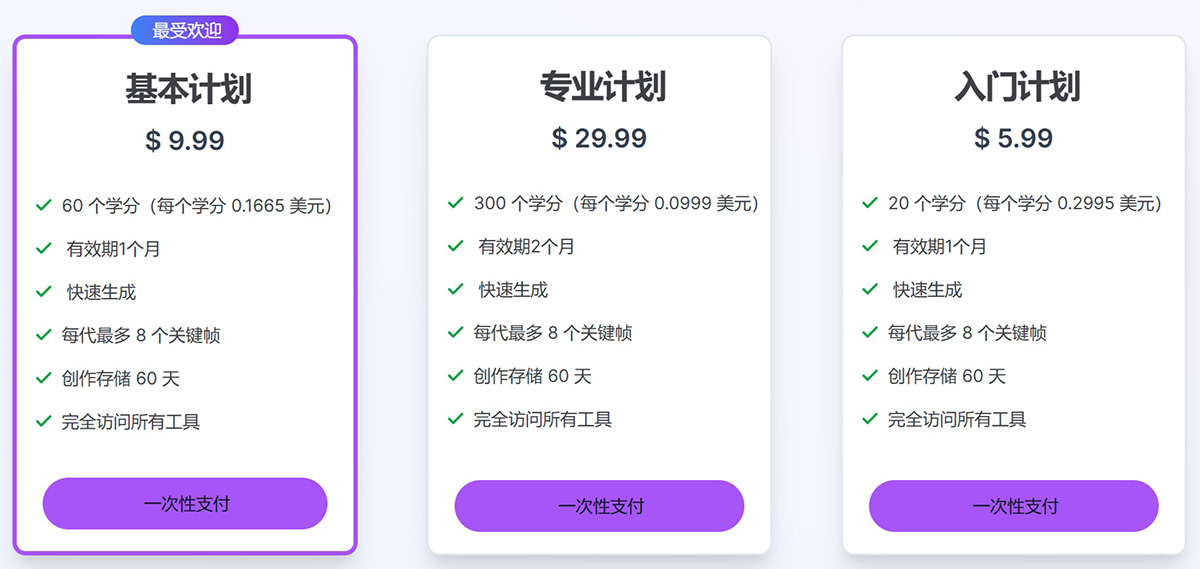
Credits can be purchased as needed. Each credit allows you to generate one image or animation. One-time payment, no subscription required, no hidden fees.
Related News:
ToonCrafter: Automatically Generating Transition Frames for Cartoon Animations











