
 Script Planner Assistant▸
 AI Apps
 AI News

MoKi: AI Short Video Creation Tool by Meitu
MoKi: AI Short Video Creation Tool by MeituIntroduction
What is MoKi
MOKI is an AI short video creation tool launched by Meitu on June 12, 2024, at the third Meitu Imaging Festival. It is powered by Meitu's self-developed MiracleVision V5 large model, which uses a proprietary DiT technical architecture. It also integrates multiple video generation engines such as Vidu and Kling AI, covering the entire workflow from scriptwriting, storyboarding, and video generation to post-production voiceover and background music.
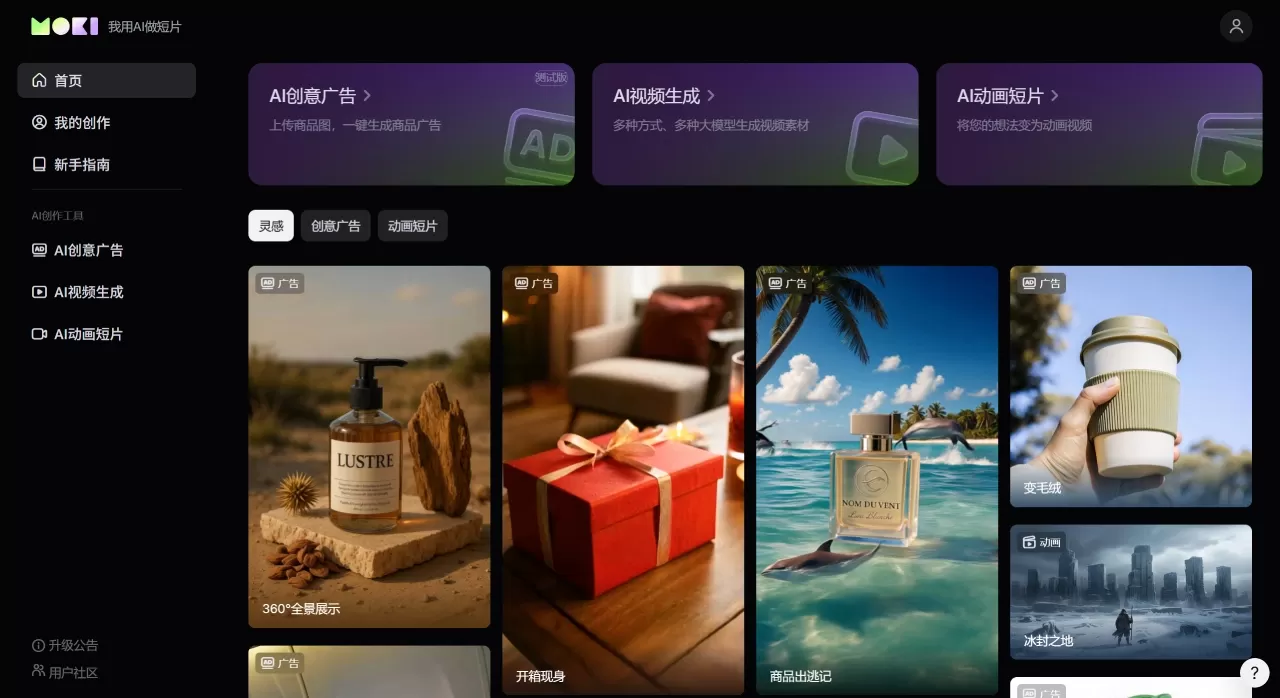
MoKi Core Features
Script Generation: Enter a story synopsis or import an existing script, and the AI will automatically generate a complete storyboard script with multiple setting options available.
Storyboard Generation: Automatically generates storyboard frames based on the script. The description and characters appearing in each frame can be manually modified.
Character Customization: Upload a front-facing facial reference image to generate a character, or use AI image editing to change outfits, hairstyles, and more.
Multiple Styles: Supports Chinese-style comics, 3D cartoon, children's book, fresh Japanese manga, and other styles. Aspect ratios include 16:9 landscape or 9:16 portrait.
Voiceover and Background Music: Narration voice options include sunny young man, gentle lady, wise elder, and more. Background music offers various styles such as grand and majestic, cute and innocent, and tense and thrilling.
Editing and Post-Production: Provides a simple editing interface with timeline and audio tracks, allowing camera movement adjustments (such as horizontal pan or push-in). Generate videos with background music in one click, with continued optimization available afterward.
Technical Parameters: Based on the MiracleVision large model, single video generation lasts up to 5 seconds, supporting videos up to 1 minute in length, 24fps, and 1080P resolution. 4K and custom image-to-video features will be added in the future.
MoKi Application Scenarios
Animated short film production
Converting web novels or scripts into short dramas
Children's story picture book videos
Music MV creation
Teaching courseware animation
Self-media content (such as bedtime stories, parenting animations)
Product advertisements (Beta stage)
MoKi Pros and Cons
Pros:
One-stop completion from script to final video, no need to switch between tools
Simple operation with a user-friendly interface; produce a video in three steps
Good understanding of Chinese semantics, with solid performance in Eastern styles (such as Chinese-style comics)
Covers the entire workflow, including voiceover, background music, and editing
Multiple visual styles and voice options available
Cons:
Image details can sometimes appear blurry, with expressions and movements lacking refinement
Consistency of characters or backgrounds across shots can sometimes have issues
Does not support importing external background music
Only available as a web version; no mobile app
Works can only be downloaded locally, with limited sharing options
Generation speed: approximately 30 seconds for storyboards, approximately 3 minutes for video output
How to Use MoKi
Visit the official website www.moki.cn
Select "Create with Existing Script," enter a story synopsis or topic, and let the AI generate a script. Alternatively, paste externally written storyboard descriptions one by one.
Choose a visual style (such as 3D cartoon or Chinese-style comics), design characters, set the narration voice and aspect ratio.
Click "Start Generating Frames," and the AI will display a storyboard list and timeline. Review dialogue content and make modifications, adjust character voices. If the character is not satisfactory, click edit to regenerate.
After previewing the effect, click "Start Generating Video," wait approximately 3 minutes for rendering to complete, then download locally.
MoKi vs. Competitors
| Comparison Item | MOKI | Onestory | Daydream AI |
|---|---|---|---|
| Auto Script Expansion | Supported | Supported | Not Supported |
| Storyboard Generation | Supported | Supported | Supported |
| Editing | Supported (Final Editing) | Not Supported | Not Supported |
| Mobile | Web Only | Web Only | Supported |
| Main Scenarios | Animation/Short Drama/Picture Book/MV | Story Videos | Story Videos |
How to Choose MoKi
Completes the entire workflow on one platform, eliminating the hassle of switching back and forth.
Accessible even for beginners; the three-step process is very beginner-friendly.
Specifically designed for short video scenarios with clear positioning, not a general-purpose tool that does everything but excels at nothing.
More natural Chinese language understanding and performance in Chinese-style aesthetics, suitable for domestic creators.
Backed by Meitu's large model, with reliable iteration and continuously updated features.











