Script Planner Assistant▸
 AI Apps
 AI News

VideoFk: A Cross-Platform Online Video Downloader
VideoFk: A Cross-Platform Online Video DownloaderIntroduction
VideoFK is an online tool that allows you to download high-quality videos from major social platforms and video websites. To use it, simply paste the video URL. It supports 63 domestic and international platforms, is free with decent speed, downloads videos without watermarks, and allows you to choose the video's resolution and format. Supported domestic platforms include Bilibili, Weibo, Xiaohongshu, Zhihu, and more.
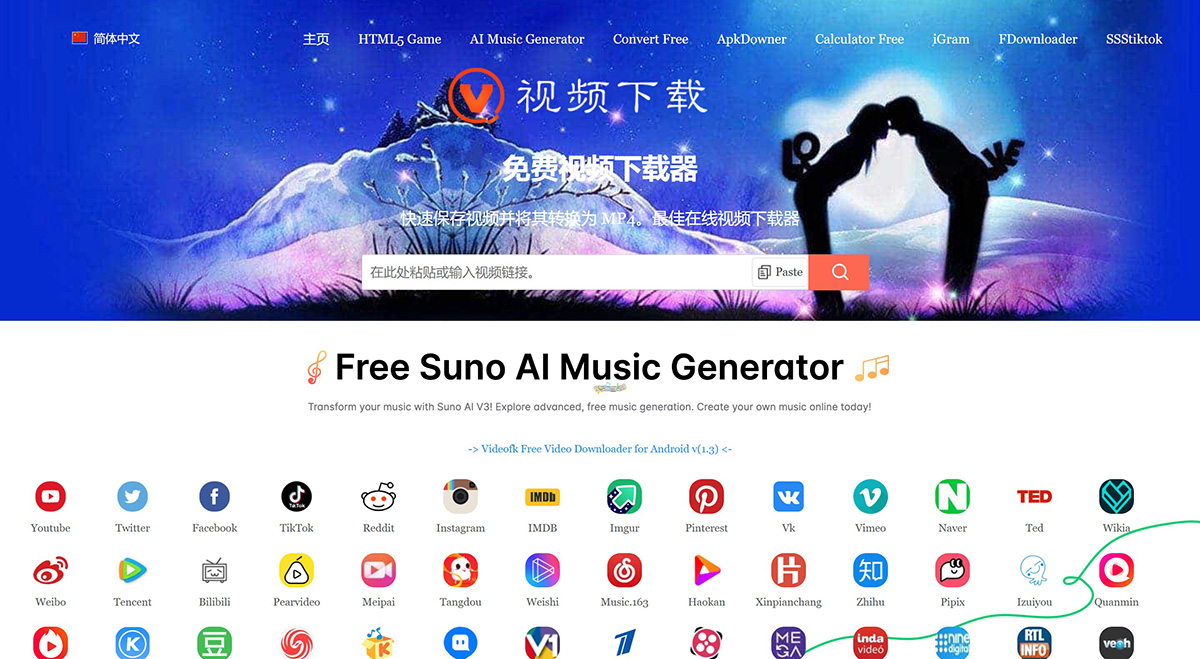
VideoFK Features:
Supports downloading videos from over 60 websites;
Free to use, no account registration required;
Supports multiple video formats, allowing downloads of high-definition MP4 or MP3 files;
User-friendly interface, supports multiple languages, including Chinese;
The website provides HTTPS connections, enhancing security during use.
How to Use VideoFK:
Find the video: Click "Share" and select "Copy Link" to copy the video URL.
Paste the video: Return to the videoFK website, paste the video URL into the box above, then click the "Download" button.
Download the video: Wait a few seconds for our server to process the video and download it to your device.
Video Download Methods for Various Platforms:
Facebook Video Downloader:Downloading Facebook videos using videoFK is very easy. You just need to paste the video's URL link into the search box, click the download button, wait for the server to parse the result, and you can download the video to your device for free.
Instagram Video Downloader:Using videoFK, you can easily save Instagram videos. With VideoFK Downloader, you can avoid all the hassle involved in saving videos. However, this downloader only supports parsing public videos from users.
Twitter Video Downloader:Do you want to download videos from Twitter? You can save the videos you want to download to your device through our videoFK downloader. You don't need to install any apps or extensions to save Twitter videos.
TikTok Video Downloader:TikTok is one of the most popular social platforms today. Now you can download watermark-free TikTok videos through VideoFK. Simply click the TikTok share button and paste the URL to save your favorite videos.
Weibo Video Downloader:If you want to save videos from Weibo, simply copy the URL link of the video on Weibo, paste the link into the search box, and click the download button to save the video to your device.