
 Script Planner Assistant▸
 AI Apps
 AI News

Stirling-PDF: Powerful Open-Source PDF Manipulation Tool
Stirling-PDF: Powerful Open-Source PDF Manipulation ToolIntroduction
Stirling-PDF is a powerful web-based open-source PDF manipulation tool. It enables you to perform a variety of operations on PDF files, including splitting, merging, converting, reorganizing, adding images, rotating, compressing, and more.
Stirling-PDF places great emphasis on security. All uploaded files and PDFs either exist only on the client-side, or reside in server memory only during task execution, or are temporarily stored on the file system only to perform the task. When the task is complete, any files uploaded by the user will be deleted from the server.
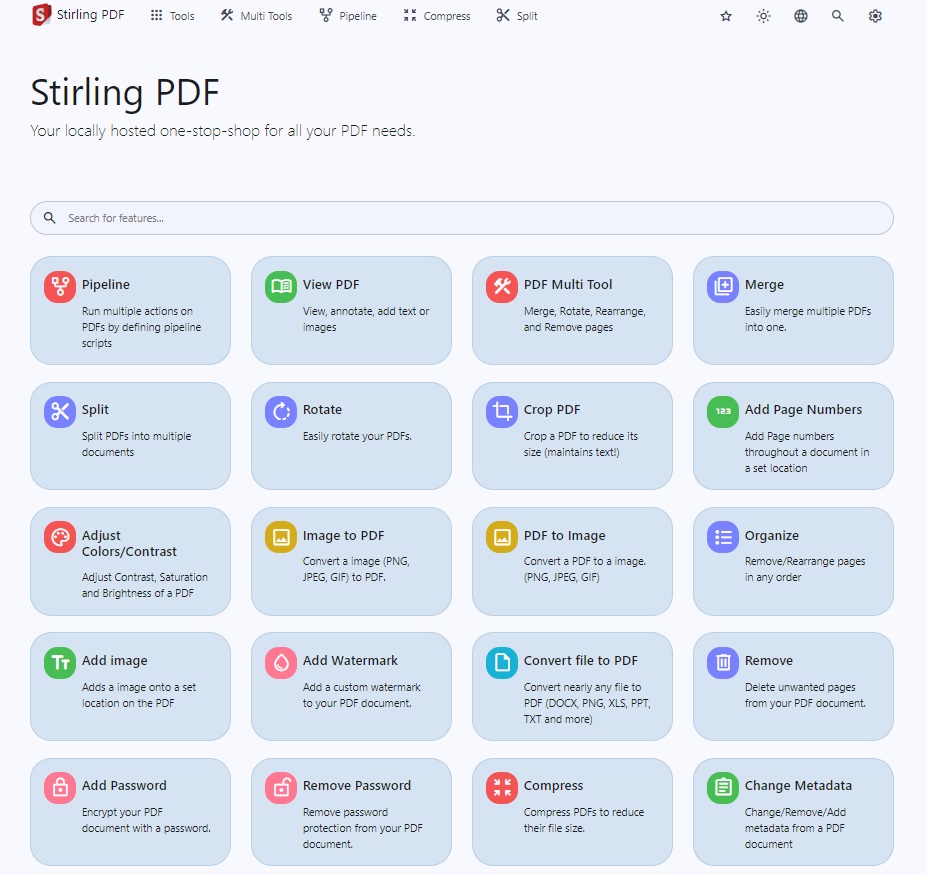
Stirling-PDF Features:
Dark mode support.
Custom download options (see here for example).
Parallel file processing and downloading.
API for integration with external scripts.
Optional login and authentication support (see the documentation here).
PDF functionality.
Stirling-PDF Page Operations
View and modify PDFs - View multi-page PDFs with custom viewing, sorting, and searching. Plus page editing features such as annotations, drawing, and adding text and images. (Uses PDF.js together with Joxit and Liberation fonts.)
Full interactive GUI for merging/splitting/rotating/moving PDFs and their pages.
Merge multiple PDFs into a single generated file.
Split PDFs into multiple files at specified page numbers, or extract all pages as a single file.
Reorganize PDF pages into a different order.
Rotate PDF in 90-degree increments.
Delete pages.
Multi-page layout (format a PDF as a multi-page page).
Scale page content size by a set percentage.
Adjust contrast.
Crop PDFs.
Automatically split PDFs (using physical scanned page separators).
Extract pages.
Convert PDFs to a single page.
Conversion Operations
Convert PDFs to and from images.
Convert any common file to PDF (uses LibreOffice).
Convert PDF to Word/PowerPoint/others (uses LibreOffice).
Convert HTML to PDF.
URL to PDF.
Markdown to PDF.
Security & Permissions
Add and remove passwords.
Change/set PDF permissions.
Add watermarks.
Certify/sign PDFs.
Sanitize PDFs.
Automatically redact text.
Other operations.
Add/generate/write signatures.
Repair PDFs.
Detect and remove blank pages.
Compare 2 PDFs and display text differences.
Add images to PDFs.
Compress PDFs to reduce their file size (uses OCRMyPDF).
Extract images from PDFs.
Extract images from scans.
Add page numbers.
Automatically rename files by detecting the PDF title text.
OCR on PDFs (uses OCRMyPDF).
PDF/A conversion (uses OCRMyPDF).
Edit metadata.
Flatten PDFs.
Get all information on a PDF to view or export as JSON.
Stirling PDF comes in 3 different versions: the full version, the lite version, and the ultra-lite version. Choose based on the features you need and the amount of space available.














