
 Script Planner Assistant▸
 AI Apps
 AI News

OptimizerAI: AI Tool for Automatically Generating Sound Effects for Videos
OptimizerAI: AI Tool for Automatically Generating Sound Effects for VideosIntroduction
Optimizerai is an AI tool specifically designed to automatically generate sound effects for videos. It can automatically dub AI videos and create sounds and sound effects suitable for various scenarios through text prompts. These include shooting and jumping sounds in games, rain ambient sounds in animations, as well as subway arrival sounds in videos. Users can leverage this platform to generate sound effects for a wide range of application scenarios, such as generating sounds for Sora videos.
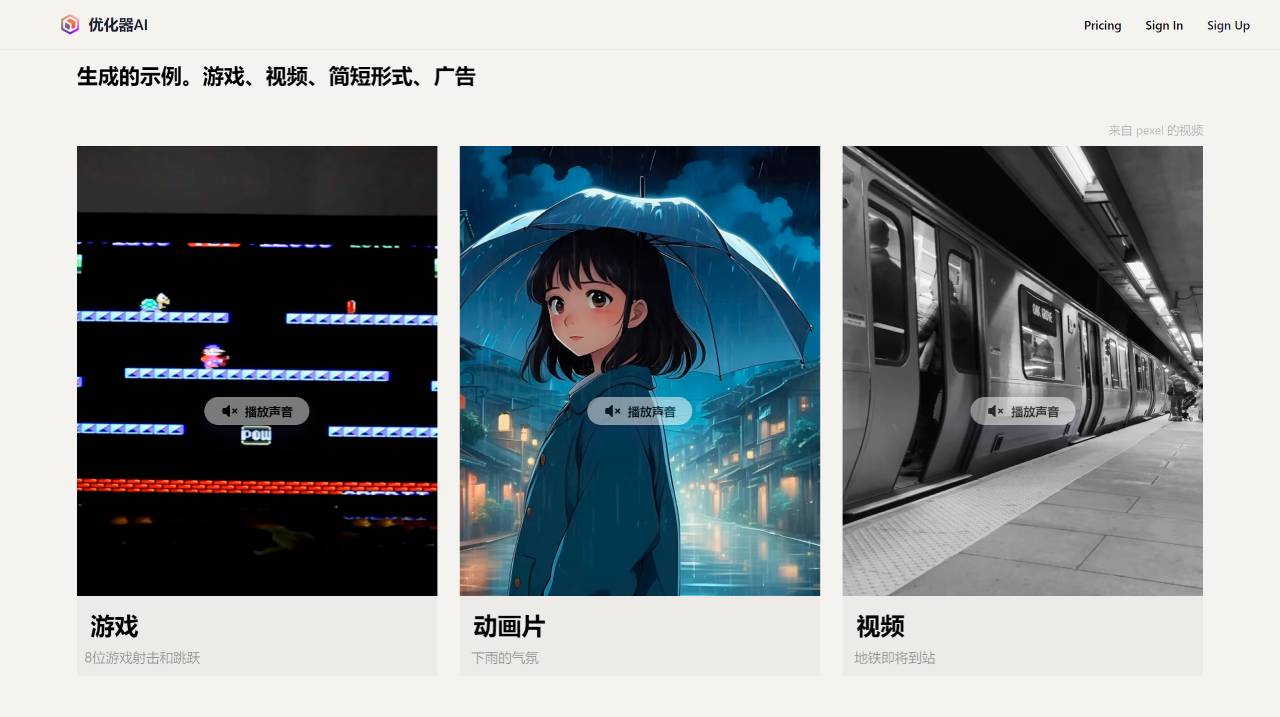
OptimizerAI Main Features:
1. Sound Effect Generation: Users can input text prompts to generate sounds and sound effects suitable for various scenarios in videos, including game sound effects, animation background sounds, and video soundtracks. These include the following sound effects:
Voice Changing: OptimizerAI supports sound effect generation, including a voice-changing feature that can generate multiple similar voices based on a reference voice.
Style Tags: Users can also guide the generation of sounds in different styles by specifying style tags (such as cartoon, horror, etc.).
Background Music or Ambient Sounds: It can generate background music or sounds for creating specific atmospheres, and is able to process and understand textual information, maintaining consistency in generation while also producing longer-duration sound effects.
2. Text-to-Sound Effect Conversion: Allows users to input text descriptions, and OptimizerAI will automatically generate corresponding sound effects based on the descriptions, enhancing flexibility and convenience in creation.
3. Stereo, High-Quality Audio Support (Coming Soon): OptimizerAI promises to support the generation of stereo, 44.1kHz high-quality audio, improving the realism and immersion of the sound.
4. Comprehensive Video-to-Sound Generation: This feature will allow users to generate sound effects directly from videos, further expanding the possibilities of sound creation.
How to Use OptimizerAI?
1. Visit the OptimizerAI Official Website: First, you need to visit the official website of Optimizer AI.
2. Register and Log In: If you don't have an account yet, you need to register a new one. If you already have an account, simply log in directly.
3. Create or Upload a Video: On the OptimizerAI platform, you can create a new video project or upload a video file you have.
4. Input Text Prompts: Based on your video content, input the corresponding text prompts. For example, if you are adding sound effects to a game video, you can input prompts such as "shooting sound in the game" or "character jumping sound."
5. Generate Sound Effects: After submitting your text prompts, OptimizerAI will generate corresponding sound effects based on your description. You can select different style tags to guide the generation of sounds in various styles.
6. Edit and Adjust: The generated sound effects can be edited and adjusted to ensure they perfectly match your video content. You can adjust parameters such as volume and rhythm until you achieve a satisfactory result.
7. Export and Use: If the sound effects meet your requirements, you can export them and combine them with your video. You can export the sound effects as audio files and then synchronize them with the video in video editing software.
OptimizerAI can enhance the work efficiency of game developers, artists, and video creators, adding more vitality to videos through sound effects. Optimizer AI is currently still in the testing phase and is only available to specific users.














