
 Script Planner Assistant▸
 AI Apps
 AI News

iProduct: Screenshot Beautifier
iProduct: Screenshot BeautifierIntroduction
iProduct is a simple and easy-to-use screenshot beautification tool that requires no professional design background, allowing screenshots to look full of design sense, aiming to improve the quality of product displays. It is perfect for product screenshots and image publishing on self-media platforms.
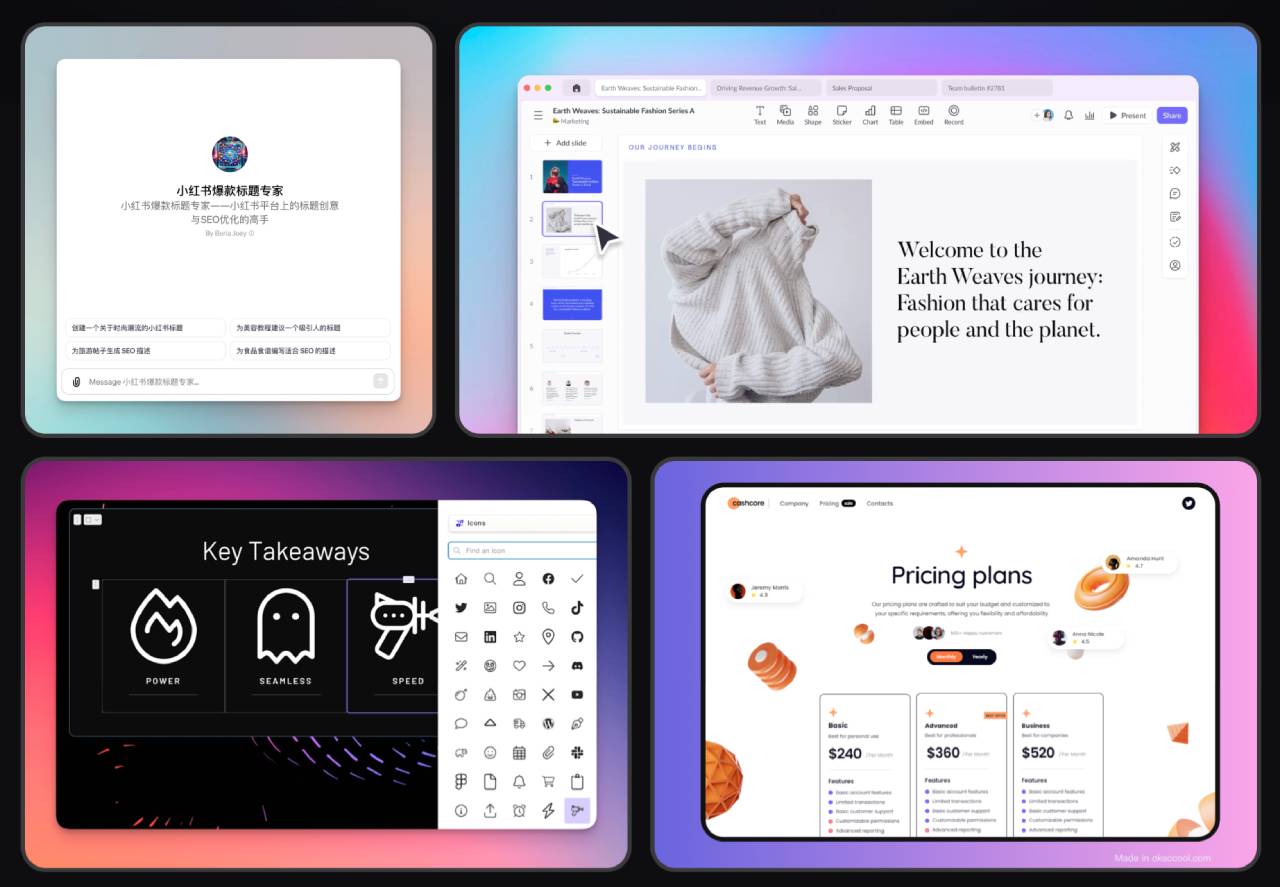
Main features of iProduct:
Screenshot beautification: No need to use professional design tools, everyone can make your screenshots look as stunning as design images.
Operation recording: Convenient for demonstrating product features, showcasing freely, letting the tool help you generate perfect demonstration videos.
AI video: Quickly create product promotional videos, producing product promotional videos for your products and features in minutes.
After taking a screenshot, you can also modify and edit the image, supporting operations such as adding backgrounds, modifying rounded corners, adding watermarks, and more.
How to use iProduct:
Download and install iProduct. After opening the software, it will automatically run in the background. You can open the software interface from the menu bar or by using the shortcut Alt + L when needed. After taking a screenshot, you can directly share the captured image to chat apps or Xiaohongshu.















