
 Script Planner Assistant▸
 AI Apps
 AI News

Vispunk Video: Free AI Text-to-Video Tool
Vispunk Video: Free AI Text-to-Video ToolIntroduction
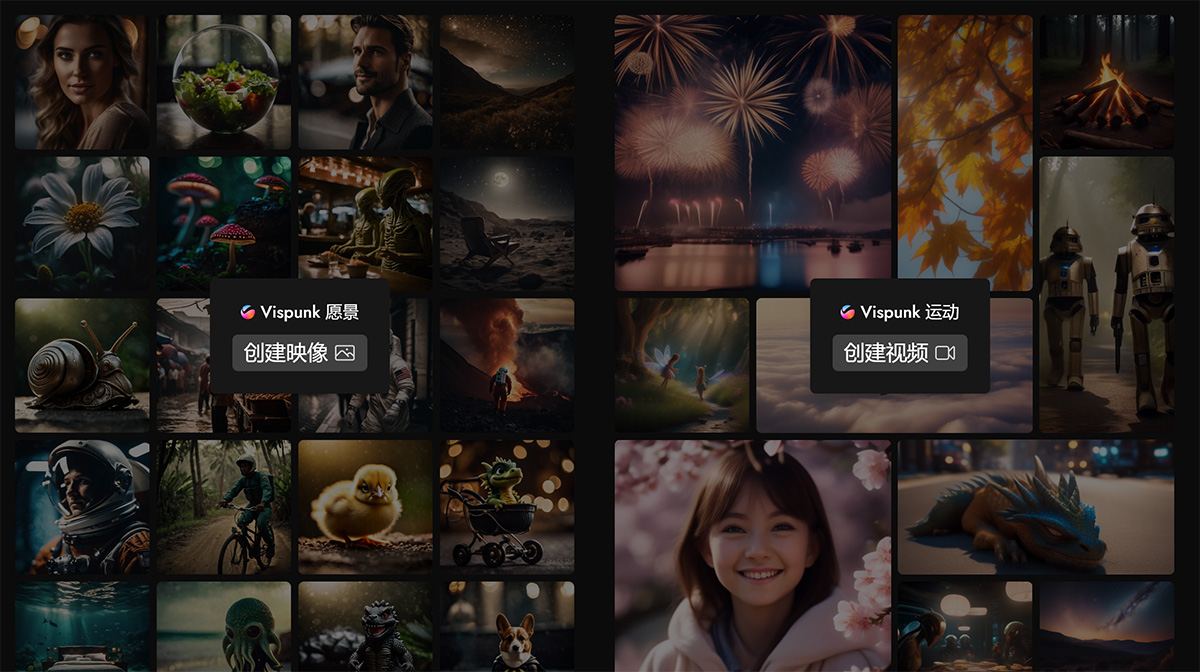
Vispunk Motion allows you to create realistic videos (1280x1280 pixels) using only text. You can use it to produce short films, b-rolls, social media videos, and more.
You simply need to input the relevant prompts for the video and select a camera angle, and you can quickly generate realistic, lifelike MP4 and GIF animations.
The creative potential of artificial intelligence is truly astonishing. It gives us the ability to imagine and visualize scenes that go beyond the limits of reality. Vispunk is an AI-driven tool that harnesses this potential, allowing you to conjure up a wealth of captivating images and videos that seem plucked straight from the realm of imagination.
Features of Vispunk Video:
Innovative Visual Creation: Vispunk Motion comes equipped with a diverse set of creative tools that let you generate engaging image content. Whether it's "an astronaut floating in space," "a salad drifting in a bubble," or "a cyberpunk London," the possibilities are nearly endless.
Unique Themes and Environments: Whether it's "a ninja Corgi on a daring mission," "a hamburger submerged underwater," or "a dwarf fishing in a tranquil pond," Vispunk Motion offers a wide variety of unique themes and environments to enrich your visual creations.
User-Friendly Editor: Experience the power of the Vispunk editor, available at https://editor.vispunk., designed to be both powerful and user-friendly. It streamlines the video and image editing process, making creativity effortless.
Dynamic Video Creation: In addition to stunning images, Vispunk Motion also enables users to produce dynamic videos, offering more options for creative content production.
Pros and Cons of Using Vispunk:
As with any tool, Vispunk has its own strengths and weaknesses worth considering:
Pros:
Unleash endless creativity through simple prompts.
Offers a flexible and imaginative way to generate unique visual effects.
Can serve as a source of inspiration for artists, writers, and content creators.
Cons:
The quality and accuracy of generated images may vary depending on the complexity of the prompts.
Creative AI tools may not always capture the nuances of human emotion or the subtleties of art.
Use Cases of Vispunk Video:
Visual Storytelling: Bring your stories to life, whether it's "a robot wandering through a post-apocalyptic wasteland" or "pirates sailing through a stormy sea." Use Vispunk Motion to create expressive illustrations that tell your story in a visually captivating way.
Advertising and Marketing: Captivate your audience with visually stunning content, whether it's "aliens eating sushi at a bar" or "a goldfish gracefully swimming in a glass bowl." Use Vispunk Motion to elevate your next marketing campaign.
Educational Utility: Leverage Vispunk Motion to design educational videos and images that explain complex concepts in a fun, interactive, and engaging way. Make learning more enjoyable.
Whether you are an artist seeking inspiration or a storyteller looking for the perfect visual effect to accompany your narrative, Vispunk opens up a world of creative exploration for you. It blurs the line between the possible and the impossible, offering a digital canvas where you can bring your wildest imagination to life—both still and in motion. While human creativity is irreplaceable, tools like Vispunk serve as a fascinating complement, expanding our ability to imagine and share the fantastical landscapes that exist in the farthest corners of our minds.











