
 Script Planner Assistant▸
 AI Apps
 AI News
AutoPod_云技派,专注ai人工智能!
AutoPod_云技派,专注ai人工智能!Introduction
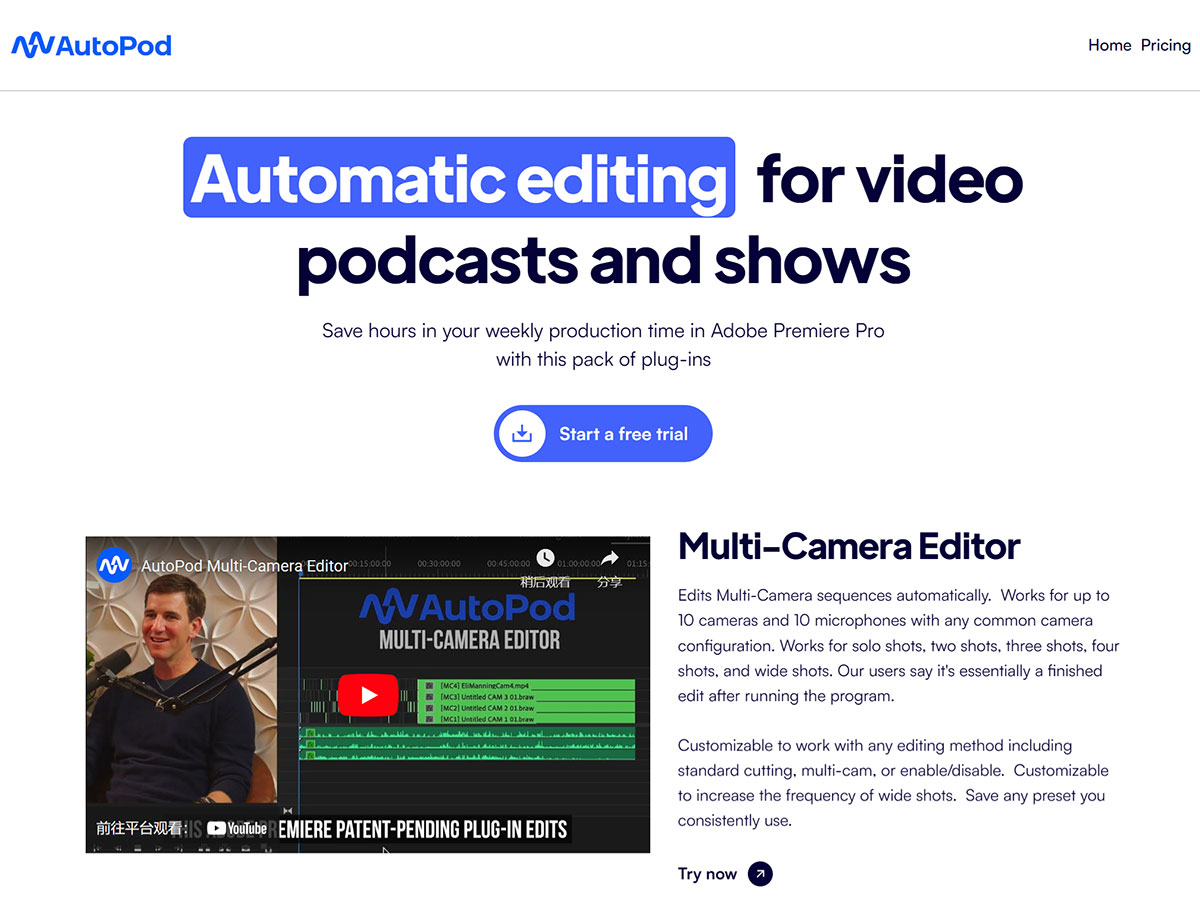
AutoPod is an Adobe Premiere Pro plugin designed for editing video podcasts and video shows, capable of automatically editing video podcasts and shows. AutoPod includes three main features: a multi-camera editor, a social clip creator, and a jump cut editor.
AutoPod leverages AI technology to simplify and automate time-consuming steps in podcast production. It supports automatic recognition and editing of multi-camera podcast content, helping video podcast and show creators save significant post-production time.
AutoPod Features:
Automatic Editing: AutoPod uses advanced AI algorithms to intelligently identify key scenes and people in videos and perform editing based on user-defined requirements. Users simply upload video素材 and set their editing requirements, and AutoPod will automatically handle the editing, saving users considerable time and effort.
Built-in Templates and Effects: AutoPod provides a variety of built-in editing templates and effects that users can select and adjust based on their needs. These templates and effects cover various styles such as dynamic, romantic, and narrative, enabling users to easily produce high-quality edited videos without professional editing skills or experience.
Multi-Camera Video Editing: AutoPod is particularly suitable for multi-camera shooting projects. It can automatically handle different volume levels in video and audio素材 to achieve multi-camera video editing, greatly improving editing efficiency. Whether it's short videos for social media or professional multi-camera shoots, AutoPod delivers professional-grade editing quality.
Jump Cut Editing: AutoPod supports jump cut editing, suitable for various video production scenarios that require jump cuts. It can select the best shots and editing sequences based on video context and logic, adding fade-in and fade-out transitions to achieve professional-grade editing quality.
Customized Settings: Users can customize settings according to their needs to enhance the effect of video editing. Whether it's video length, audio fade-in/fade-out effects, image transition speed, or editing style, AutoPod offers a rich set of parameter options to ensure the editing results meet user requirements.
How to Use AutoPod?
Using AutoPod is very simple and requires only a few steps:
1. Download and install the AutoPod plugin. After installation, close and reopen Adobe Premiere Pro. Then click on the AutoPod application you want to use under Window -> Extensions.
2. Import your video files and follow the prompts to set up. For example, in the Multi-Camera Editor, you need to select the number of cameras and layout; in the Social Clip Generator, you need to select the output format and dimensions; in the Jump Cut Editor, you need to select the silence threshold and minimum cut length, etc.
3. Click the Start button, then sit back and wait for AutoPod to complete the editing work for you. You can preview and adjust the results at any time until you are satisfied.
4. Export and share your video podcast.
AutoPod Pricing:
AutoPod currently offers only a single subscription plan at $29 per month (approximately ¥188), which includes all three features (Multi-Camera Editor, Social Clip Generator, and Jump Cut Editor). All users can enjoy a 30-day free trial.












