
 Script Planner Assistant▸
 AI Apps
 AI News

Motionshop: Replace Video Characters with 3D Avatars
Motionshop: Replace Video Characters with 3D AvatarsIntroduction
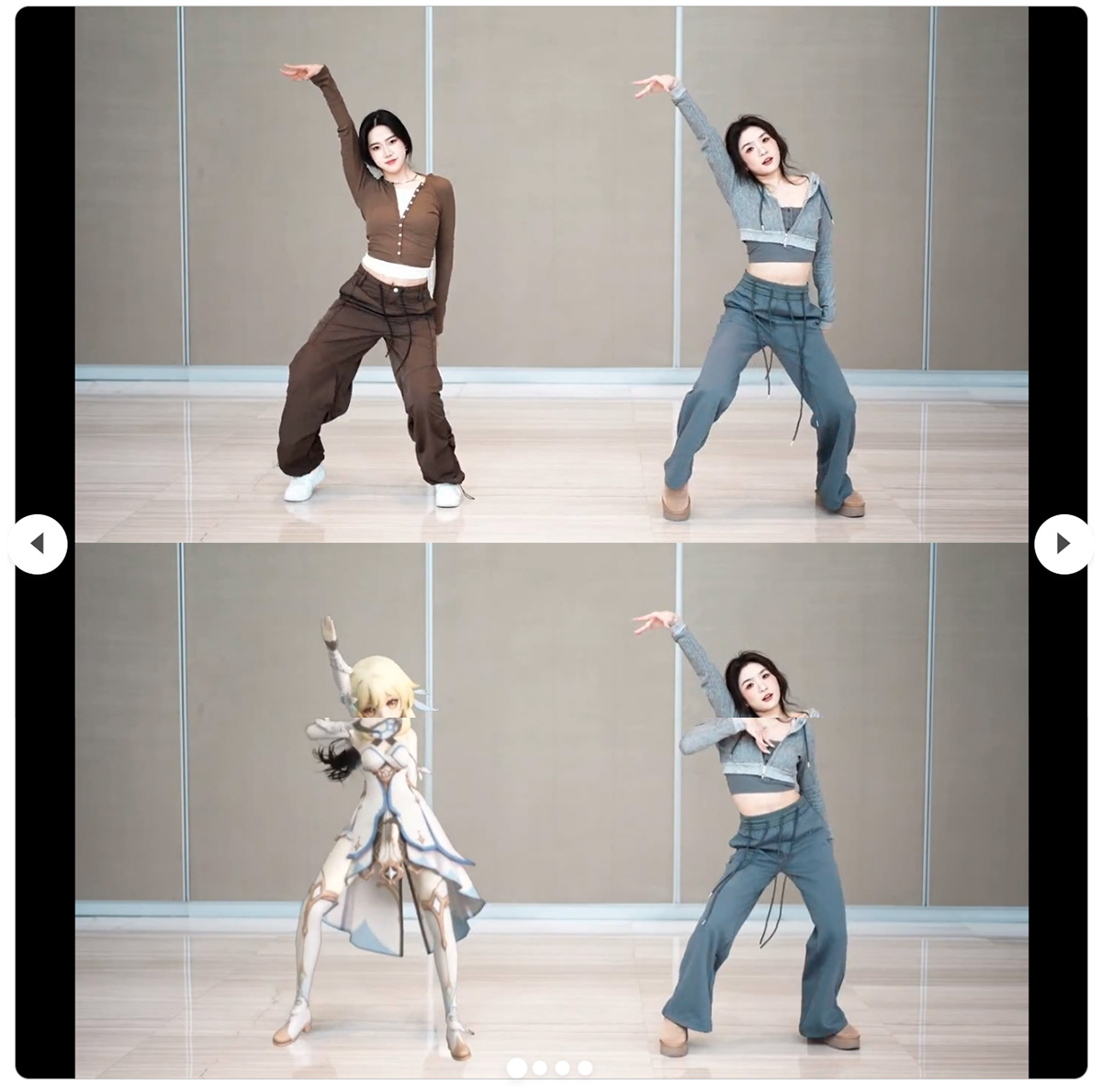
Motionshop, an AI character animation tool, uses advanced video processing and 3D rendering technology. Motionshop can automatically detect characters in a video and replace them with 3D cartoon character models to generate fun AI videos. At the same time, other scenes and characters in the video remain unchanged. The replaced 3D character can fully replicate the movements of the person in the original video, keeping the actions consistent.
Motionshop project homepage:https://aigc3d.github.io/motionshop/
Technical principles of Motionshop:
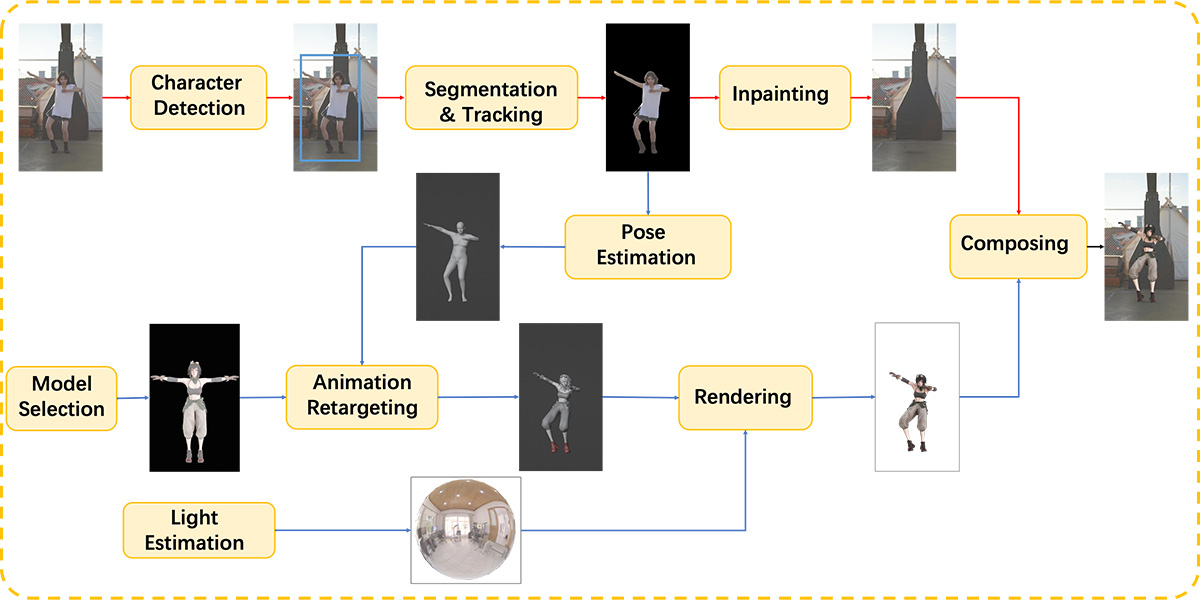
1. Video processing and background extraction: Use video processing technology to separate the character from the original video, leaving a background without people. This step involves complex image analysis and processing to ensure the integrity and coherence of the background.
Character detection: Motionshop uses a transformer-based framework to tightly fuse textual information with existing closed-set detectors, achieving zero-shot object detection.
Segmentation and tracking: After successfully detecting the target, a video object segmentation and tracking method is used to track the pixel-level target region.
Inpainting: The remaining image regions in the video are completed through video inpainting techniques, including recursive flow completion, dual-domain propagation in image and feature domains, etc.
2. Pose estimation: This step uses pose estimation techniques to analyze the movements of the character in the video. It involves capturing and analyzing human motion, using the CVFFS method to estimate stable human poses, and adopting the SMPL human body model to represent the 3D human body.
3. 3D cartoon character animation generation: Based on the estimated poses and movements, the corresponding 3D animated character is generated. This process needs to ensure that the movements of the 3D model match those of the character in the original video.
4. Lighting estimation: In order to make the 3D model blend naturally into the original video background, the lighting conditions in the video need to be estimated, and the 3D model should be processed with corresponding lighting.
5. High-performance rendering: Motionshop uses a high-performance ray tracing renderer such as TIDE to render the 3D cartoon character model, ensuring it has a high degree of realism and visual effect.
6. Video composition: Finally, Motionshop composites the rendered 3D cartoon character back into the video with the people removed, producing the final video result.
How to use Motionshop:
Upload a video, and the AI will automatically identify the moving subject in the video and replace them with an interesting 3D character model with one click, generating a unique AI video.
Step 1: Upload a video that contains a character (please ensure the character is complete and the video duration does not exceed 15 seconds);
Step 2: Select the character to be replaced in the video (auto-select);
Step 3: Select the virtual character model to replace with and click generate. Wait for 10 minutes for the result to be generated.
Motionshop can basically serve as a flat replacement for Wonder Studio. Wonder Studio can automatically convert and replace characters in real-life scenes with CG characters, and can also perform animation, lighting, and compositing.














