
 Script Planner Assistant▸
 AI Apps
 AI News

Personalized Restoration: Accurate Face Recovery & Personalized Editing
Personalized Restoration: Accurate Face Recovery & Personalized EditingIntroduction
Personalized Restoration is a face image precise restoration and personalized editing technology. Personalized Restoration can not only restore damaged image details but also accurately capture and reproduce an individual's unique facial features, ensuring the restored image is both clear and natural, and faithful to the original appearance. It also supports face swapping.
Personalized Restoration uses an advanced dual-axis adjustment method—combining text guidance and model tuning—to ensure the restored image is faithful to the original appearance while preserving the individual's unique identity.
In addition, Personalized Restoration supports text-guided editing, allowing users to modify specific details of the restored image through simple text prompts.
Personalized Restoration Features:
Personalizes the diffusion prior using reference images
Preserves facial identity information within the denoising framework
Retains the visual attributes of degraded images
Personalized Restoration Use Cases:
Personalizes the diffusion model using a few reference photos of a celebrity for portrait image restoration
Achieves face swapping effects using different personalized models
Enables text-guided editing of personalized models by combining text prompts
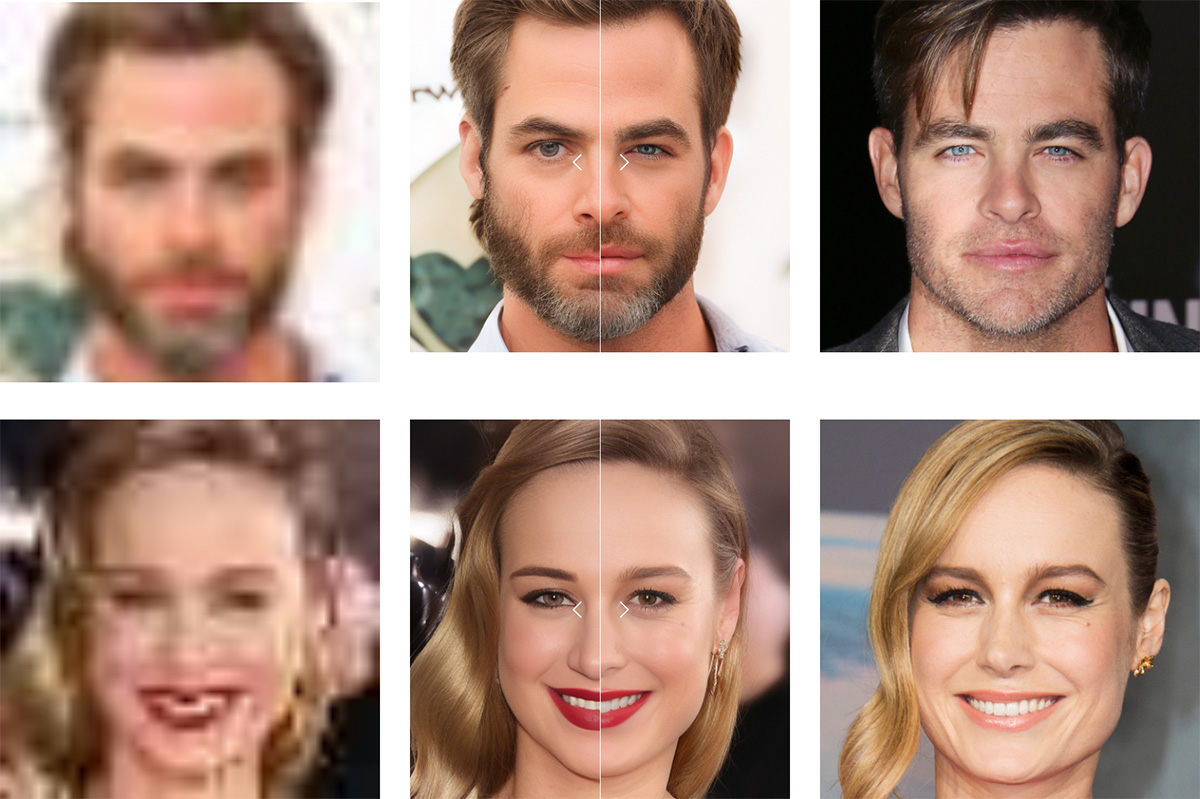
Main Functions and Roles of Personalized Restoration:
Suppose you have a blurry old photo of your grandfather when he was young. This photo is very important, but because of its age, it is very blurry, the colors have faded, and the facial details are almost unrecognizable. You want to restore this photo so that it looks clearer and closer to its original state.
Traditional image restoration techniques may make the photo clearer but could lose your grandfather's unique facial features, such as his specific smile or the shape of his eyes. This is because traditional techniques usually rely on general image models that are not specifically tailored to your grandfather's unique appearance.
Personalized Restoration Adjustment Process:
1. Text-Guided Adjustment Stage:
Suppose you also have some clear photos of your grandfather from other periods. These photos and some descriptive text (such as "grandfather when young, wearing glasses, with a distinctive smile") are used to fine-tune the generative model G. This fine-tuning process allows the model to understand and learn your grandfather's unique facial features, such as the shape of his eyes, the way he smiles, and so on.
2. Model-Based Adjustment Stage:
Next, the guidance network E is adjusted based on the fixed fine-tuned generative model G. The purpose of this step is to enable the guidance network to simultaneously take into account personalized features (such as your grandfather's smile) and other aspects of the image (such as color and clarity) when restoring the blurry photo.
The final result is: the restored photo not only becomes clear, but its colors and details are also improved.More importantly, the photo faithfully reflects your grandfather's unique facial features, making it instantly recognizable as him.
Through this dual-axis adjustment method, the system can restore natural, high-quality images while preserving an individual's unique features, giving old photos a new life and making them more valuable as personal memories.
It also supports a face swap feature, allowing personal features to be applied to other images to create an entirely new visual experience. For example, you can transfer someone's facial features onto another person's photo.
In addition, it supports text-guided editing, allowing users to use prompt modifiers (such as "smile" and "blue eyes") to enable related editing alongside restoration.














